Table of Contents
Learn step by step is Perplexity's guided learning mode. Instead of prioritizing a short final answer, it can break a topic into stages, ask questions, offer hints, and adapt the explanation to the level you describe. It is useful for studying a method, but its output still needs to be checked against reliable sources.
Open Learn step by step
- Open Perplexity on the web and click the + button in the input bar.
- Select Learn step by step from the mode menu.
- Enter the topic or problem, along with your current level and the kind of help you want.
- Submit the prompt, then answer the questions or request another hint as the lesson progresses.
Earlier versions of the interface exposed this mode after typing / in the prompt box, as shown in the first screenshot. Perplexity moved it to the + menu in its updated web input bar, so use the current menu if the slash shortcut does not appear.
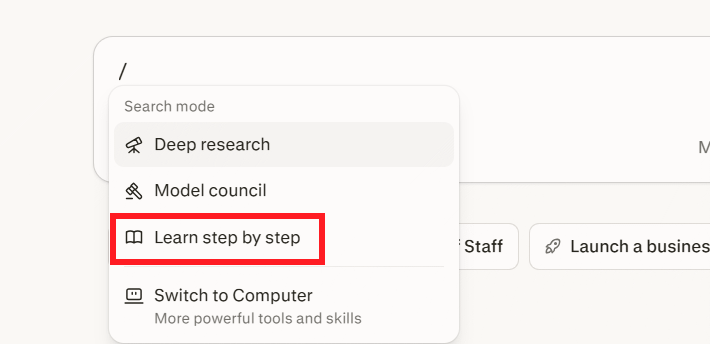
Perplexity says the mode is available to everyone on the web. Menu placement and access in mobile apps can differ, so update the app or use the web version when the option is missing.
Ask a question that supports learning
A specific prompt produces a better lesson than a broad topic. Include the desired outcome, prior knowledge, and any constraints. For example:
- “Teach me how binary search works. I know basic arrays but not algorithm analysis. Ask me to predict each step before explaining it.”
- “Help me solve this equation without giving the final value immediately. Start with one hint and check my attempt.”
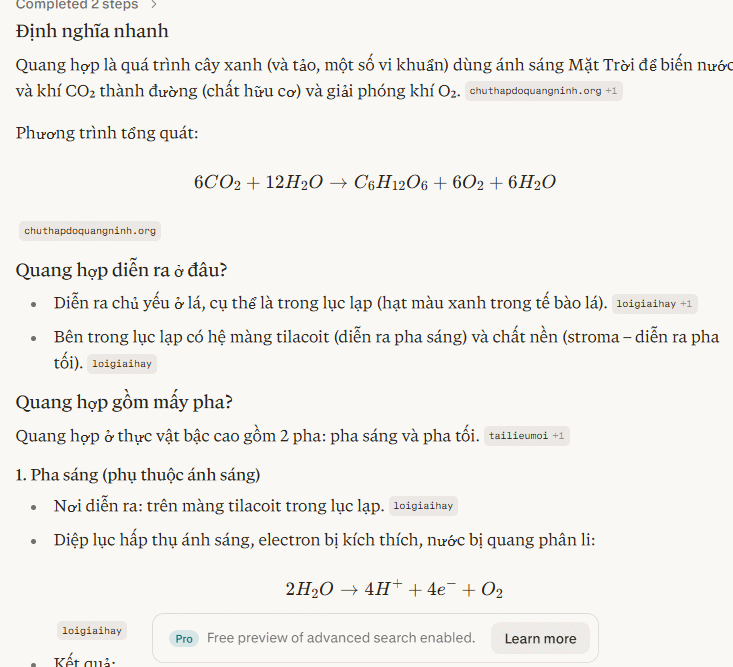
- “Explain photosynthesis at middle-school level, then give me three questions that test cause and effect.”
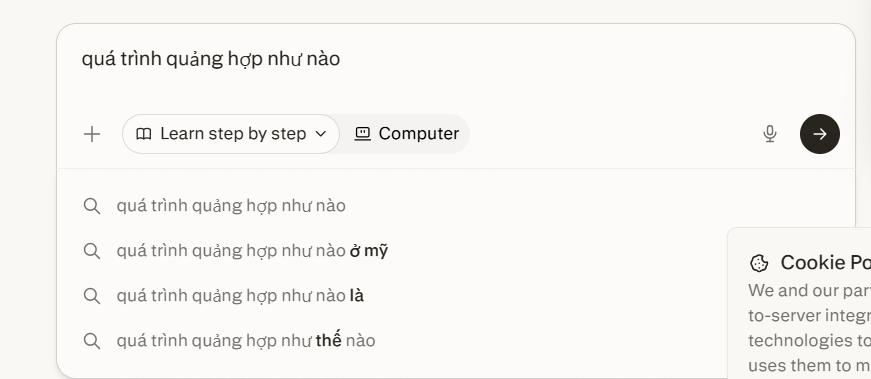
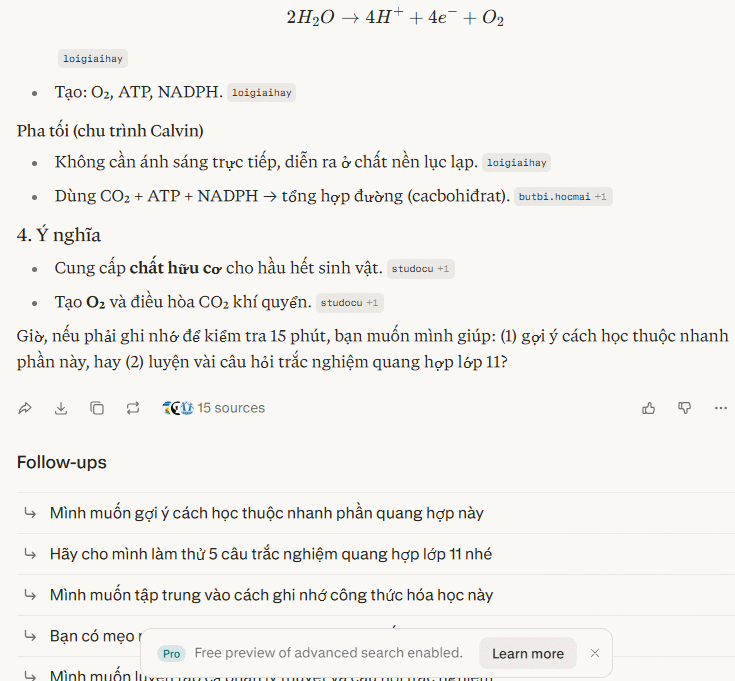
The response may introduce concepts in sequence and suggest related questions. Ask it to slow down, use a simpler example, increase the difficulty, or revisit a step when the explanation does not match your level.
Example: practice multiplication
For 25 × 16, the mode might guide you to split 16 into 10 + 6, calculate 25 × 10 and 25 × 6, and combine the partial products. The useful part is not the answer 400 by itself, but recognizing the distributive method so you can apply it to a new problem.

To make the session active rather than passive, ask Perplexity to wait for your response after each step. You can also request a similar problem with different numbers and solve it without hints.
When this mode is useful
- Working through a math or logic method one decision at a time.
- Learning a programming concept and predicting what a code sample will do.
- Building a sequence or timeline for a science or history topic.
- Practicing a language with explanations tailored to your level.
- Reviewing a process, then testing whether you can perform it independently.
Use a regular Perplexity search when you only need a quick fact or a concise summary. Use Learn step by step when understanding the method matters more than speed.
Check the lesson, not just the answer
Guided formatting does not guarantee accuracy. Open the cited sources, confirm that they support the specific claim, and prefer primary materials for technical, medical, legal, or academic topics. If a calculation is important, verify it independently. Do not paste private records, exam questions you are not permitted to share, or confidential work into the prompt.
Perplexity's product update describes the current +-menu location and the mode's guided questions and hints.
Related Articles
 How to Use the Space Feature in Perplexity AI7 minutes read
 How to Create API Key Perplexity8 minutes read
 Experience Perplexity AI Virtual Assistant on iPhone3 minutes read
 Why Is a Perplexity Pro Subscription Worth It: Causes and Fixes6 minutes read
 A Comprehensive Guide to Academic Knowledge on Perplexity AI3 minutes read
 How to Integrate Gemini with Perplexity AI: Step-by-Step Guide6 minutes read
Reader Comments 0
Sign in with email or Google to join the discussion.