Table of Contents
This guide covers guide Windows phone users to update lumia denim with practical context and easy-to-follow details. Use it to understand the subject and apply the information confidently.
Not long after the introduction of Lumia Denim Update, Microsoft just released a video to guide Lumia phone users how to update this update. Lumia Denim was first introduced by Microsoft at IFA exhibition in September 2014, the exhibition also launched two mid-range Lumia 730 and Lumia 830 phones.
This update will bring significant improvements to the camera on Lumia 830, Lumia 930, Lumia Icon and Lumia 1520. In particular, the first significant change is the new camera app called Lumia Camera for Better speed and help users take photos faster.
Lumia Camera will also help Lumia phones shoot 4K resolution videos (with supported hardware models) , improve the quality for photos taken in auto HDR (bright balance) And Dynamic Flash modes. Users of smartphones that support Denim updates can watch videos to upgrade and enjoy new features on this update.
In addition, to demo for improvements on Denim, the software company also released a number of photos taken with the Lumia 930 after the update.
FAQ
What should I check before following these steps?
Confirm device and software compatibility, save important data, and make sure you have the required permissions, files, and account access.
Why might the process not work?
Common causes include outdated software, missing permissions, incompatible hardware, an unstable connection, or completing a step in the wrong order.
Can I undo the changes if necessary?
That depends on the tool or setting. Use built-in restore options when available, keep a backup, and record the original configuration first.
Related Articles
 Microsoft Confirmed the Denim Update to Replace the New Camera3 minutes read
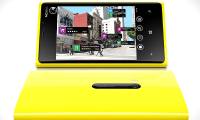 How to Use Nokia Lumia 920 Effectively4 minutes read
 A Windows Phone 7. 8 Update Is Available for Nokia Lumia Phones3 minutes read
 All Windows Phone 8 Devices Are up 103 minutes read
 Hot Denim Trends to Help You Stay Stylish in Winter4 minutes read
 How to Enable or Disable 3G on Windows Phone?3 minutes read
Reader Comments 0
Sign in with email or Google to join the discussion.