Table of Contents
This guide covers a Windows phone 7. 8 update is available for nokia lumia phones with practical context and easy-to-follow details. Use it to understand the subject and apply the information confidently.
You can update to the latest Windows Phone version via the Navifirm firmware download. Currently all of Nokia's early Lumia phones, including Lumia 900, 800, 710 and 610, and the newly launched Lumia 510 phone, can update Windows Phone 7. 8.
Windows Phone 7. 8 has some noticeable improvements, including the ability to edit the panels on the main screen, select backgrounds from Bing, child safety keys and many new background colors. In addition, Nokia also has some additions to its firmware, including the ability to share files via Bluetooth (with no DRM locked conditions), Contacts Transfer apps, Contacts Share, Ringtone Maker, and two additions to cameras are Cinemagraph and Lenses.
Here are some Lumia 800 phone images after being upgraded Windows Phone 7. 8.
 Information about the new version
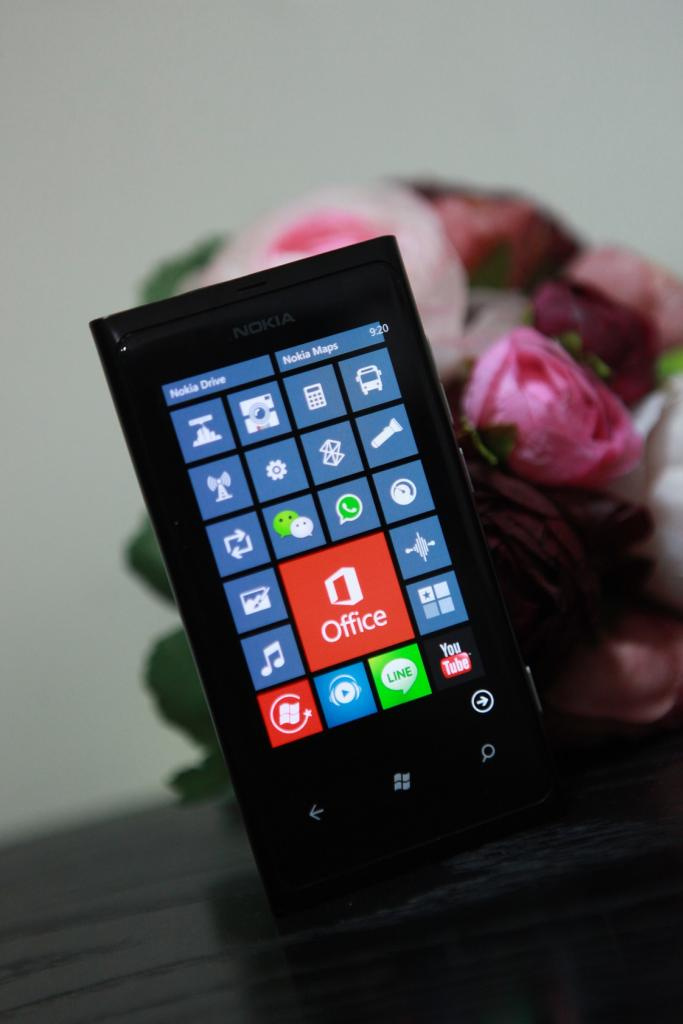 Cells can be resized, allowing the main screen to display more apps
 There are more than 20 new background colors in Windows Phone 7. 8
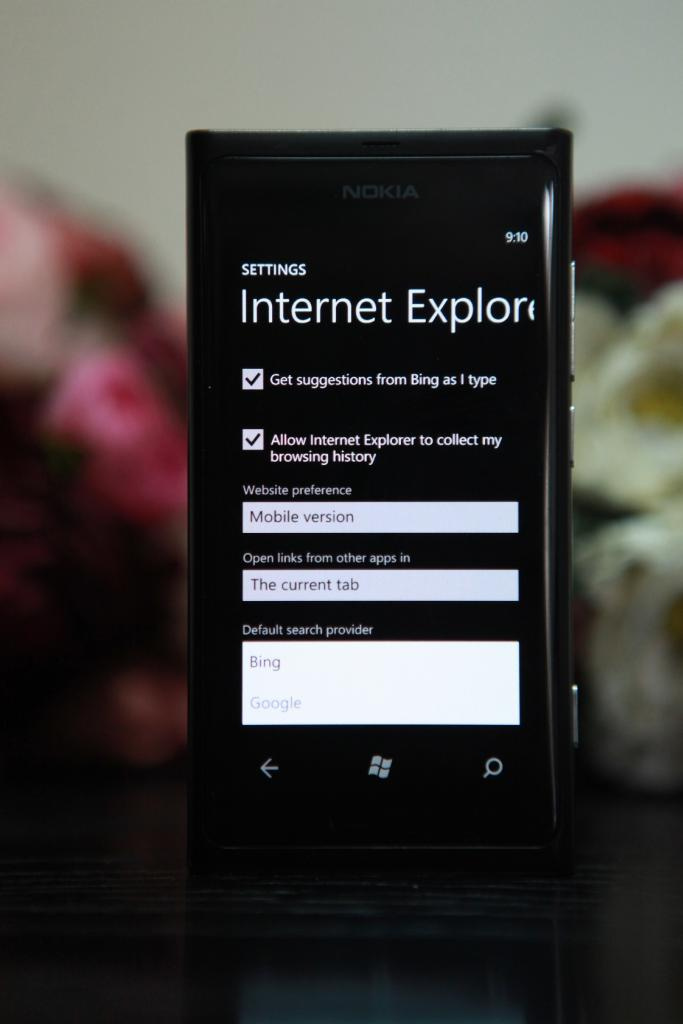 Google is added as a default search service in Internet Explorer
FAQ
What should I check before following these steps?
Confirm device and software compatibility, save important data, and make sure you have the required permissions, files, and account access.
Why might the process not work?
Common causes include outdated software, missing permissions, incompatible hardware, an unstable connection, or completing a step in the wrong order.
Can I undo the changes if necessary?
That depends on the tool or setting. Use built-in restore options when available, keep a backup, and record the original configuration first.
Related Articles
 How to Use Nokia Lumia 920 Effectively4 minutes read
 Nokia Lumia 720 and 520 Launched at MWC, Sold in the Second or Third4 minutes read
 Nokia Received Orders for 30,000 Devices Running Windows Phone3 minutes read
 Nokia Sent Invitations to Launch New Windows Phone Devices4 minutes read
 Microsoft Revealed Improvements on Cyan for Nokia Lumia4 minutes read
 Review Nokia Lumia 61020 minutes read
Reader Comments 0
Sign in with email or Google to join the discussion.