Table of Contents
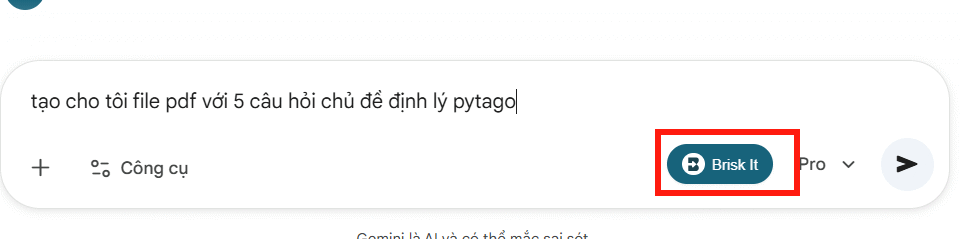
Brisk Teaching can expand a basic Gemini request into a more specific educational prompt. It is useful when a teacher knows the resource they want but has not included the grade level, learning objective, difficulty, scaffolding, or output format. The revised prompt still needs a human check before it is sent to Gemini.
Before you begin
Install the official Brisk Teaching extension in Google Chrome or Microsoft Edge and sign in to your Brisk account. Brisk says its extension works with Gemini as well as other supported web tools. Confirm that the extension is allowed by your school or organization before using it.
Do not place student names, grades, health information, or other sensitive data in a prompt unless your institution has approved the tool and the workflow. A prompt can usually describe the learning need without identifying a student.
How to improve a Gemini prompt with Brisk
1. Start with the intended outcome
Open Gemini in a supported browser and write a short request in the prompt box. For example:
Create five questions about the Pythagorean theorem.
This states the topic but leaves important choices unresolved. It does not specify the learners, difficulty, question types, answer key, or desired format.
2. Open Brisk from the prompt area
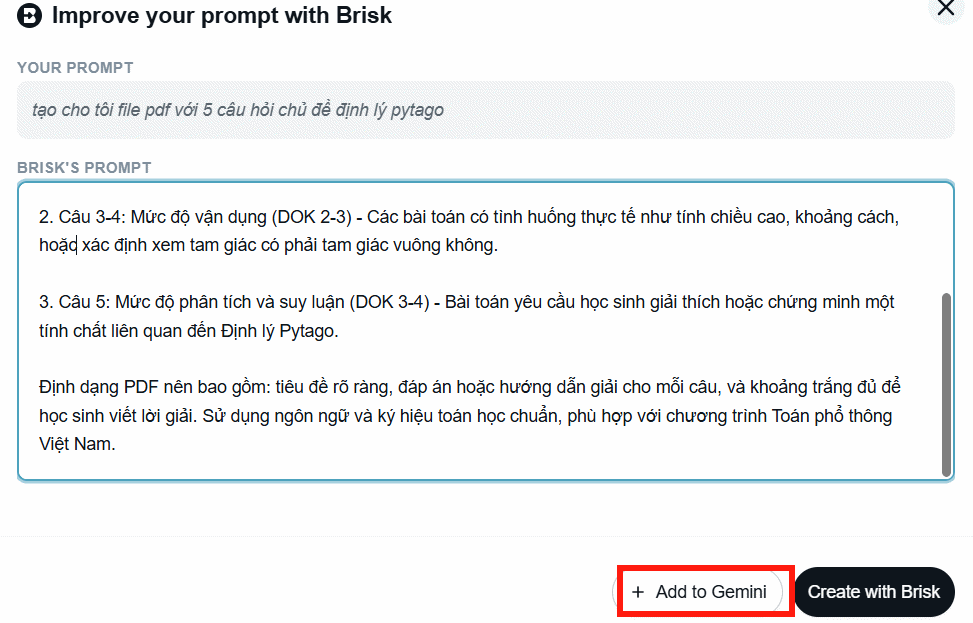
Select the Brisk icon shown near the prompt field. If it is not visible, make sure the extension is enabled, refresh the page, and check whether your browser or managed school account has restricted the extension.
3. Review the expanded prompt
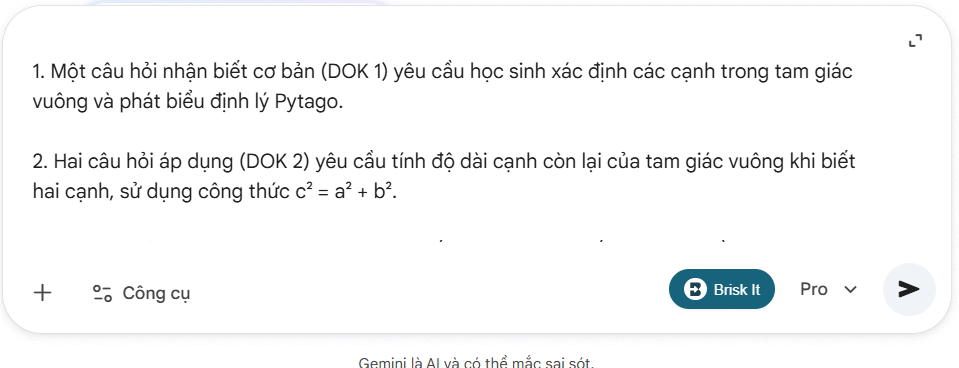
Brisk may add educational context such as grade level, standards, scaffolding, depth of knowledge, or formatting. Read every addition rather than accepting it automatically. Change any incorrect curriculum assumptions, remove requirements you do not need, and make the final deliverable explicit.
4. Add the revised prompt to Gemini
Use Add to Gemini or the equivalent action displayed by the extension. Before sending it, check that the prompt requests an age-appropriate result and does not contain private information.
5. Verify Gemini's response
Check mathematical accuracy, reading level, answer keys, instructions, and accessibility. If you asked for a document, inspect the content before exporting it. Gemini Canvas can export supported documents to PDF, but availability and controls can vary by account and interface.
Example of a stronger prompt
Create a printable worksheet with five Pythagorean theorem questions
for Grade 8 students.

Requirements:
- Include two direct calculations, two word problems, and one explanation question.
- Move from introductory to moderate difficulty.
- Use whole-number side lengths where possible.
- Provide a separate answer key with working.
- Leave enough space for students to show their calculations.
- Use clear, age-appropriate language.
The useful improvement is not length by itself. Each instruction resolves a decision that the model would otherwise guess. A shorter prompt can be better when it contains the right constraints.
What to include in an educational prompt
- Audience: grade, course, and relevant prior knowledge.
- Objective: the skill or understanding the activity should assess.
- Evidence: source material, curriculum standard, or facts the response must use.
- Difficulty: the expected range and progression.
- Format: worksheet, rubric, lesson outline, table, or answer key.
- Constraints: length, language, accessibility, and topics to avoid.
- Quality checks: accurate solutions, citations where needed, and no invented sources.
When Brisk is most useful
Brisk can save time when teachers repeatedly create classroom materials and want reminders about educational context. It is less useful when the task already has a precise specification or when the source material must be handled under stricter privacy controls. In either case, the teacher remains responsible for the final resource.
See Brisk's official integrations page for currently supported tools. For a wider comparison of general assistants, read our guide to the best AI assistants and their different uses.
Related Articles
 Guide to Creating the Brisk AI Learning Assistant for Students5 minutes read
 Guide to Creating Lecture Slides Using Brisk AI5 minutes read
 How to Quickly Creating Multiple-Choice Questions Using Brisk3 minutes read
 How to Create Lesson Podcasts Using Brisk AI4 minutes read
 How to Turn Gemini Answers into Questions Using Brisk3 minutes read
 minutes read
Reader Comments 0
Sign in with email or Google to join the discussion.