Table of Contents
For supported searches, Google can call nearby businesses and ask about prices and availability on your behalf. Look for Have AI check pricing in the results. The feature collects quotes. You contact a business yourself to confirm details and book.
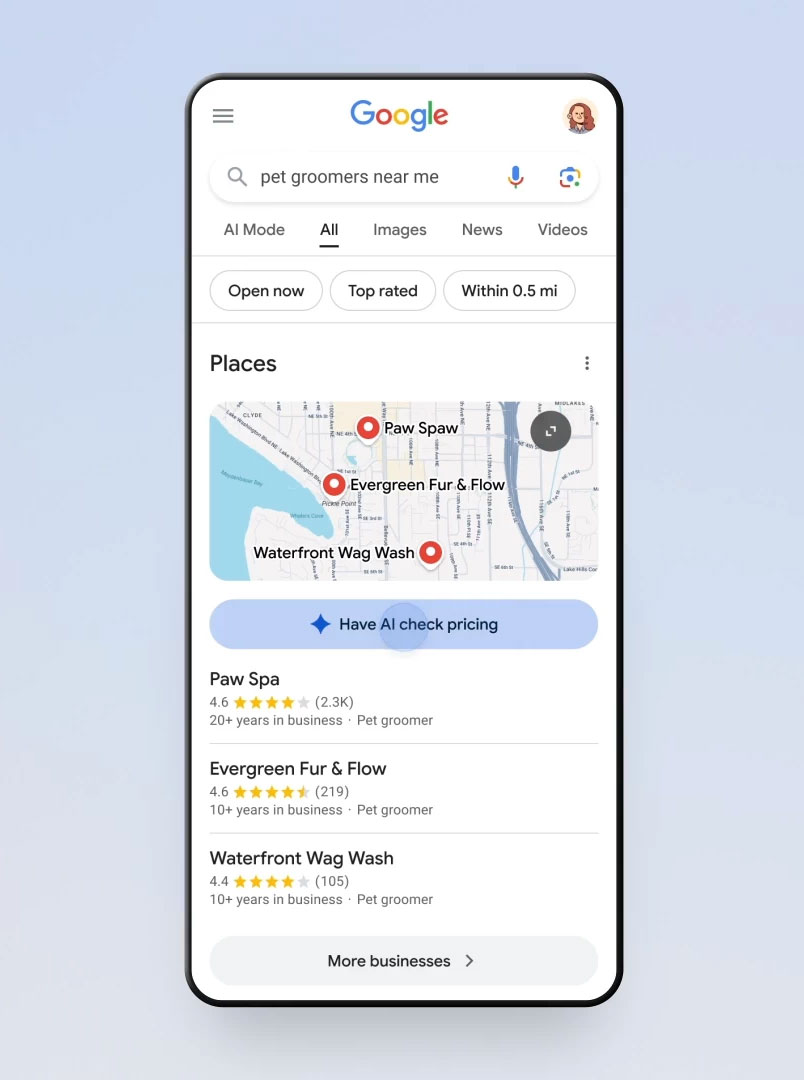
Ask Google to check a price
- Search Google or the Google app for a local service, such as a pet groomer, auto repair shop or hair salon.
- If Have AI check pricing appears, open the form. Specify the service, location and dates. For pet grooming, include details that affect the quote, such as the dog’s size and the type of grooming requested.
- Review the information and submit the request. Check for the results by email. If Google cannot reach providers, it may send suggestions instead of quotes.
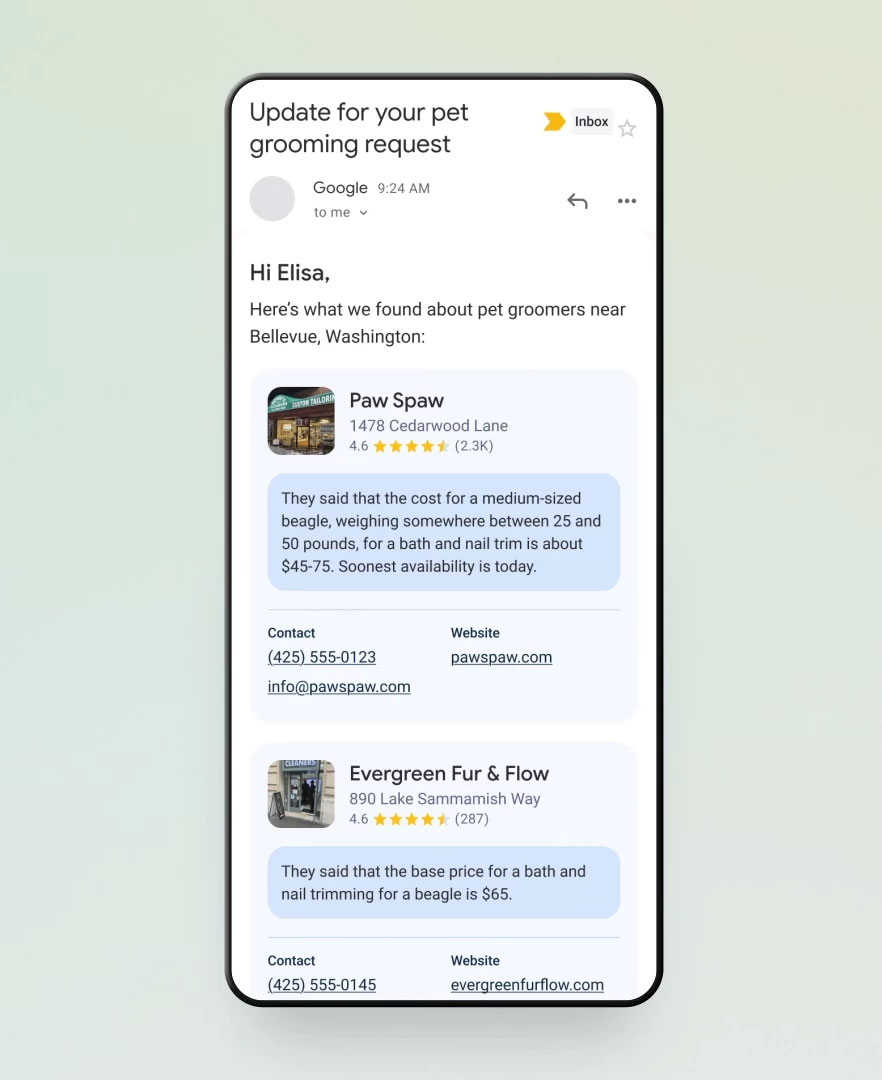
If the button is missing, the service, area or account may not be eligible. Google also documents a separate AI Mode availability and pricing feature. For the difference between AI Mode and standard search results, see how Google AI Mode works.
What Google shares with the business
Google’s pricing-help page says it may share the request details, including your name, with providers. Include only the information they need to quote the job. Google says automated calls may be monitored and recorded for quality, and businesses can manage these calls through their Business Profile controls.
Before booking, call the provider to confirm what the quote includes, whether taxes or extras apply and whether the time is still available.
Related Articles
 How to make free calls from computer to phone
 How to make calls from Windows 10 using the Your Phone app
 How to Make Phone Calls with Yosemite
 Use Google Now to search for Vietnamese voice
 Guide to look up phone numbers with Google and Facebook
 Interesting search engines on Google that you may not know yet
Reader Comments 0
Sign in with email or Google to join the discussion.