Table of Contents
Gemini Storybook can draft an illustrated tale from a short description and read it aloud. For a bedtime story, the important step is reviewing the whole book before handing it to a child: the illustrations, plot, and tone may not match the prompt consistently.
What Storybook can create
You can describe a character, setting, and story idea, request an illustration style, or provide suitable reference images. Google's Storybook instructions explain creation and playback options. Availability and controls depend on your account and interface, so check the current requirements if the feature does not appear.
For the creation steps, see our Gemini illustrated-story walkthrough. The checks below focus on deciding whether the output is ready to read.
Look at every illustration
The examples accompanying this article show why a polished cover is not enough. A story about a catfish making friends includes an illustration with an unexpected human arm. Other scenes described in the original examples had confusing objects or awkward perspectives.
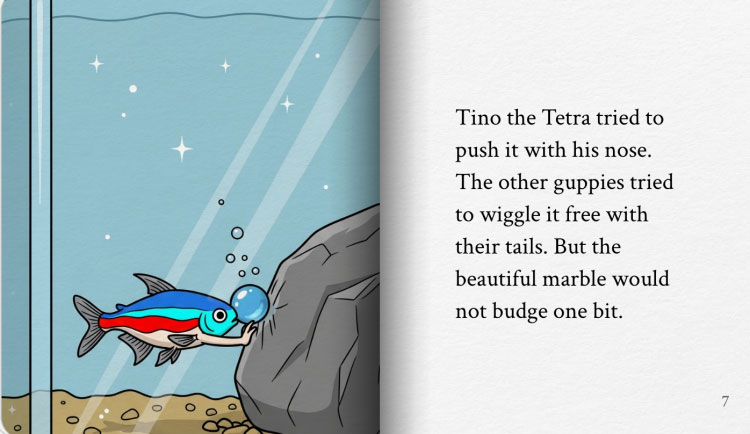
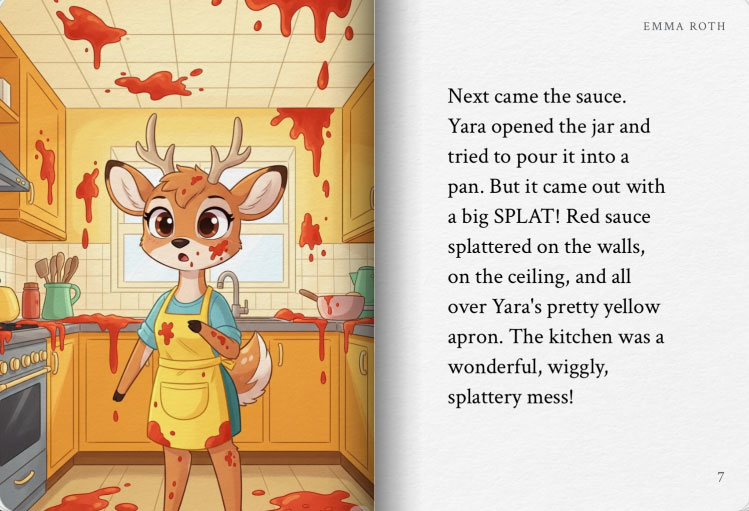
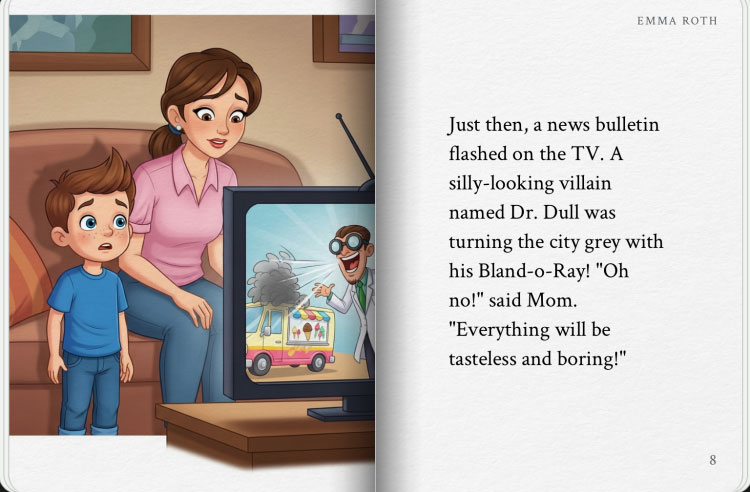
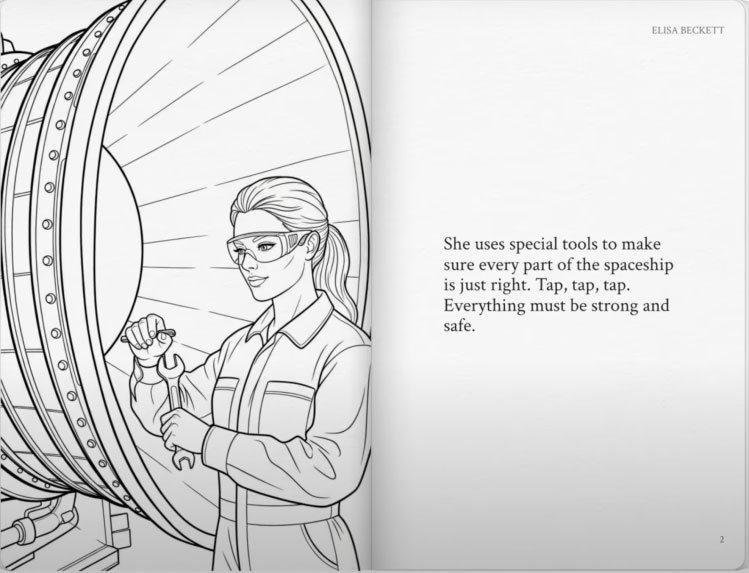
Check whether the main character keeps the same appearance, whether actions make visual sense, and whether an apparently ordinary scene could look frightening to a young reader. An image error is not necessarily fixed by changing the prose on that page.
Check the story as a story
A generated tale may have a clear beginning and end yet still feel repetitive or lack a meaningful problem to solve. Ask these questions:
- Can the intended reader understand what the character wants?
- Does each page move the story forward?
- Does the ending follow from the character's actions?
- Are the sentence length and emotional tone suitable for this child?
If the result is weak, request a specific change, such as a simpler conflict or a calmer ending. Use focused prompt revisions rather than repeatedly asking for a “better” story.
Do not assume a reference image will be copied faithfully
Providing a drawing can guide the output, but it does not guarantee consistent reproduction of the character or your intended art style. Compare the generated pages with the reference and decide whether the differences are acceptable.
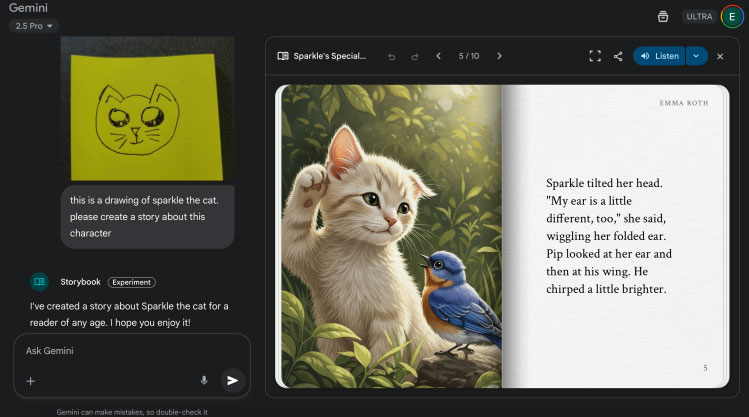
Use only images you have permission to upload. Avoid adding private details to personalize a book, especially if you plan to share it publicly.
Review the final version before sharing
Read all text, listen to the narration if you will use it, and inspect every page after revisions. Check educational claims independently. Share or print only the version you have actually reviewed, and inspect the print preview for cropped artwork or missing text.
Storybook can provide a starting point for a creative activity. It works best when an adult remains the editor and reader, with room to adapt or reject a scene that does not suit the child.
Related Articles
 Create comics with 1 simple command that anyone can do!
 How to Create Lesson and Story Mind Maps with Gemini
 Gemini 3.1 Pro vs Gemini 3 Pro: What Changed?
 How to Create Stranger Things-Inspired Fan Art with Gemini
 Gemini in Gmail, Meet, Docs, and Drive: 4 Practical Uses
 How to Hide or Disable Gemini in Google Docs
Reader Comments 0
Sign in with email or Google to join the discussion.