Table of Contents
OpenAI's gpt-oss-20b and gpt-oss-120b are open-weight reasoning models that developers can download and deploy on their own infrastructure. They provide a different deployment option from a hosted chatbot: you choose and maintain the runtime, hardware, and application around the model.
What “open weights” means
Weights are the learned numerical parameters used to generate a model's outputs. Making them available enables local inference and adaptation, subject to the release's terms. It does not mean every training dataset or every part of the training process has been released.
OpenAI distributes these models under Apache 2.0 and its gpt-oss usage policy. See the official gpt-oss overview for licensing and deployment distinctions.
Choose a model that fits the machine
OpenAI's release announcement describes gpt-oss-120b running on a single 80 GB GPU and gpt-oss-20b on systems with as little as 16 GB of memory. These figures depend on the supported model format and runtime; they are not guarantees of comfortable performance on every computer with that memory capacity.
Allow space for the operating system, model files, and runtime overhead. Processor or accelerator support, context length, and concurrent requests also affect memory use and speed. A laptop that loads a model may still generate text too slowly for your workflow.
What the models can—and cannot—do
The models are designed for reasoning and tool use. Tool use still requires an application to provide and execute the tools; downloading weights does not automatically connect the model to your files, browser, or other services.
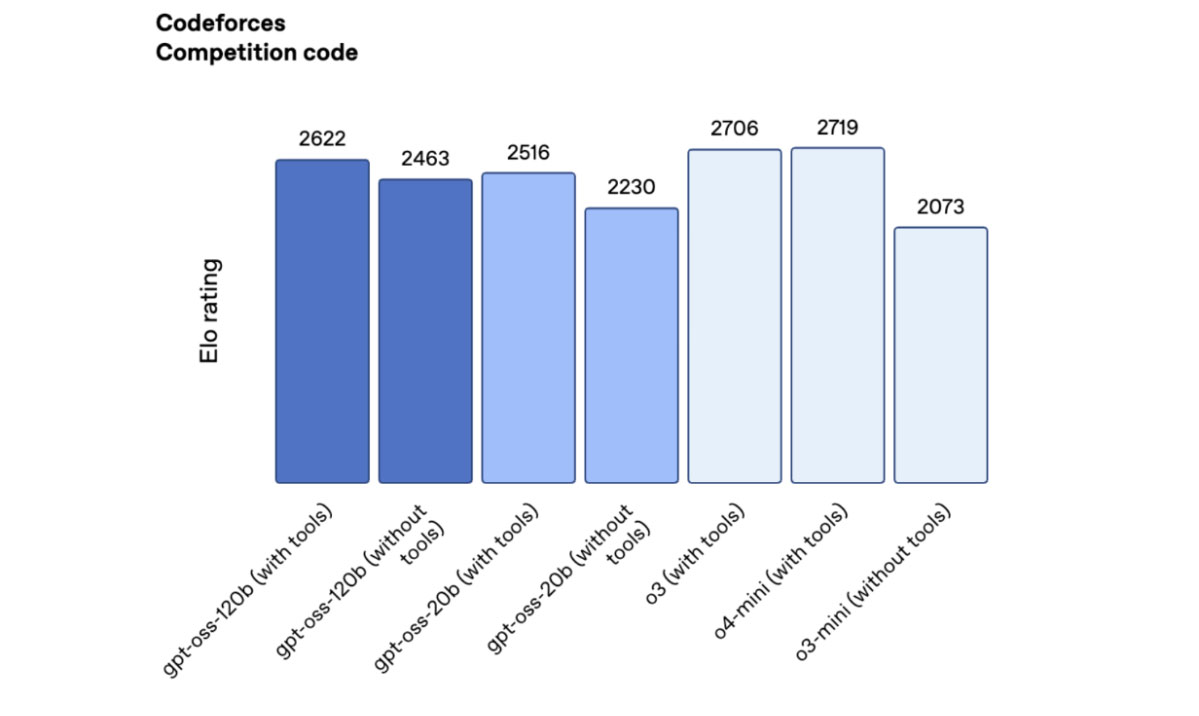
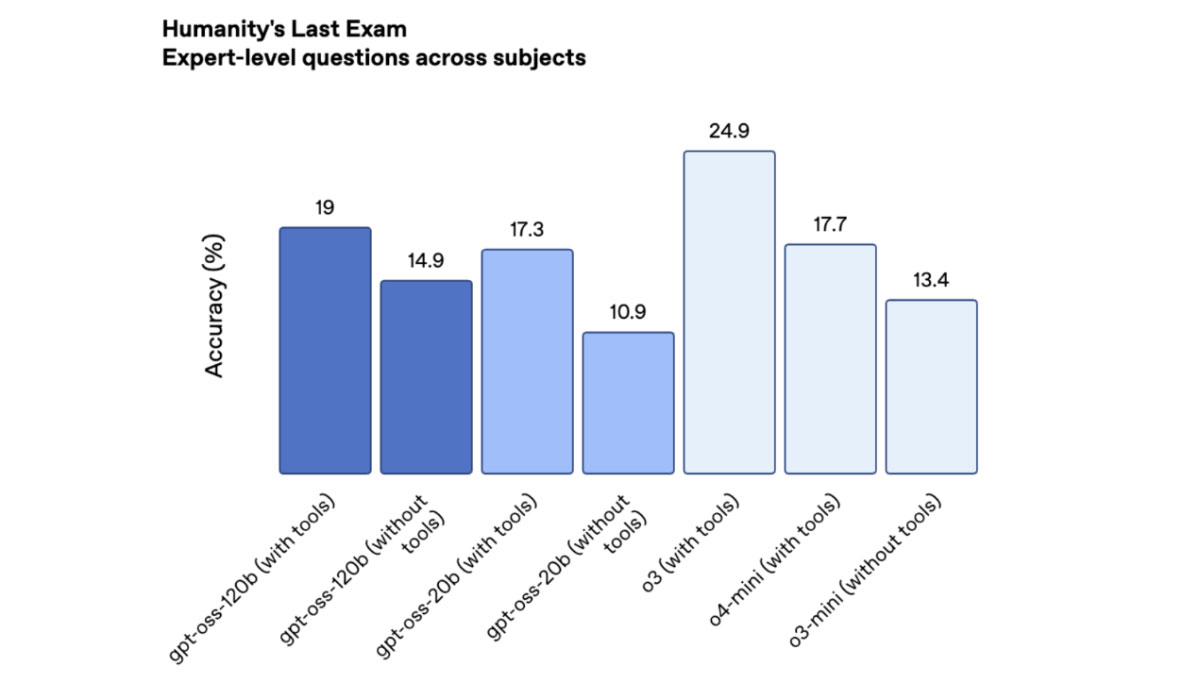
Benchmark results are useful for comparing defined tests, but they do not establish accuracy on your documents or code. Test representative tasks, measure response time, and check answers against trusted sources. The model card describes evaluations and limitations; safety testing is not a guarantee that every output is safe or factual.
Before using a local deployment
- Choose a maintained runtime that explicitly supports the model and its format.
- Download from a trusted model source and check the applicable license and usage policy.
- Start with a small, non-sensitive test task and inspect the result.
- Review network connections and tool permissions instead of assuming that a local interface never sends data elsewhere.
- Require review before generated code or tool actions affect important files or services.
For background on the local-model workflow, see the Ollama setup walkthrough, which uses a different model family. For evaluating output, use the same fact-checking discipline as with hosted AI.




Reader Comments 0
Sign in with email or Google to join the discussion.