Table of Contents
This updated guide explains how to create a free gemini pro account with clear steps, practical tips, and useful context. Google is currently running a special offer for students in the US, offering Gemini Pro for free for a year, including access to Google Veo 3. Although this offer is not yet available in Vietnam, you can still take advantage of this opportunity by following these steps.
Summary of Information You Need to Know
- Create new Gmail, enter date of birth 18-24 years old.
- Install Urban VPN Proxy on Chrome, choose US IP.
- Visit https://one.google.com/join/ai-student, sign up for the offer.
- Enable US IP VPN every time you use it. Expires on June 30, 2026.
Instructions to Get Gemini Pro Account for 1 Year
Step 1: To qualify for the offer, you will need a new Gmail account. When signing up, ensure to enter a date of birth between 18 and 24 years old, as this offer is aimed at students. You can visit the Gmail signup page at https://accounts.google.com/signup and fill in all the required information.
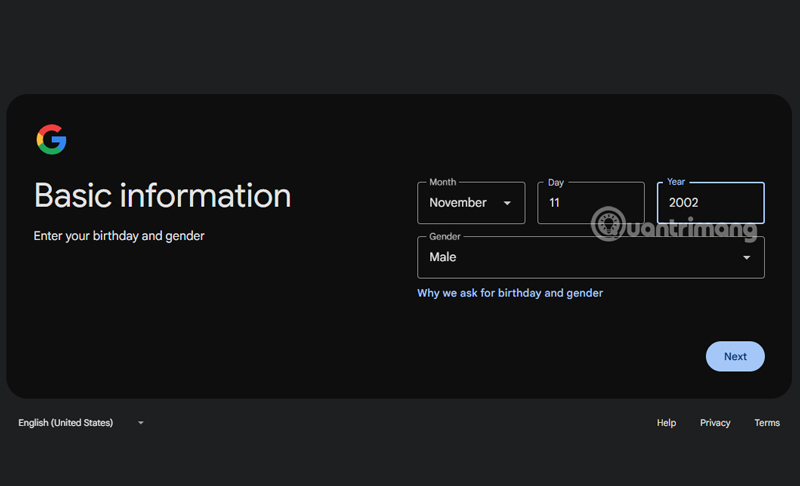
Step 2: Use an IP emulator. Since the program is only available in the US, you need to change your IP address to the US. A simple way is to install an extension on the Chrome browser, such as Urban VPN Proxy.
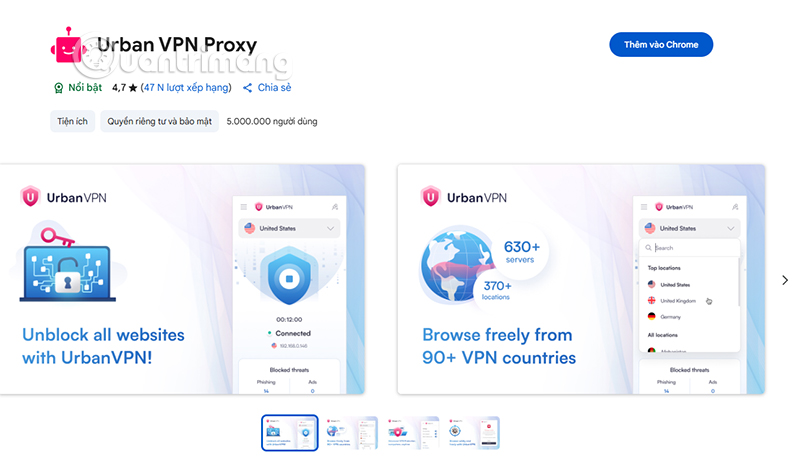
Step 3: open Chrome Web Store at https://chromewebstore.google.com and search for " Urban VPN Proxy ". Download and install the extension, then select the country United States (USA). When the extension displays the status " Connected ", you have successfully simulated a US IP.
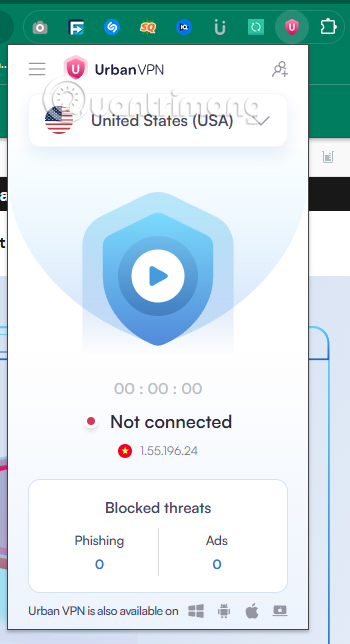
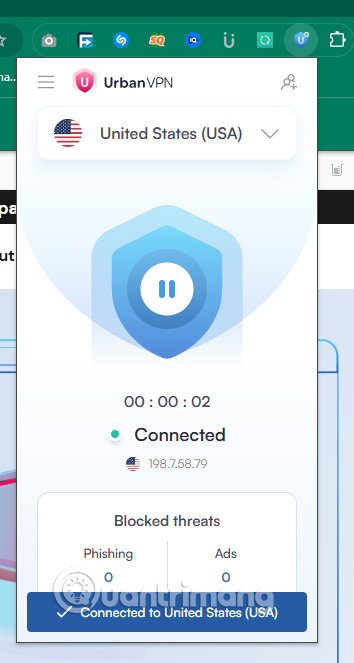
Step 4: Visit the student offer page at https://one.google.com/join/ai-student . Use the Gmail account you just created to register by clicking Get Student Offer and you're done.
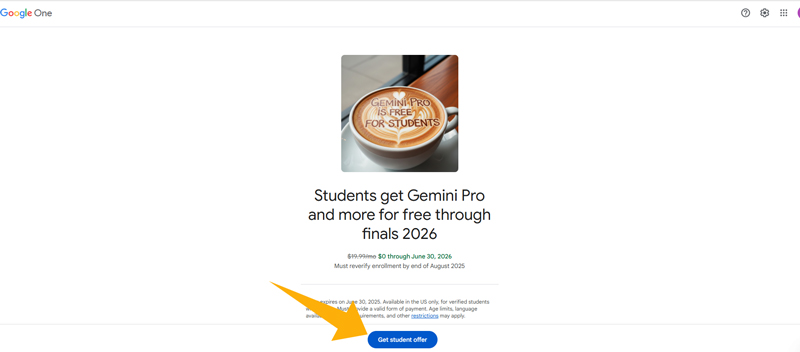
Step 5: After clicking the Get Offer button, your account will be activated with the Gemini Pro package, valid until June 30, 2026. Without any further complicated steps, you are ready to use Gemini Pro and Google Veo 3.
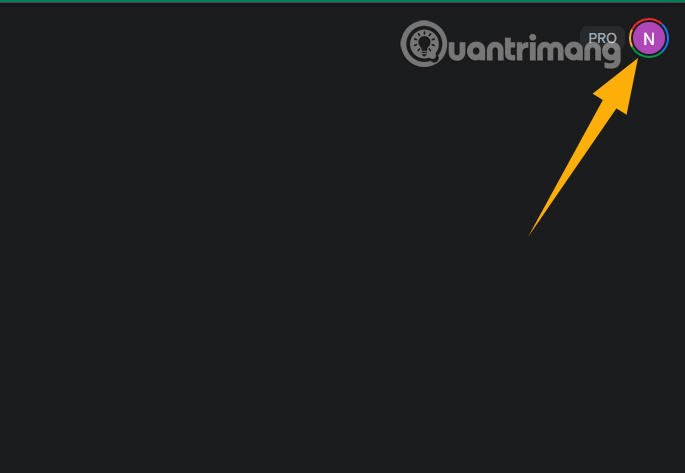
Please note that every time you access Gemini Pro or Google Veo 3, ensure you have Urban VPN Proxy enabled and select a US IP. This ensures your account is in compliance with the terms of the promotion.
Gemini Pro: the Power of Multitasking AI
Gemini Pro is one of Google's most advanced AI models, designed to handle a wide range of tasks with exceptional performance. In particular, the Gemini 2.5 Flash version – part of the Gemini Pro package – is optimized for speed, high accuracy, and diverse data processing capabilities. Here's what Gemini Pro can do:
Gemini 2.5 Flash features lightning-fast processing speeds, making it ideal for tasks that require instant feedback, such as answering questions in real time or assisting in online learning sessions. It is the ideal tool for students and researchers who want to optimize their time and improve their work efficiency.
Google Veo 3: Turn Photos into Creative Videos
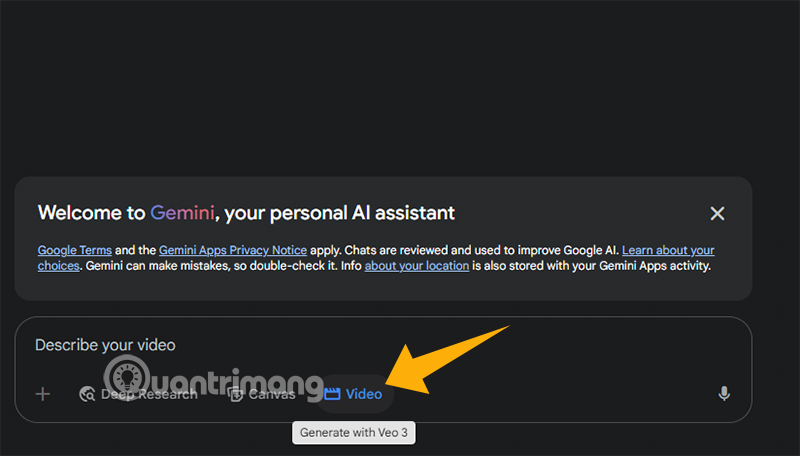
If Gemini Pro is the analytical brain, Google Veo 3 is the creative artist of the AI world. It is a pioneer in converting still images into moving videos, opening a new era for the content creation industry. Here are the highlights of Google Veo 3:
Compared to other AI video creation tools, Google Veo 3 stands out because it integrates with other Google AI models, such as Gemini Pro, to create a seamless experience. for instance, you can use Gemini Pro to write a video script, then use Veo 3 to bring that idea to life as a video in just minutes.
FAQ
What should I prepare before I create a free gemini pro account?
Review the requirements and options in the guide first. Having the correct device, app version, account access, or materials ready helps prevent avoidable errors.
How long does it take to create a free gemini pro account?
The time depends on the task and your setup. Most basic steps can be completed quickly, while downloads, updates, scans, or troubleshooting may take longer.
What should I do if the steps do not work?
Repeat the instructions in order, confirm that your software or device is supported, and check permissions, connectivity, and available updates before trying again.
Related Articles
 How to Get Gemini Pro, 2TB Storage Free for 1 Year: Step-by-Step Guide9 minutes read
 Try Lyria 3 Now to Create High-quality Music on Gemini: Explained4 minutes read
 How to Create Visual Lectures with Gemini Canvas4 minutes read
 How to Create a New Notebook Directly in Gemini5 minutes read
 How to Use Gemini Advanced for Free: Step-by-Step Guide8 minutes read
 Gems: How to Create a Custom AI Bot on Google Gemini4 minutes read
Reader Comments 0
Sign in with email or Google to join the discussion.