Table of Contents
Gemini can help organize revision materials, explain a difficult topic and generate practice questions. Use it alongside your syllabus, teacher-approved sources and your own attempts at problems. A convincing AI answer is not a substitute for checking the method or testing what you can recall unaided.
The six methods below work best when you specify the subject, exam level, source material and time available. Features vary by account, region and app; school accounts can have additional restrictions.
1. Put the right materials in one study space
Start with the syllabus and the chapters or notes relevant to the exam. Group them by subject or unit, use clear file names and remove outdated duplicates. Inspect uploaded scans and handwritten notes for misread symbols before relying on a summary.
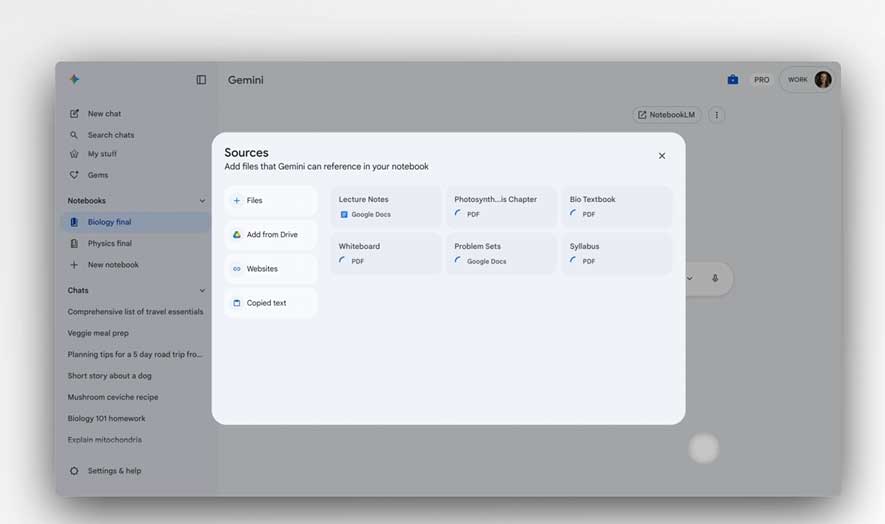
Where available, Gemini's study notebooks provide a dedicated learning space with diagnostic quizzes and progress tracking. Google describes that workflow in its study-notebooks announcement. You can also work with a focused set of files in a regular chat or a NotebookLM notebook.
Do not assume that uploading files makes every detail permanently available in every future conversation. Keep a brief record of the topics covered and questions you missed.
Use the attached syllabus and Unit 3 notes. List the examinable topics, identify missing source material and propose a revision order. Do not add topics that are outside the syllabus. Ask me how much time I have before creating a schedule.
2. Create focused revision notes and flashcards
Ask for a small, source-based study aid rather than a summary of everything. Useful outputs include a formula sheet with variable definitions, a comparison of similar concepts or flashcards covering one unit.
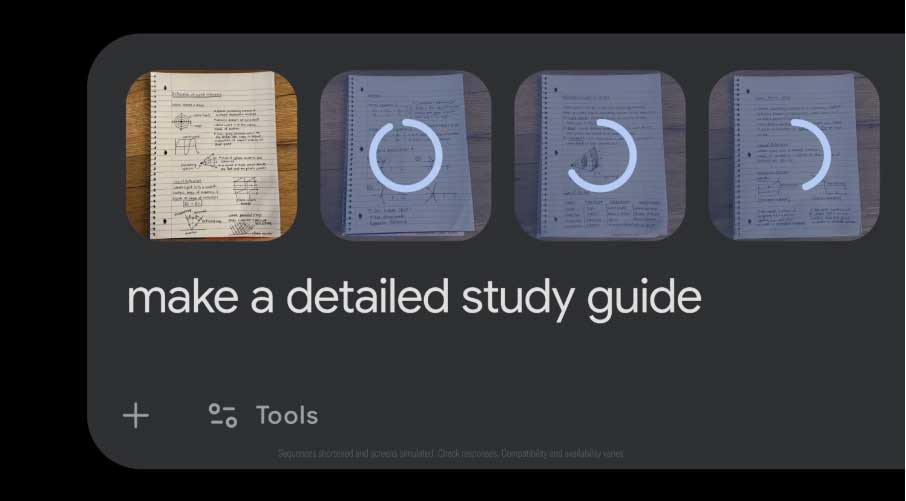
Create a revision sheet for these notes. Include the key concepts, one worked example per method and common mistakes. Add page or section references where available. Mark anything that the sources do not explain clearly.
Check the result before memorizing it, especially formulas, exceptions and terminology your course uses differently. For flashcards, put one question on the front and a concise answer on the back. Avoid cards so broad that recognizing the topic feels like knowing the answer.
These AI flashcard tools offer other ways to organize recall practice if you need a dedicated study format.
3. Turn notes into an Audio Overview
An audio summary can make review more convenient during a walk or commute. In a supported Gemini account, upload the material and ask for an Audio Overview. Google's instructions describe the available creation and playback controls; NotebookLM also offers Audio Overviews.
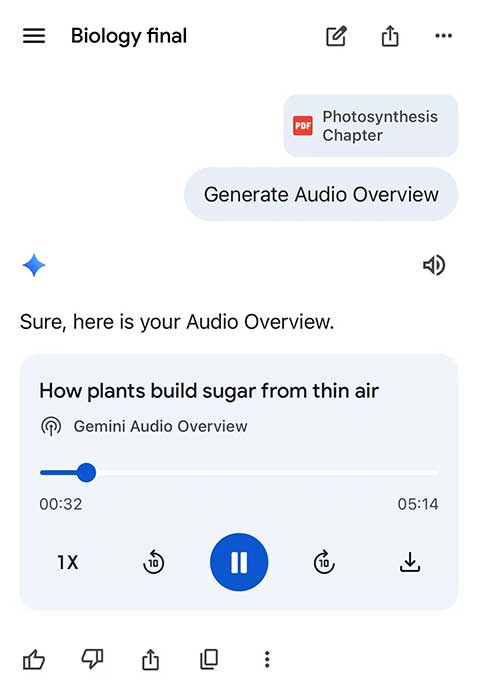
Create an Audio Overview from these materials focused on the causes, consequences and key distinctions in Unit 3. Keep the explanation tied to the supplied sources and highlight terms I should review afterward.
Listen for orientation and reinforcement, then pause and explain a concept without the recording. Audio can omit detail or contain mistakes, so check important claims against the text. It should complement written practice, particularly for mathematics, diagrams and exact definitions.
4. Ask for a visual explanation or simulation
Use a diagram or, where supported, an interactive visualization to examine how variables relate. State the model's assumptions so the visual does not imply more accuracy than it has.
Help me visualize a simple pendulum for an introductory physics course. Explain the assumptions, label length and displacement, and show what changes when the length changes. If you create an interactive model, state its limitations and compare its behavior with the textbook formula.
Check labels, units, axes and equations. An animated object can look plausible while representing the physics incorrectly. For chemical processes, request a conceptual explanation rather than treating a generated simulation as laboratory safety guidance.
If your account cannot make an interactive visual, ask for a labeled static diagram or a step-by-step description instead.
5. Test recall before revealing the answer
Practice questions are most useful when you attempt them before seeing hints or solutions. Ask for a mix that matches the exam, such as short answers, calculations and explanation questions.
Using only the supplied Unit 3 material, quiz me with one question at a time. Wait for my answer. Then explain what I got right, identify the specific mistake and cite the relevant section. Keep a list of topics to revisit. Do not reveal later answers in advance.
Verify disputed answers with the source or a teacher. An AI-generated quiz score is feedback on those questions, not a prediction of your exam grade.
If Gemini Live is available, try explaining a concept aloud and ask for focused follow-up questions. Check any transcript errors before assuming a spoken answer was wrong.
6. Work through difficult problems with Guided Learning
Gemini's learning tools include guided explanations and visual aids. When Guided Learning is available, select it for a topic you want to understand through questions and intermediate steps.
I am stuck on this problem. Here is my attempt. Ask one question that helps me identify the next step, rather than giving the full solution immediately. If my setup is wrong, explain the first mistake using the method taught in my notes.
For a photographed problem, first ask Gemini to transcribe it and confirm that signs, exponents and diagram labels are correct. Then try the next step yourself. After completing the problem, solve a similar one without assistance to check whether you understood the method.
Use AI within your course's rules, especially for assessed work. If you are choosing between source-focused study and a general assistant, this NotebookLM and ChatGPT comparison explains the different workflows.
Related Articles
 Guide to Creating Exam Matrices Using Gemini and ChatGPT4 minutes read
 Compare ChatGPT and Gemini Learning Modes7 minutes read
 Tips to Help You Use Gemini Effectively7 minutes read
 Instructions on Creating Automated Exam Scoring Sheets Using Gemini1 minutes read
 5 Ways Gemini Helps Students Learn Smarter7 minutes read
 How to Use Gemini to Help Teams Work More Effectively in a Business6 minutes read
Reader Comments 0
Sign in with email or Google to join the discussion.