Table of Contents
Windows 10 April 2018 Update is version 1803, an obsolete release that should not be installed for normal internet-connected use. Home and Pro servicing ended in November 2019; Enterprise and Education servicing ended in May 2021. TipsMake no longer recommends third-party 32-bit or 64-bit ISO links for this version.
Use current Microsoft media instead
For a compatible PC, download Windows 11 from the official Microsoft page. If you need to reinstall Windows 10 on a device that already has a matching license, use Microsoft's Windows 10 media page and review the current end-of-support and ESU information.
Microsoft's version 1803 lifecycle notice confirms that this release no longer receives security updates. Installing an old ISO and running Windows Update does not turn version 1803 into a supported operating system.
What the April 2018 Update was
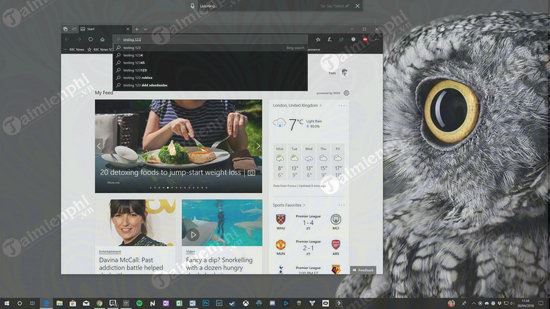
Released in 2018, version 1803 introduced Timeline, Focus Assist, Nearby Sharing, and changes to Microsoft Edge, privacy controls, Bluetooth pairing, and other parts of Windows 10. The image below is retained as historical context, not as a recommendation to deploy the release.
Those features and their original interfaces have since changed, been replaced, or been removed in later Windows versions.
If a lab requires the exact 1803 ISO
A compatibility test, forensic reproduction, museum system, or disconnected legacy appliance may require the historical build. In that case:
- Obtain the ISO only from a licensed organization archive, original media, or another source your organization is authorized to use.
- Record the image's edition, language, architecture, source, and SHA-256 checksum.
- Run it in an isolated virtual machine or segmented network. Do not use current credentials or personal data.
- Disable shared folders, shared clipboard, USB passthrough, and host integration unless the test specifically needs them.
- Create a clean snapshot before introducing untrusted software or files.
- Do not treat antivirus definitions alone as a replacement for operating-system security patches.
Check an archived file before use
If an authorized administrator supplies an expected SHA-256 value, calculate the local hash in PowerShell:
Get-FileHash "C:\path\Windows-1803.iso" -Algorithm SHA256The values must match exactly. A hash confirms only that the file matches the referenced image, so the expected value must come from a trusted record. Scan the file as an additional check, but do not assume that a clean scan makes an unknown ISO trustworthy.
Create media without risking the wrong drive
Back up the target PC, preserve its BitLocker recovery key, and disconnect other removable drives. Creating installation media erases the selected USB device. Confirm UEFI/GPT versus legacy BIOS/MBR requirements before writing the image; TipsMake's Windows bootable-USB guide explains the distinction.
For current clean-install, repair, reset, and recovery options, use the Windows installation and recovery collection. Installation media does not provide a license; the installed edition must be activated with valid rights.
Related Articles
 How to Download Windows 10 April Update 2018 Update 18035 minutes read
 How to Uninstall Windows 10 April 2018 Update4 minutes read
 How to Monitor and Save Internet Capacity on Windows 10 April4 minutes read
 How to Fix Common Windows 10 April 2018 Update Errors8 minutes read
 Download Link for Windows 10 May 2020 Update ISO 64Bit, 32Bit7 minutes read
 Notable New Features on the Windows 10 April Update 2018 Update10 minutes read
Reader Comments 0
Sign in with email or Google to join the discussion.