Table of Contents
For the VNGGames Vietnam edition of Crossfire: Legends, redeem gift codes through the publisher's gift-code portal. Select the correct server and character before submitting: a successful claim for the wrong character may not be transferable.
Use the correct regional portal
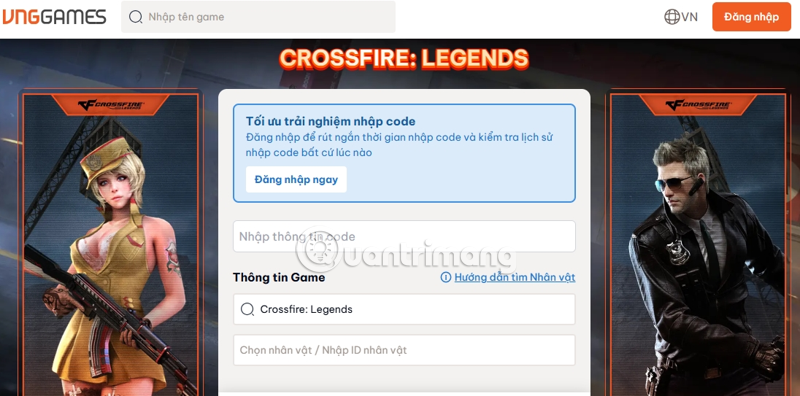
Open the VNGGames Crossfire: Legends redemption page. This route is for the Vietnam edition. Codes from another publisher, region, or a different Crossfire game may not apply.
The portal offers code, server, character or character-ID, and verification fields. Signing in can help select linked characters and review redemption history. Use the same linked account as your game character when choosing to sign in.
Find your character ID
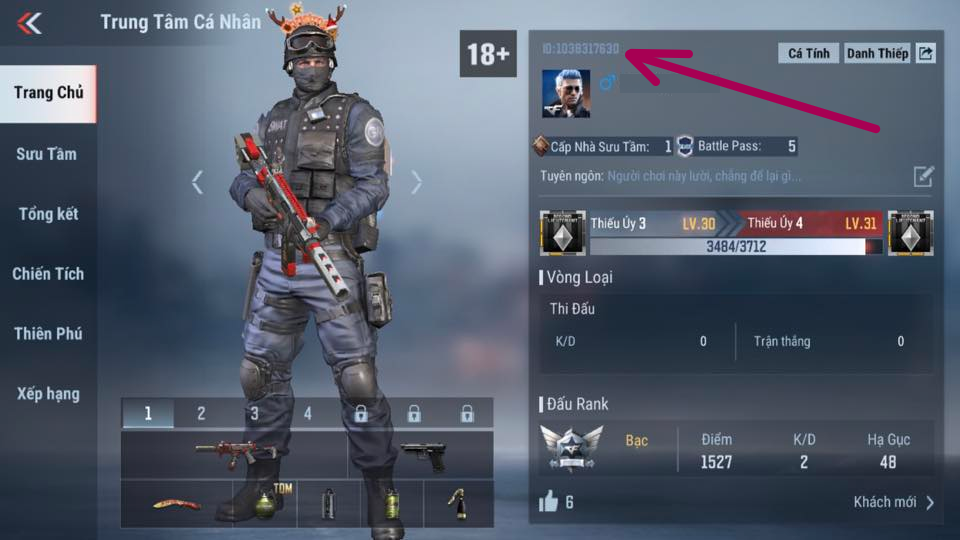
- Open Crossfire: Legends and select the character you want to receive the reward.
- Tap the profile picture on the main screen.
- Open the personal-information panel and find the character ID.
- Copy the ID exactly and note the server and character name for comparison on the portal.
A display name alone is not a reliable substitute for an ID. Do not publish screenshots containing account information simply to ask someone else to redeem a code.
Redeem and verify the destination
- Paste the gift code into the portal's code field without extra spaces.
- Select the correct server.
- Select the intended linked character or enter its ID, as the form allows.
- Complete the displayed verification field yourself.
- Check the character details and submit the code. Read the confirmation or rejection message.
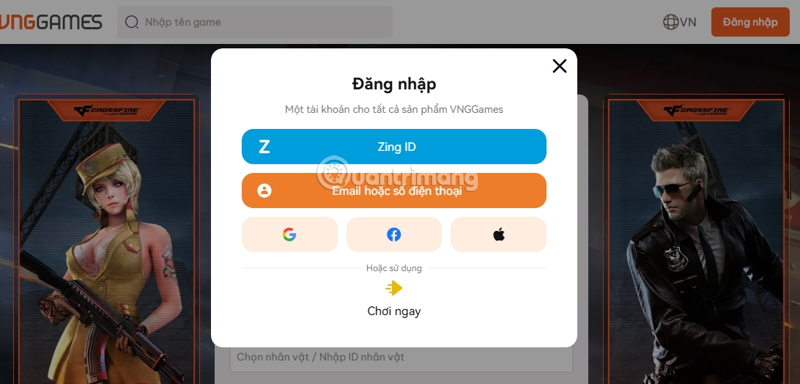
The screenshots show an earlier portal layout. Available sign-in methods and field order may differ from your version.
Check the in-game reward
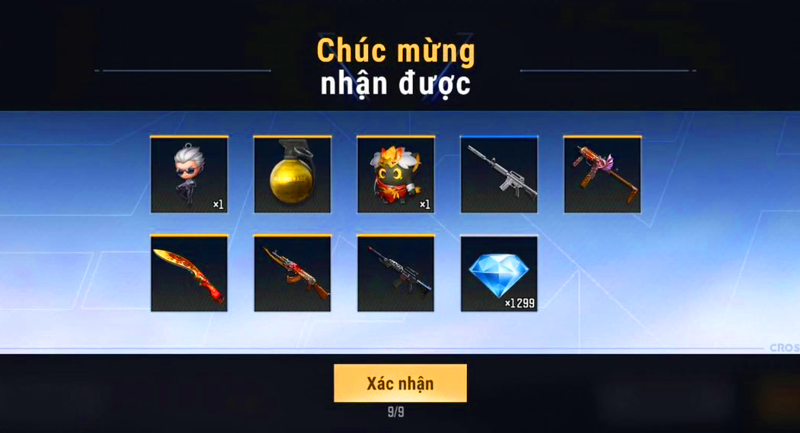
After a successful claim, return to the same character and check the in-game mailbox or reward location stated in the campaign. Claim any attachments before their displayed deadline. If the reward has not appeared, check redemption history and the campaign's delivery instructions before resubmitting.
Older code list: validity not confirmed
The original article described the codes below as new or active without verified expiry dates. None is confirmed active in this revision, and the old reward amounts should not be treated as guaranteed. Some codes may be limited to a campaign, account, server, region, or number of claims.
| Code recorded in the source | Status here |
|---|---|
CFLVC25X5Q2 | Not verified active |
CFLVC25A7K9 | Not verified active |
CFLVC25M4Z8 | Not verified active |
CFLVC25R9D6 | Not verified active |
CFLVC25T6H9 | Not verified active |
CFLVC25K9P4 | Not verified active |
CFLMEGABUEE | Not verified active |
CFLVC1DST | Not verified active |
CFLVC1DND | Not verified active |
LIKE500KCFL | Not verified active |
CFLVNVODICH | Not verified active |
CFLMEGABUFF | Not verified active |
CFLTOP1GG | Not verified active |
FIREINTHEHOLEQ3DF | Not verified active |
CFLMEGALIVE2AHL4 | Not verified active |
CFLMEGALIVE1Q5RT | Not verified active |
TOP1APPLECFL | Not verified active |
LIKE1KOBCFL | Not verified active |
VNGM1TPKNH | Not verified active |
VNGM2ZDTHQ | Not verified active |
VNGM3TRVAR | Not verified active |
VNGM4DYCKG | Not verified active |
VNGM5YEEKZ | Not verified active |
VNGM6ASFMU | Not verified active |
LK3KUKRK0668TO79Y | Not verified active |
LK3KUKRZ5ZYRYAHF8 | Not verified active |
TLRT5MKJREMX6QU2 | Not verified active |
TLRT3MZ8CTTU6OVD | Not verified active |
TLRT1MOVGIFQEOXS | Not verified active |
LKGEMXTRDHMUZ5K9 | Not verified active |
LKGEM8NPMRUU0UG0 | Not verified active |
LK9GEM2GCLCPZYJOP | Not verified active |
LKGEMX4XFROF59WF | Not verified active |
LKGEMX9KFR3RIBV8 | Not verified active |
LKGEM8MLWGVQFH3U | Not verified active |
LKGEM8UNOJO8V23E | Not verified active |
LKGEMXCXZZLBOPUX | Not verified active |
LKGEMX0RGK72CMVI | Not verified active |
LKGEMXAHGO4XPTVH | Not verified active |
LKGKC8T27GTKJJJK | Not verified active |
LK9RTYEVS4P9THCIK | Not verified active |
LK9RTYEA258LXSIWT | Not verified active |
LKGEMXM3DV6JIBJN | Not verified active |
LK9GEM23FKO2S2HNA | Not verified active |
LKGEM8GHWAIHEW9Q | Not verified active |
LK11NVKJUYMPJGQS | Not verified active |
LKGKC8I9ZV5E8JC0 | Not verified active |
LKGKC8S7NQF2FGRX | Not verified active |
LK9RTYEL3QOE7BPUI | Not verified active |
TLRT5MS859B4XHOL | Not verified active |
TLRT10M3T13NZZLCC | Not verified active |
TLRT3MJ8EJG7G5VU | Not verified active |
TLRT1MATSLCMIFAG | Not verified active |
Troubleshoot by the error message
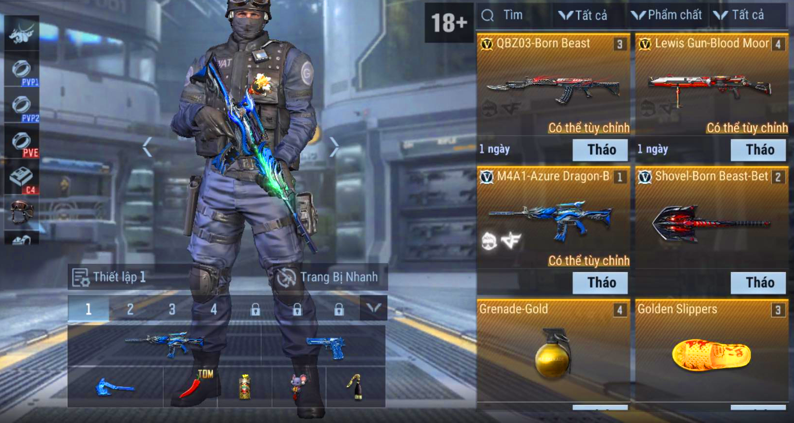
- Invalid code: compare every character with the publisher's original announcement and confirm the game edition.
- Expired or exhausted: the campaign has ended or its claim limit may have been reached. Repeated attempts do not restore validity.
- Already used: check the account's redemption history and any per-character restrictions.
- Character not found: check the server and copied ID, then confirm that the linked login owns that character.
- Success but no reward: check the selected character, mailbox, and campaign delivery rules. Contact official support with the error or confirmation and relevant character details; never send your password.
Find new codes through official announcements
Start at the official Crossfire: Legends site and its linked event or community pages. Read each campaign's expiry, eligibility, and redemption route. A free item gift code is different from a paid top-up voucher or a membership-specific reward.
Before signing into a reward page, inspect its real destination. Use account-protection practices from the online security course, and avoid people who ask for credentials or payment to “activate” a free code.
Related Articles
 Latest Haikyuu Legends Codes and How to Redeem Codes
 Full code Dodgeball Legends latest and how to redeem
 Pokemon Legends ZA Mystery Giftcode and how to redeem
 Latest Volleyball Legends Roblox Codes and How to Redeem Codes
 Muscle Legends Codes for August 2026 and Redemption Steps
 Anime Crusaders Codes: Working List and Redemption Steps
Reader Comments 0
Sign in with email or Google to join the discussion.