Table of Contents
This article provides a clear overview of Currency Converter with Google, with the main facts, useful context, and practical details organized for easy reading.
this guide shows how to convert units and currencies using Google.
If you use Google Chrome, you can enter the command directly into the address bar. Or you go to www. google. com and enter the commands into the Google search box and then press Enter (or click Search) to execute the command.
Unit Converter
You can use Google to convert from one unit to another. For example, you can convert from km (kilometer) to m (meter).
The conversions you can make:
- Temperature.
- Length.
- Weight.
- Speed.
- Volumetric.
- Acreage.
- Petrol consumption.
- Time.
- Memory number.
Command structure: [unit] to [unit] or [unit] = [unit]
Example
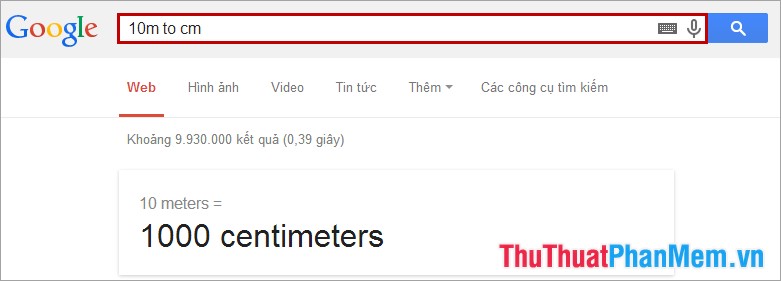
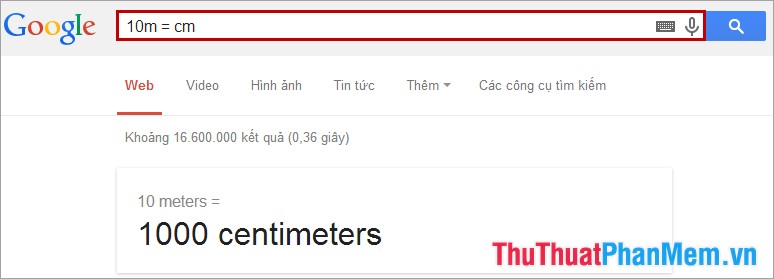
Convert 10m to cm.
- Use the command: 10m to cm
- Use the command: 10m = cm
Currency Conversion
You can convert to different currencies with Google.
To learn more about the currency codes currently circulating around the world, you can see at: http://en. wikipedia. org/wiki/Danh_the_book_summings_operations
Order structure: [currency code] to [currency code] or [currency code] = [currency code]
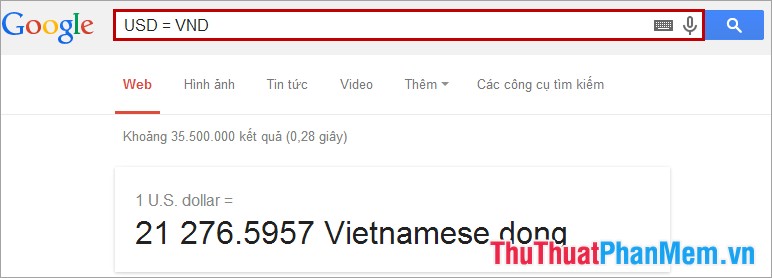
For example, you may need to convert USD to VND.
- Use USD to VND order.

- Use USD = VND order.
In addition, you can also use Google to calculate with calculations:
- Numerals.
- Function.
- Value of physical constants.
- Base conversion and performance.
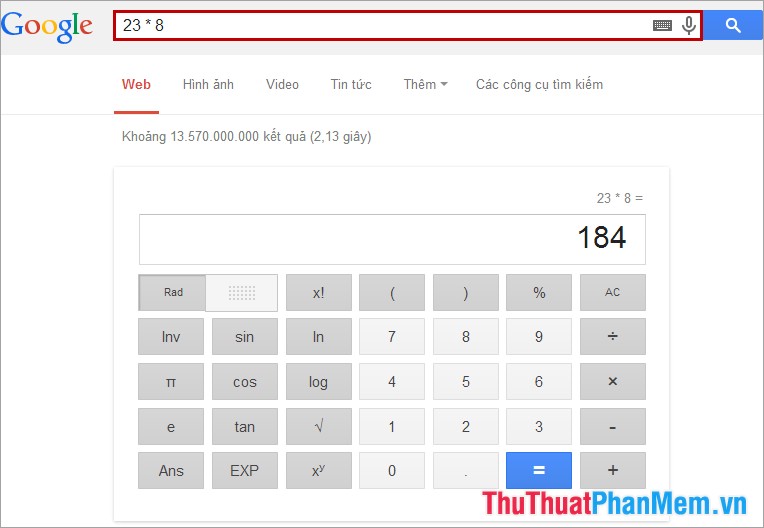
Basic calculations: addition (+), subtraction (-), multiplication (*), division (/).
Example
With this feature of Google, you will save a lot of time when converting units or converting currencies. Good luck!
FAQ
What is the main focus of Currency Converter with Google?
The article explains the most important facts, context, and practical details related to Currency Converter with Google.
Who may find this information useful?
It is useful for readers who want a clear overview, practical context, and a better understanding of the subject.
What should readers verify before taking action?
Check current product versions, official requirements, regional availability, and any details that may have changed since the original publication.
Related Articles
 How to Create a Currency Converter in Python6 minutes read
 The Currency Converter App on Android6 minutes read
 How to Create a Currency Converter with Microsoft Excel6 minutes read
 VideoProc Converter AI: What You Need to Know9 minutes read
 Convenient Currency Conversion Feature on Opera, Did You Know?3 minutes read
 How to Change the Network Logo on Android Phones4 minutes read
Reader Comments 0
Sign in with email or Google to join the discussion.