Table of Contents
AI Music Maker can analyze an uploaded audio file and return an estimate of whether it contains patterns associated with AI-generated music. The result is a probability-style screening signal—not proof of who created the track or which generator was used.
Before uploading audio, confirm that you have permission to share the file and review the service's privacy, retention, and training terms. Do not upload unreleased, confidential, or copyrighted material if the terms do not permit it.
Run an AI music check
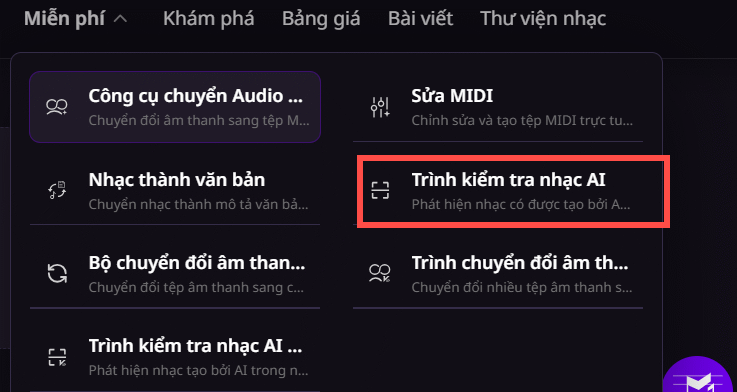
Open AI Music Maker and sign in if the checker requires an account. From the site's tools, choose AI Music Checker.
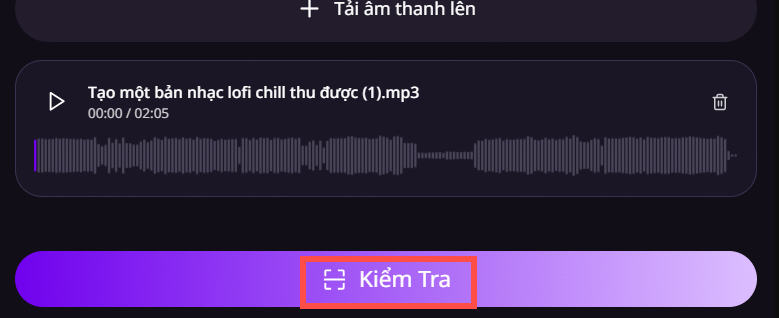
Select the upload control and choose the audio file you are allowed to analyze. Check the accepted format and file-size limits shown on the page.

After the file finishes uploading, select Check to start the analysis.
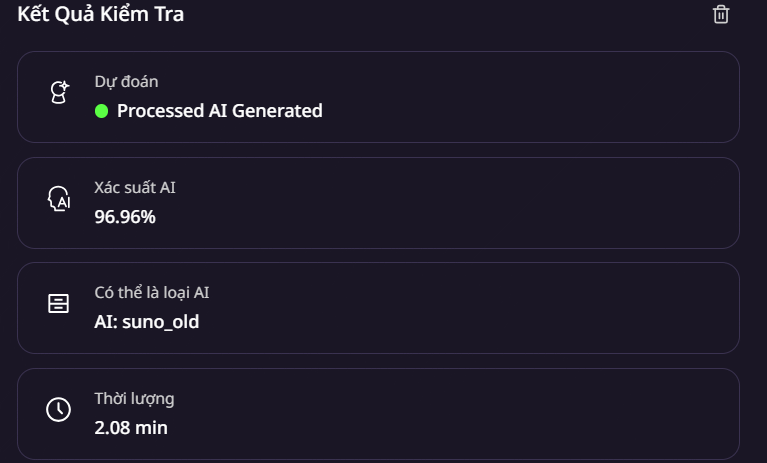
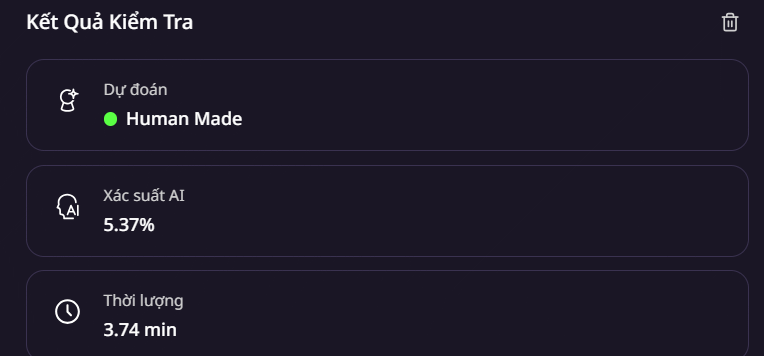
Review the returned score and label. A higher AI score means the checker found more of the patterns its model associates with generated audio; it does not mean the result is equally accurate for every genre, language, instrument, or production style.
What the result can and cannot tell you
An automated detector may evaluate spectral, rhythmic, vocal, or arrangement patterns, but the public score does not reveal a track's complete provenance.
- It may flag heavily processed human music as AI-generated.
- It may miss AI audio that has been edited, mixed, or combined with human performances.
- It generally cannot identify the exact music generator with certainty.
- A low score does not establish copyright ownership or prove that every part was created by a person.
- A high score should not be used by itself to accuse an artist of deception.
How to verify a track more responsibly
Use the checker as one part of a broader review. Ask the creator for project files, stems, session history, drafts, generation disclosures, licenses, or export metadata where relevant. Compare publication dates and official credits, and document the source of the audio you tested.
For moderation, employment, legal, academic, or copyright decisions, require human review and additional evidence. Run more than one detector only if each tool's limitations are understood; several similar scores are still not definitive proof.
Improve the quality of a test
- Use the cleanest available file rather than audio captured from a speaker.
- Avoid judging from a very short clip unless the tool explicitly supports it.
- Do not convert the file repeatedly before uploading, because compression can change detectable patterns.
- Test the complete track and, if available, separate stems to understand mixed human-and-AI material.
- Record the tool, date, settings, and result so the check can be reproduced.
Related Articles
 How to Create an AI Song with AI Music Maker13 minutes read
 Google Fixed the Time of Death for App Maker3 minutes read
 How to Create Ringtones on Android as You Like with Ringtone Maker6 minutes read
 Click: How to Use Windows Movie Maker14 minutes read
 Guide to Writing Prompts for Creating Professional-quality AI Music6 minutes read
 How to Create an Animation on Android Using DU GIF Maker9 minutes read
Reader Comments 0
Sign in with email or Google to join the discussion.