Table of Contents
Redeem Pet Samkok: Báo Thủ 3Q codes on the official SohaGame portal. Sign in, select your character and server, open GIFTCODE, and enter one code at a time. Successful claims are sent to your character’s mailbox.
Pet Samkok codes reported at launch
These codes appeared in launch coverage. Current availability is unconfirmed. The portal tells you whether a code can still be redeemed on your account.
| Code | Availability |
|---|---|
VIP666 | Historical, unconfirmed |
SVIP888 | Historical, unconfirmed |
PETSAMKOK | Historical, unconfirmed |
BAOTHU3Q | Historical, unconfirmed |
THUCUNG66 | Historical, unconfirmed |
SSR666 | Historical, unconfirmed |
Redeem a gift code on SohaGame
- Open the SohaGame portal and sign in with the account you use for Pet Samkok.
- Choose the server and character that should receive the items.
- Select GIFTCODE, paste the code, and choose Sử dụng (Use).
- Open the game on the same server, then go to the city and check Thư (Mail).
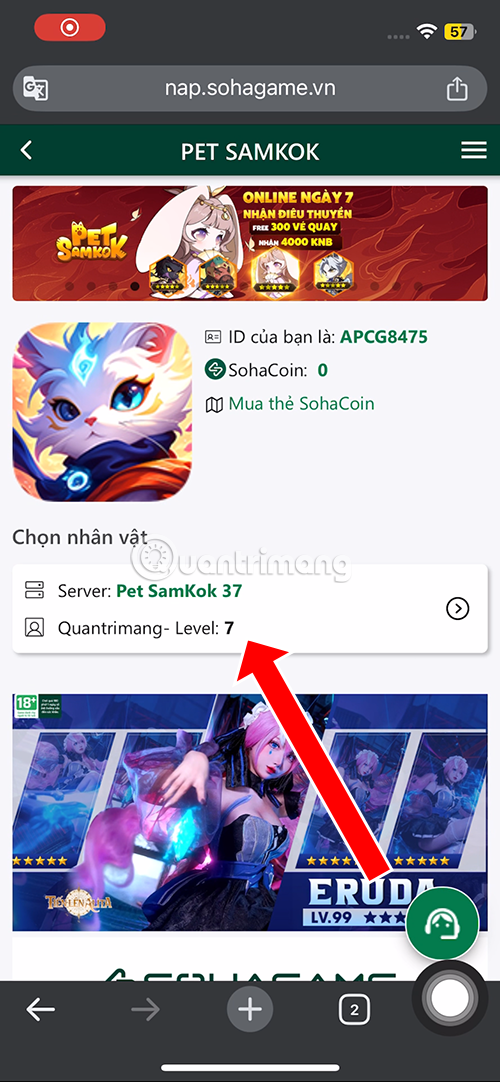
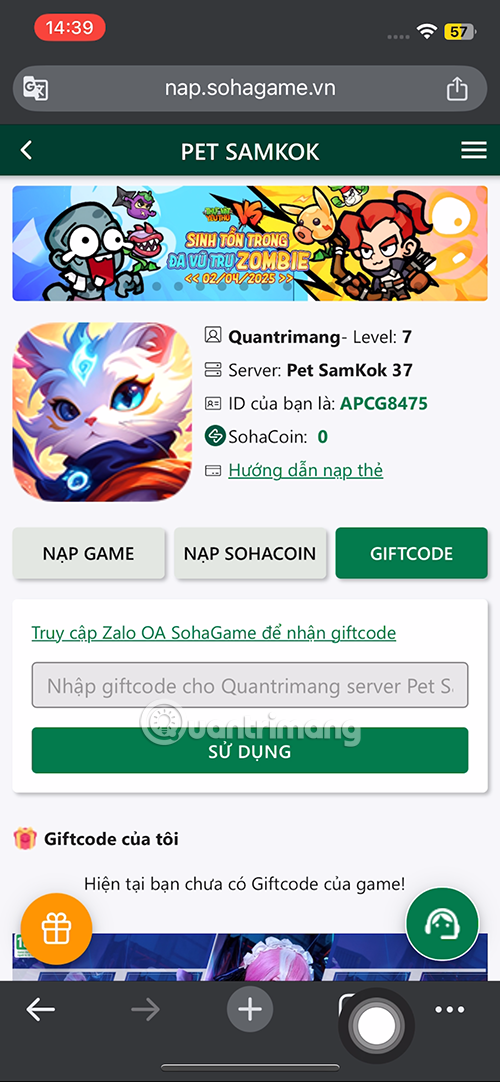
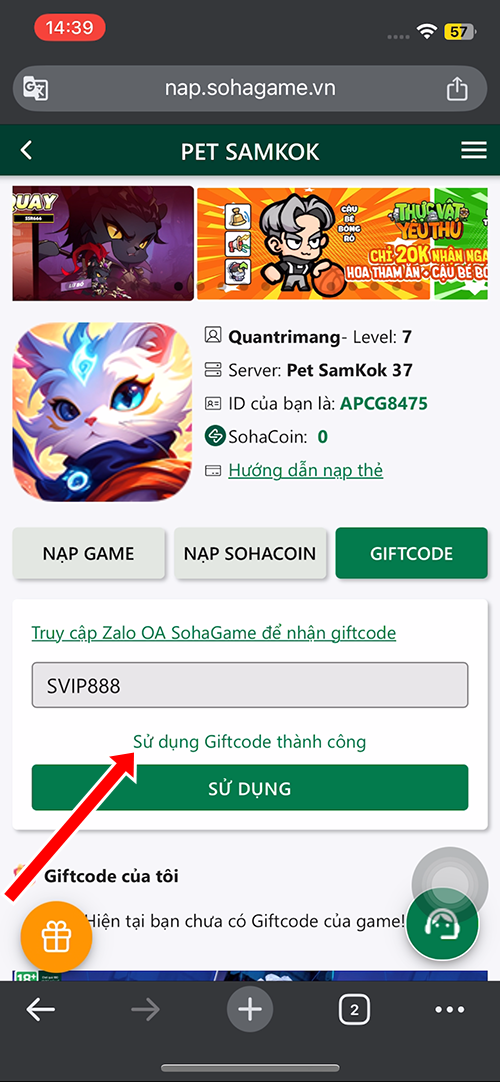
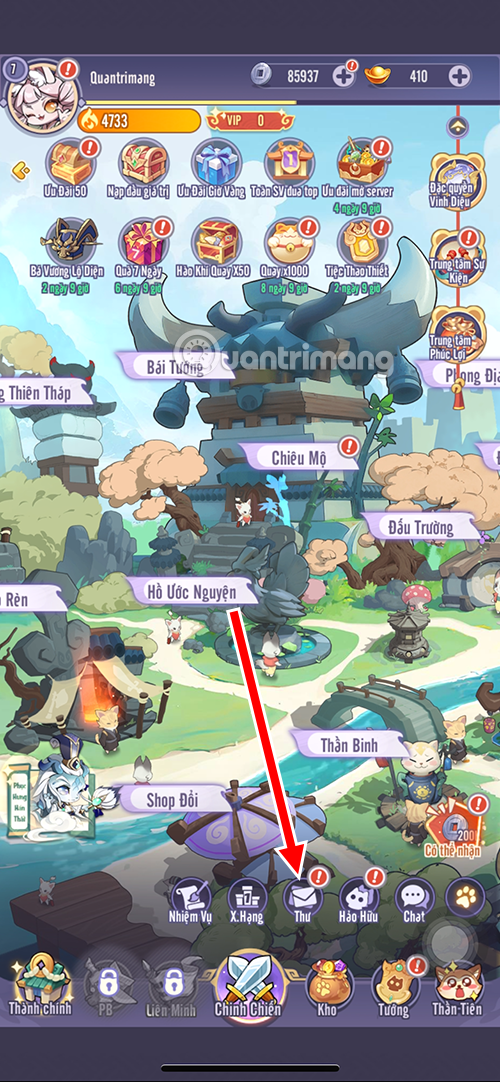
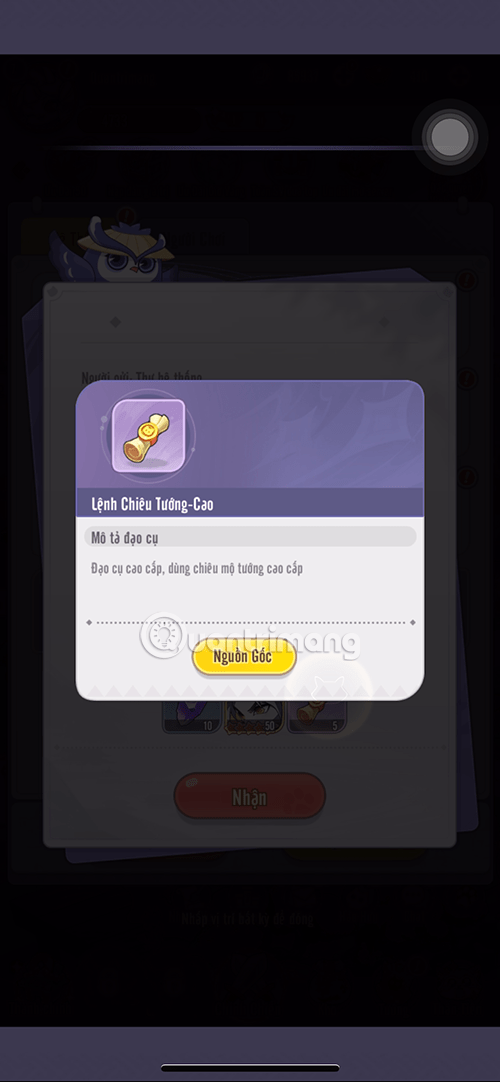
See SohaGame’s illustrated instructions for the Vietnamese interface.
If a gift code is rejected
Check for extra spaces, compare the exact spelling, and recheck your selected server and character. A campaign may limit a code to certain accounts or end before you try it. For new codes, start with SohaGame’s official events or announcements and check the stated eligibility and deadline.






Reader Comments 0
Sign in with email or Google to join the discussion.