Table of Contents
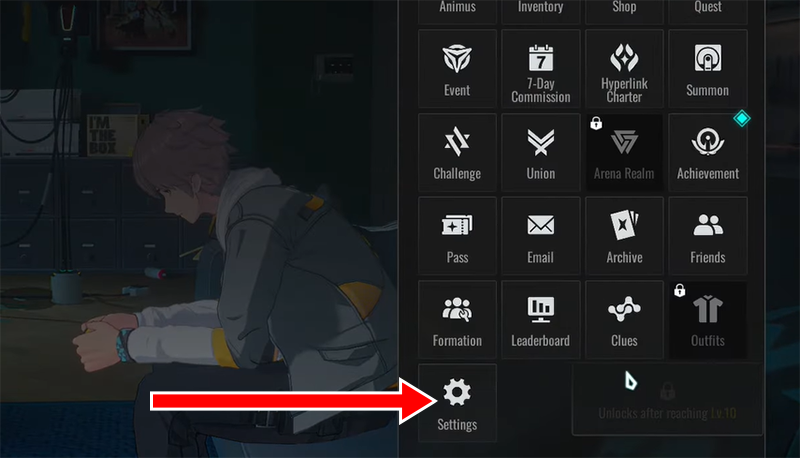
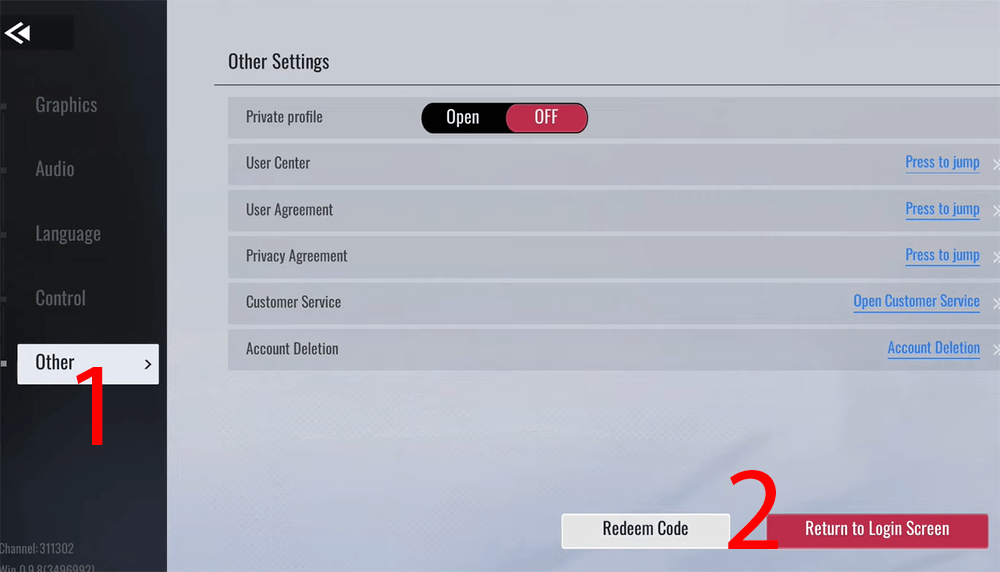
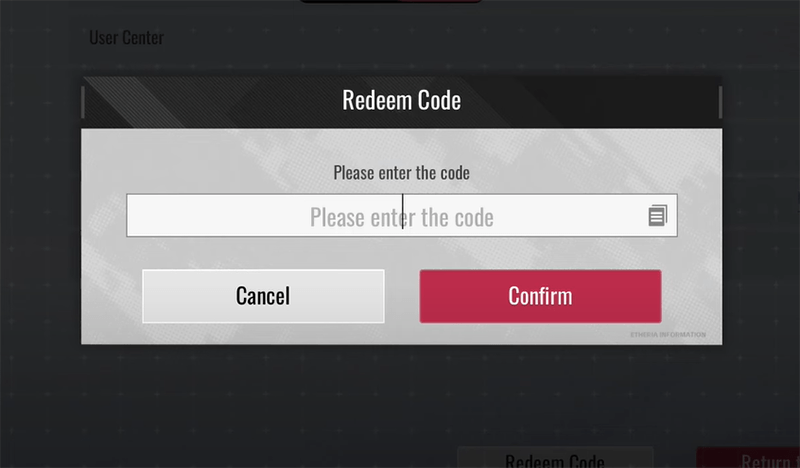
To redeem an Etheria: Restart gift code, open Menu > Settings > Other > Redeem Code, enter one code, and confirm. Then collect the reward from Mail. If Mail is locked, finish the opening story through Chapter 1, Vanishing Train.
Gift codes reported in November 2026
The following codes appear in recent third-party listings. They can expire, and the game gives the definitive result when you redeem them. For a dated source, see the Pocket Gamer code list.
| Code | Reward | Availability |
|---|---|---|
ETHERIASS4 | In-game reward | Recently reported |
ETHERIANATHENN | In-game reward | Recently reported |
ETHERIASHARON | In-game reward | Recently reported |
Redeem a code in the game
Open the menu from the upper-right corner of the main screen.

Choose Settings.
Open Other and select Redeem Code.
Paste one code without spaces before or after it, then select Confirm.
Return to the menu, open Mail, and claim the reward.
What to check if a code fails
Copy the code exactly as shown and confirm that it applies to your server. If it has expired or you’ve already redeemed it, entering it again won’t issue another reward. Older beta and launch codes may no longer work. Look for new codes in official event announcements and check the deadline stated there.






Reader Comments 0
Sign in with email or Google to join the discussion.