Table of Contents
In Gamota’s Football Arena: Vua Bóng Đá, open Benefits > Giftcode to redeem a code, then open Mail to claim the reward. The codes below were previously circulated. Their current availability has not been verified in-game.
Previously published Football Arena gift codes
| Code | Status |
|---|
Rewards depend on the campaign. Use the game’s confirmation or Mail to see which reward you received.
How to redeem a code
- Sign in to your game account. If Benefits isn’t visible yet, finish the opening tasks and check again.
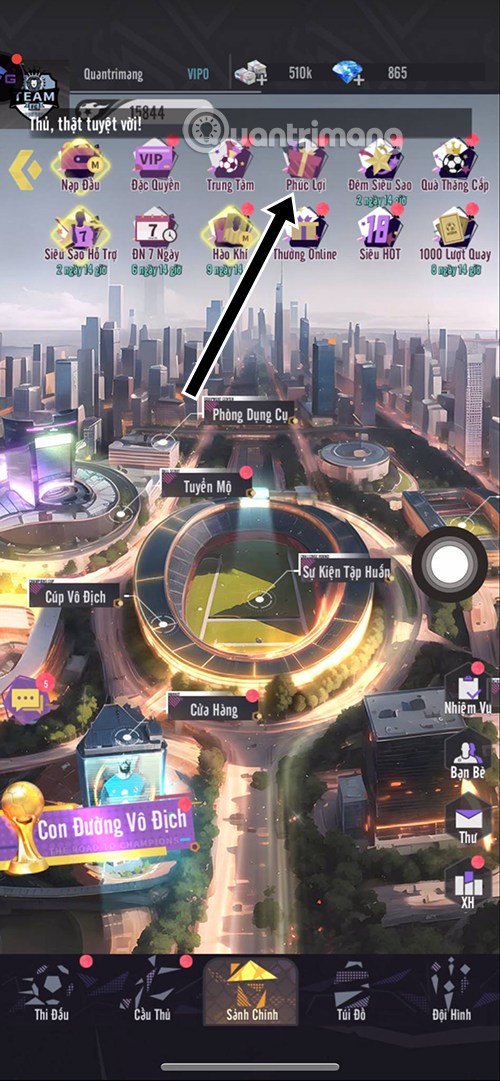
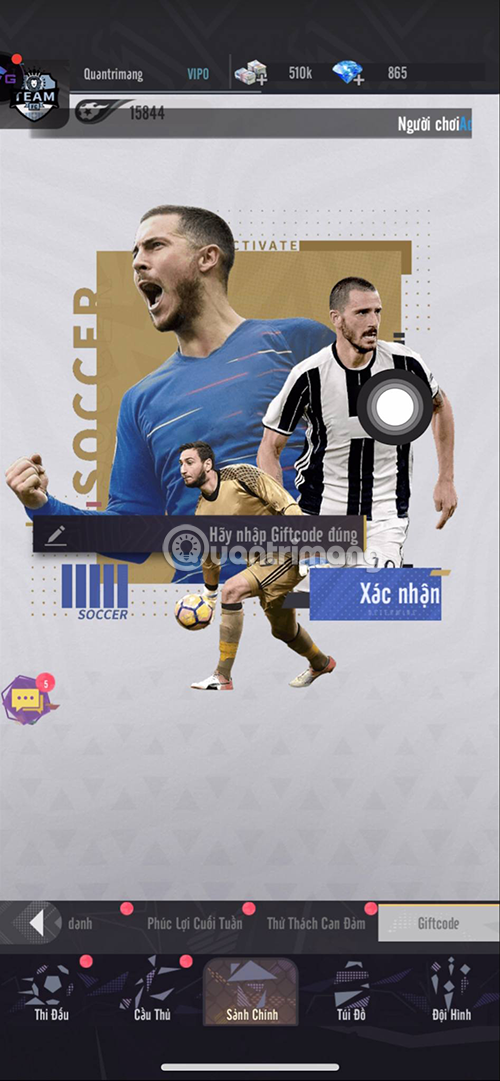
- Open Benefits > Giftcode, enter the code exactly as shown, and confirm.
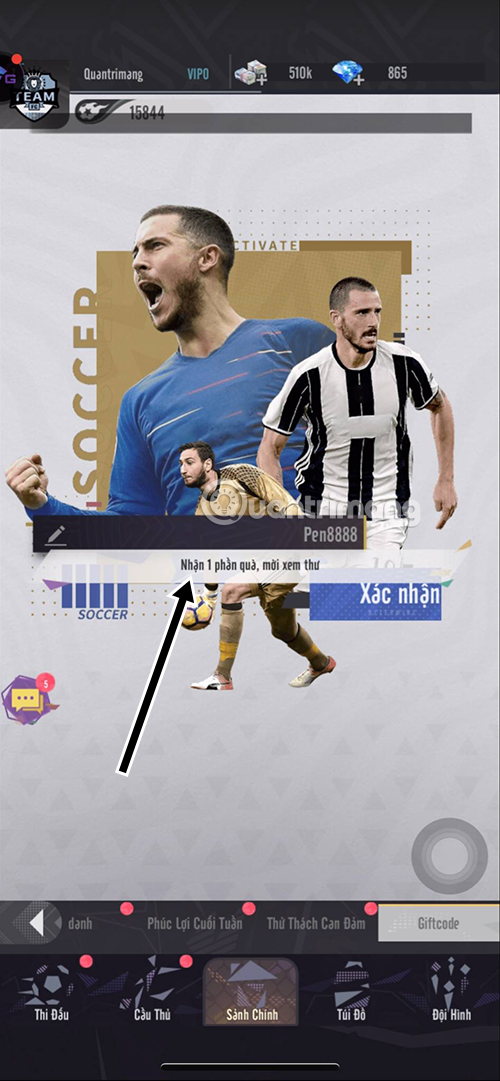
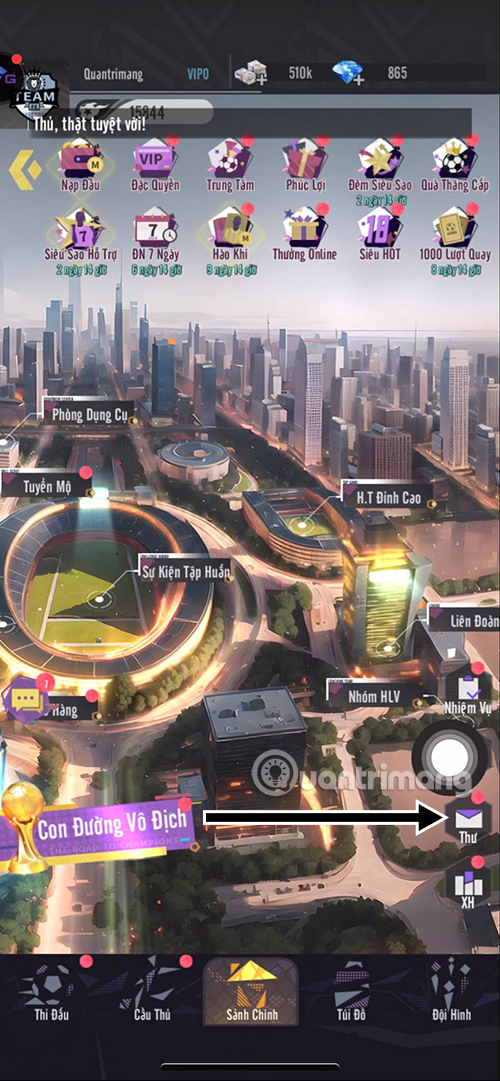
- Open Mail and claim the gift message. Use the quick claim option if you want to collect all eligible rewards in your inbox.
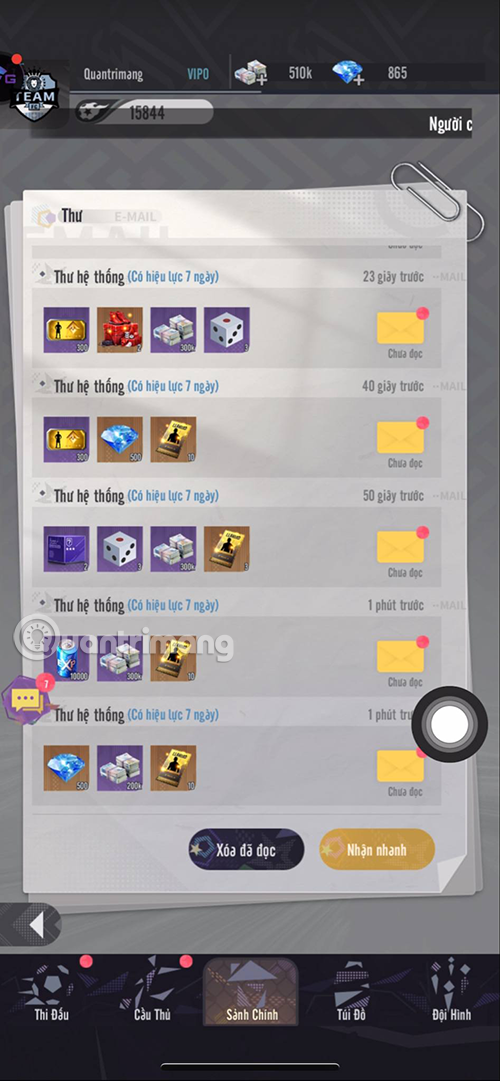
If the code doesn’t work
Check for extra spaces or look-alike characters. A code can also expire, be limited to a campaign or server, run out of redemptions, or already have been used on your account. For instructions and new campaign announcements, check Gamota’s official gift-code guide and the game’s official news.
Related Articles
 Latest King's Choice Code and How to Enter Code
 King Legacy Codes for August 2026 and How to Redeem Them
 AFK Arena Codes for August 2026 and How to Redeem Them
 Full code NFL Universe Football Roblox latest and how to redeem code for rewards
 Latest AFK Arena code and how to enter
 Code King Legacy 2021 and how to enter
Reader Comments 0
Sign in with email or Google to join the discussion.