Table of Contents
In Gamota’s King’s Choice app, open your character portrait and select Settings > Code. Enter a code for your edition and server, then tap Redeem. Codes for the global edition may not work in Gamota’s release.
Check whether a code is still valid
Start with the announcements linked from the official Gamota King’s Choice site. The older codes below appeared in previous listings. Their current availability has not been confirmed.
| Code | Status |
|---|---|
KC888 | Older listing. Current status unverified. |
MAEZ7R | Older listing. Current status unverified. |
5UJCX5 | Older listing. Current status unverified. |
Enter a code in the app
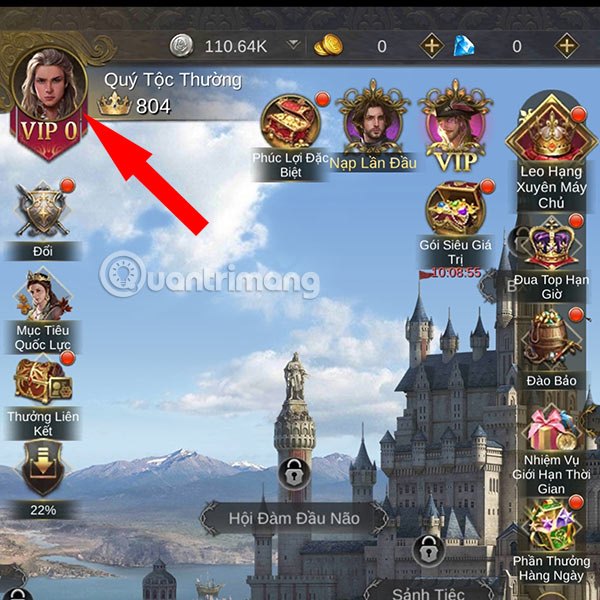
- Open the game and tap your portrait in the upper-left corner.
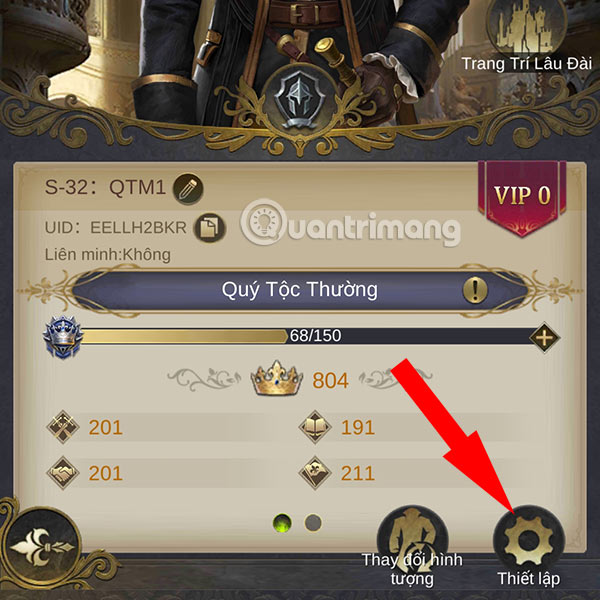
- Tap Settings.
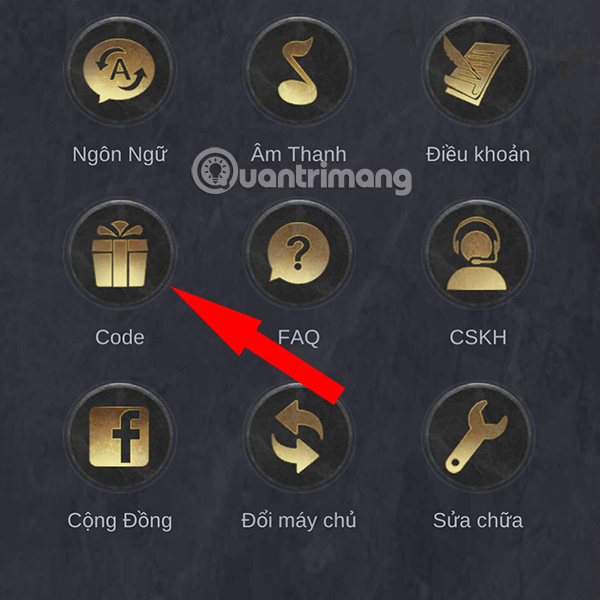
- Select Code.
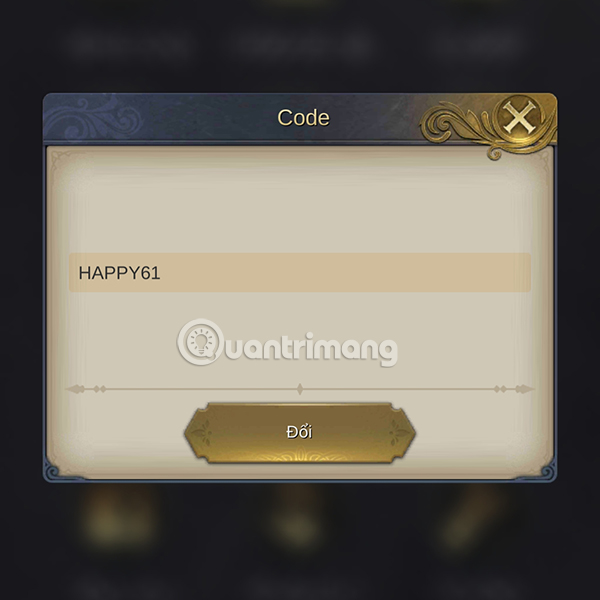
- Enter the code exactly as published, tap Redeem, and check the game’s confirmation.
If the game rejects the code
Check capitalization, remove pasted spaces, and confirm the notice applies to your edition and server. Check whether the promotion has ended or the reward has already been claimed. If the menu has moved, follow the redemption instructions in the latest publisher announcement. For other games, see TipsMake’s mobile game guides.
Related Articles
 Honor of Kings code, the latest Honor of Kings code
 Code Dragon Waifu Latest Dragon Hunter and how to enter the code
 Latest Resortopia Code and How to Enter Code
 Latest Clash of Clans Code and how to enter the code
 Latest Primitive Era Code and how to enter the code
 Latest Code Pet Simulator X and how to enter Code Pet Simulator X
Reader Comments 0
Sign in with email or Google to join the discussion.