TipsMake.com
  • Tips Make home page Home
  • wifi tips Wifi Tips
  • Fix computer error Fix Computer
  • Windows 10 Windows 10
  • Windows 11 Windows 11
  • Artificial intelligence Artificial Intelligence
  • Space Science Space Science
  • Strange story Strange story
  1. Home
  2. Hardware
  3. PC hardware

PC hardware

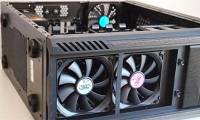
  • How to use PC cooling fan for optimal efficiencyHow to use PC cooling fan for optimal efficiency
    In the components of computer systems, air cooling and circulation systems are one of the most complex parts.
  • Self-assemble computers, build desktops (P3): BIOS settingsSelf-assemble computers, build desktops (P3): BIOS settings
    BIOS stands for Basic Input-Output System (basic input-output system). It is a small program that is stored on a small memory chip in the motherboard and runs on your computer
  • Interesting things about computers may not be knownInteresting things about computers may not be known
    In 1940, Thomas Watson - President of multinational computer technology group based in Armonk, New York, USA, once affirmed that: The world will not need more than five computers.
  • How to turn an old hard drive into an external drive?How to turn an old hard drive into an external drive?
    It's easy to turn an old (or new) hard drive into a perfect external drive to store your secondary files.
  • 7 creative ways to reuse or recycle old speakers7 creative ways to reuse or recycle old speakers
    You have an old set of speakers located in one corner of the house, right? Don't throw them away. Whether those old speakers work or not, there's an exciting DIY project with
  • How to check and detect RAM and hardware problems on your Windows computer?How to check and detect RAM and hardware problems on your Windows computer?
    Check your RAM, check your hardware when you suspect they will help you find a solution soon. Here are some ways to check and detect problems on RAM, hardware of computers running
  • How to check Windows computer using SSD or HDD?How to check Windows computer using SSD or HDD?
    Compared to conventional mechanical hard drives (HDD), Solid State Drive (SSD) is much faster and more efficient. Therefore, SSD is very popular as a Windows installation drive,
  • 7 reasons to upgrade to an SSD7 reasons to upgrade to an SSD
    That's where all the data is - from music to software - without it, the item you use is just a brick.
  • How to build a small PC with Mini-ITXHow to build a small PC with Mini-ITX
    You want to build a new PC yourself, but don't have a lot of space and a little limited budget. So it's time to take a look at the Mini-ITX form factor.
  • What factors affect CPU performance?What factors affect CPU performance?
    The CPU, also known as the central processor, is one of the most important components that constitutes a computer system.
  • Does your computer need Intel Core i3, i5 or i7?Does your computer need Intel Core i3, i5 or i7?
    Intel has a rather confusing way of naming microprocessors and the most frequently asked questions are: What is the difference between the i3, i5 or i7 processors? Which one
  • How to check the type of graphics card (GPU) on the computerHow to check the type of graphics card (GPU) on the computer
    Most modern computers have graphics processors (GPUs) manufactured by Intel, NVIDIA or AMD. This article will show you how to check the graphics card type on Windows 10.
  • Laptop and Desktop, which one do you choose?Laptop and Desktop, which one do you choose?
    You intend to buy a computer but don't know whether to choose a laptop or desktop. See the advantages and disadvantages of these two types of computers and choose a suitable
  • How to identify hard drive failure, hard drive failure, bad hard drive on WindowsHow to identify hard drive failure, hard drive failure, bad hard drive on Windows
    How to know the hard drive is corrupted, the hard drive is bad, bad? If your computer has the following signs, the chances are great that it already has a problem, be prepared to
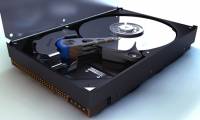
  • Dissection of hard drive componentsDissection of hard drive components
    A hard drive (commonly referred to as hard disk, hard drive, or HDD) is a non-volatile storage device that stores digital data encoded on hard disk (platter) disks Quick rotation
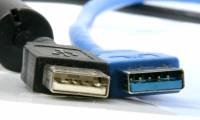
  • Differentiate USB 2.0 and USB 3.0Differentiate USB 2.0 and USB 3.0
    USB 3.0 has better speed communication standards and more efficient power management than USB 2.0. To help you better understand USB 2.0 and USB 3.0 and how to distinguish it,
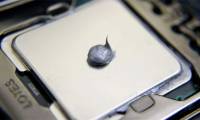
  • Top 5 best heat sinks 2019Top 5 best heat sinks 2019
    Purchasing the right heat sink and using it properly will significantly improve the temperature and power of the CPU or GPU. If using the wrong and wrong method of heat
  • Ways to check computer performanceWays to check computer performance
    In this article TipsMake.com synthesizes 5 most popular tools to check computer performance as well as individual advantages of each tool for reference readers.
  • Recording on computers does not need softwareRecording on computers does not need software
    Even on Windows computers, there is a recording tool that users do not need other software to support.
  • The difference between a mid tower and a full tower computer caseThe difference between a mid tower and a full tower computer case
    You are ready to build the next computer configuration but not sure what type of computer you need to use? Join TipsMake.com to find out the difference between the case of the mid
  • Prev
  • 1
  • ...
  • 6
  • 7
  • 8
  • ...
  • Next
Most viewed
  • HP Slate tablet costs 550 USD HP Slate tablet costs 550 USD
  • What is Hot Swap? Benefits of Hot Swap on mechanical keyboards What is Hot Swap? Benefits of Hot Swap on mechanical keyboards
  • The best mobile hard drives in the world The best mobile hard drives in the world
  • Top 10 best graphic mice of 2023 that Designers need to know Top 10 best graphic mice of 2023 that Designers need to know
  • Top 9 best gaming mice worth buying in 2023 Top 9 best gaming mice worth buying in 2023
  • Intel launches Core i7 chip for desktop PC Intel launches Core i7 chip for desktop PC
  • Hardware in OSI reference model: Grade 4 Hardware in OSI reference model: Grade 4
  • Instructions on how to clean a computer mouse quickly and properly Instructions on how to clean a computer mouse quickly and properly
  • System System
  • Mac OS X Mac OS X
  • Hardware Hardware
  • Game Game
  • Tech info Tech info
  • Technology Technology
  • Science Science
  •  Life Life
  • Application Application
  • Electric Electric
  • Program Program
  • Mobile Mobile
Home | About | Terms | Privacy | Contact
© 2019 TipsMake.com