Artificial intelligence
How to Connect Gmail to n8n with Google OAuth 2.0
Configure a Gmail credential in self-hosted n8n by enabling the Gmail API, creating a Google OAuth client, adding n8n's exact redirect URL, and authorizing a test user.
Browse more Explore artificial intelligence guides, AI tools, model comparisons and practical tutorials for using AI at work and in everyday tasks.
Configure a Gmail credential in self-hosted n8n by enabling the Gmail API, creating a Google OAuth client, adding n8n's exact redirect URL, and authorizing a test user.

Compare eight AI apps for iPhone for writing, research, transcription, browsing, wellness tracking, and conversation, with practical limits to consider.

Compare Claude Pro and the Claude API by interface, billing, usage limits, setup, and automation needs, then estimate which option suits your workload.
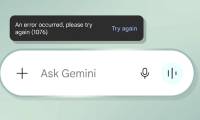
Troubleshoot Gemini error 1076 on Android and the web by checking service availability, starting a new chat, updating the app, and isolating browser or network problems.
Convert notes or a document into a concise chalkboard-style study graphic with a two-stage AI workflow, reusable prompts, and an accuracy check.

Use ChatGPT Agent, Voice, apps, Projects, Scheduled Tasks, and Canvas for research, hands-free work, connected data, recurring tasks, and editing.

Use AI Hay's Mind Map tool to turn a focused topic or set of notes into a visual outline, then check the branches before saving the image.

Use Study Mode, shopping research, reasoning controls, deep research, and Agent with apps for learning, product comparisons, documented research, and supervised tasks.

The difference isn't just about the approach to AI. The difference is knowing what to ask. Below are some useful ChatGPT prompts for professionals in various fields.

Windows 11 has quietly added a layer of artificial intelligence that is very useful for users. Below are some of the available AI features on Windows 11 that you.

Artificial intelligence (AI) is truly a revolutionary technology, and it's opening up new avenues for making money. Here are some common ways to make money using AI.

ChatGPT is one of the most popular AI photo editing tools available today. Below are some of the current trends in using ChatGPT for photo editing.

AI programming tools are now ubiquitous, but Claude Code is one of the few that has convinced developers to change their approach.

Claude's intelligence depends on the task you assign it. The following tips for writing Claude AI prompts will help you achieve the desired results in your work.

Thanks to the power of AI, you no longer need to go to the garden, rent expensive costumes or photographers; simply upload your own photos and let AI create a.

NotebookLM is powerful at answering questions through documents but lacks a mobile app, live recording, and flashcards. However, you still have alternatives.
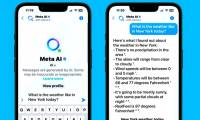
This detailed guide provides step-by-step instructions on using Meta AI in Facebook Messenger, helping users get the most out of Meta's new AI chatbot.

Having local AI on mobile devices has proven incredibly useful during downtime – at least when both the internet service provider and the mobile base station.

Discover the top 10 No-Code AI Agent platforms that help beginners create AI assistants, chatbots, and automated workflows without needing programming knowledge.

Cinematic Video Overviews, the ability to customize mind maps, and the ability to create desired file formats from multiple multimedia sources will change the.