Table of Contents
AI agents are becoming one of the fastest-growing trends in the AI industry. While users previously interacted with chatbots primarily through question-and-answer sessions, the new generation of AI is advancing significantly. They can automatically perform tasks, access data, connect applications, and handle repetitive tasks without constant user intervention.
Interestingly, you no longer need to know programming to build such AI agents.
The emergence of No-Code AI Agent platforms allows anyone to create their own AI assistant, from chatbots that answer questions and document research assistants to office work support tools and business process automation systems.
In this article, we will explore 10 of the most prominent No-Code AI Agent platforms currently available, and determine which platform best suits different needs.
Why is the no-code AI agent market experiencing such rapid growth?
The biggest shift in AI in recent times has been the move from "AI answering questions" to "AI performing tasks".
A prime example is Scout – a new AI system introduced by Microsoft as a kind of "Autopilot" capable of continuous operation, performing tasks on behalf of the user and running in the background without constant supervision.
While Scout isn't a beginner's tool for creating AI agents, it clearly shows the direction the entire industry is heading.
The next generation of AI will not simply answer individual questions. Instead, users will delegate tasks to systems capable of understanding context, accessing data, using applications, and completing tasks automatically.
This trend is leading to increasing interest in No-Code AI Agent platforms.
The list below was selected based on four main criteria. First is beginner-friendliness. Second is the ability to set up without writing code. Next is whether the platform provides clear, practical use cases. Finally, the ability to connect to documentation, applications, or external communication channels instead of just operating within a single chat window.
Each platform has its own strengths and is suitable for different user groups.
1. ChatGPT GPTs
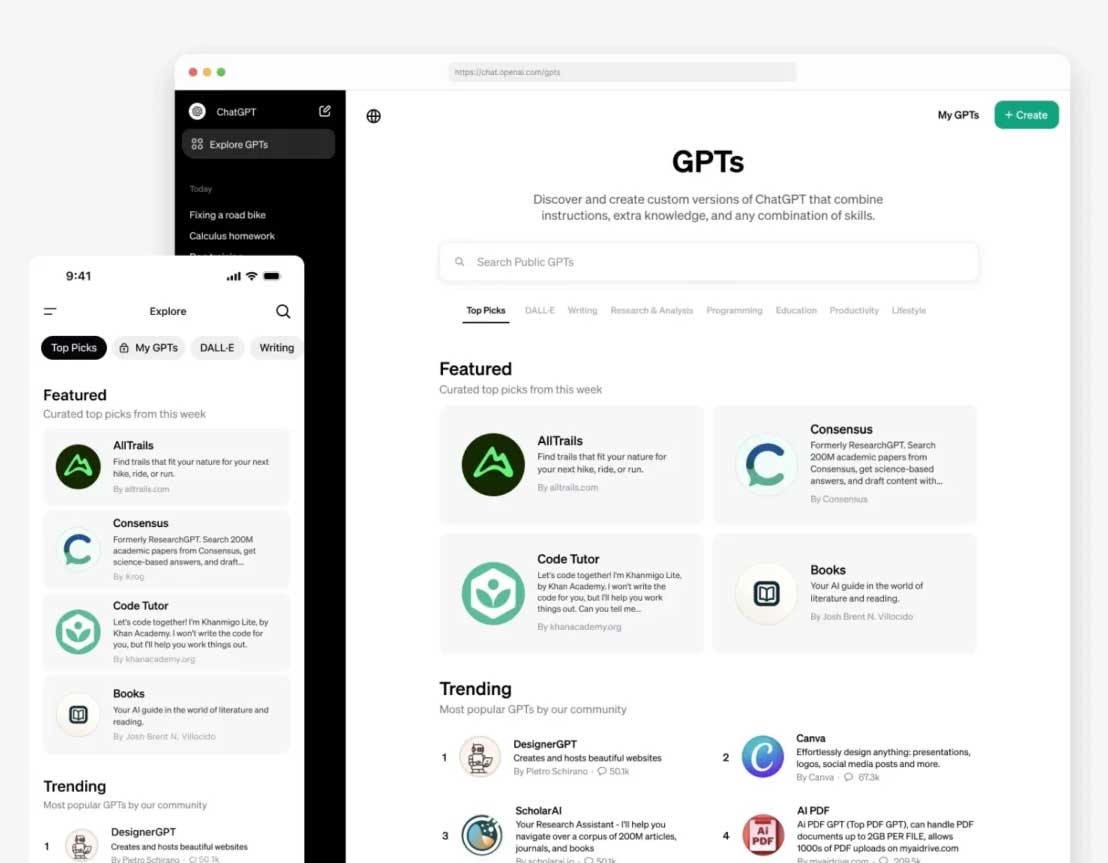
If you want to create your first AI agent, ChatGPT GPTs are probably the most accessible starting point.
Users simply need to provide instructions, upload knowledge base documents, and configure some extensions to create a specialized GPT tailored to their specific needs. For example, you could build a content writing assistant, a chatbot to answer FAQs, a research assistant, or an internal document lookup tool for your business.
The biggest strengths of GPTs are their simple interface and extremely fast deployment time.
2. Zapier Agents
While ChatGPT (GPUs) excels in conversational communication, Zapier Agents stands out for its automation capabilities.
This platform can connect with thousands of popular applications such as Gmail, Google Sheets, Slack, HubSpot, Notion, Salesforce, and Google Calendar. Thanks to this, AI Agents can not only chat but also perform real-world tasks such as processing emails, updating CRM, creating reports, or managing work schedules.
For business users, this is one of the most powerful options available today.
3. Lindy
Lindy is focused on one very specific goal: to become an AI personal assistant.
This platform is particularly well-suited for daily administrative tasks such as handling emails, preparing meeting content, managing schedules, or tracking to-do lists. Because of its narrower scope of use, beginners can often see results faster compared to more complex platforms.
If your goal is to reduce repetitive office tasks, Lindy is a worthwhile option to consider.
4. Microsoft Copilot Studio
For businesses already using the Microsoft 365 ecosystem, Copilot Studio is one of the most powerful platforms available today.
This tool allows you to build AI agents using natural language, connect with business data, and deploy them across multiple channels.
Compared to other platforms on the list, Copilot Studio is more geared towards enterprise environments than individual users. In return, it offers a very high level of control, security, and data management capabilities.
5. Google Gemini Gems
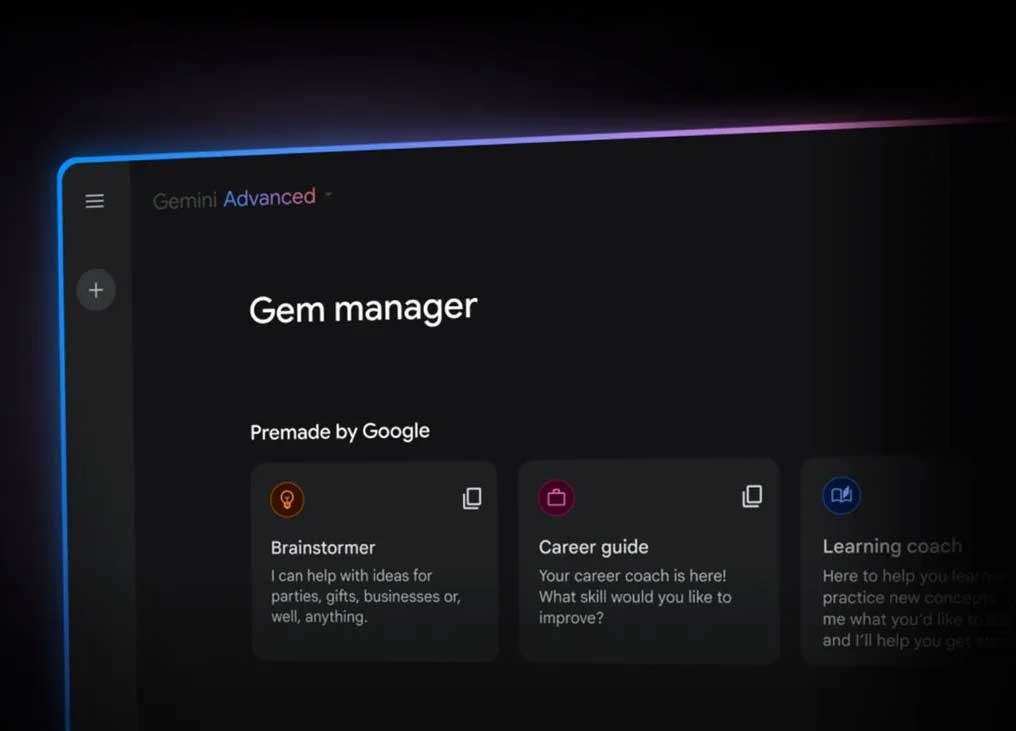
Gemini Gems is Google's answer to the trend of personalized AI agents. You can create their own "Gems" to serve specific tasks and use them directly in Gmail, Docs, Sheets, Slides, or Drive.
The biggest advantage of Gemini Gems is its seamless integration with the Google Workspace ecosystem. If your daily work primarily revolves around Gmail and Google Docs, building an AI agent with Gemini Gems will feel natural and easy to get used to.
6. Claude Projects
Among the platforms available today, Claude Projects stands out for its document processing capabilities. Each Project functions as a separate workspace with its own chat history and knowledge base.
This is particularly useful for research, branding, customer document analysis, or internal data warehouse management.
For those who frequently work with large volumes of documents, Claude Projects can be far more efficient than a typical chatbot.
7. Relay.app
Relay.app is designed for small teams who want to experiment with AI Agent-based workflows.
The simple interface allows beginners to quickly build automated workflows without needing technical knowledge.
Although the number of integrations and advanced features cannot yet compete with Zapier, Relay.app remains an attractive option for small businesses or startups just starting to explore AI agents.
8. Gumloop
Gumloop is aimed at users who want to build AI processes that are more complex than typical chatbots but without needing to do any programming.
This platform is designed with an "AI-first" mindset, meaning every workflow revolves around using AI for processing and decision-making.
Although its integrated ecosystem isn't as extensive as larger platforms, Gumloop is still well-suited for specialized processes requiring a lot of AI logic.
9. Voiceflow
Not all AI agents are for internal use. Many businesses want to build chatbots for customer service or voice assistants for their websites and applications. That's why Voiceflow appears on this list.
Voiceflow allows you to create chatbots and voice agents through an intuitive drag-and-drop interface. You can leverage pre-made templates, integrate various AI models, and quickly deploy them on websites or customer support channels.
This is one of the most popular platforms for building conversational experiences with customers.
10. Botpress
Botpress is a suitable choice for those who want more control over their AI agent. The platform offers an intuitive drag-and-drop design environment, supports private data storage, and can be deployed across multiple messaging channels.
Compared to GPTs or Gemini Gems, setting up Botpress can be slightly more complex. However, in return, users have significantly more customization options, especially for chatbots serving businesses or large-scale customer support systems.
Quick Comparison of No-Code AI Agent Platforms
|
Foundation |
The intended purpose |
Outstanding strengths |
|
ChatGPT GPTs |
Beginner |
It's easy to create a personalized AI agent. |
|
Zapier Agents |
Job automation |
Connect thousands of applications |
|
Lindy |
Personal Assistant |
Email, meeting schedules, administrative tasks |
|
Copilot Studio |
Microsoft Corporation |
Microsoft 365 integration |
|
Gemini Gems |
Google users |
Work directly within the Workspace |
|
Claude Projects |
Document processing |
Knowledge management and research |
|
Relay.app |
Small group |
Easy to build workflows |
|
Gumloop |
Specialized AI process |
AI-first design |
|
Voiceover |
Customer chatbot |
Voice and chat agent support |
|
Botpress |
Enterprise chatbot |
Highly customizable and multi-channel |
What should beginners keep in mind?
An AI agent is only secure when its access is properly controlled.
When an agent has the ability to read emails, edit documents, send messages, or update business data, you need to understand what permissions it has been granted.
Prioritize the principle of minimum authorization, use confirmation steps before taking significant actions, and conduct thorough testing in a limited environment before real-world deployment.
The most common mistake is viewing every AI Agent as a harmless chatbot.
When Agent can act across multiple different applications, it becomes part of the operational process rather than simply a chat tool.
The development of No-Code AI Agents is helping ordinary users access automation capabilities previously only available to programmers.
For beginners, ChatGPT GPTs and Gemini Gems are the most accessible options. For task automation needs, Zapier Agents, Lindy, and Relay.app are strong contenders. Meanwhile, Claude Projects and Microsoft Copilot Studio are better suited for enterprise environments and knowledge-intensive processing tasks.
The emergence of systems like Scout shows that the future of AI will increasingly move towards agents that operate autonomously in the background, rather than simply answering individual questions.
The most successful platforms will be those that help users harness that power in a simple, easy-to-control, and truly useful way from day one.
Related Articles
 How to Turn Claude Code into a Personal AI Agent to Assist9 minutes read
 10 GitHub Repositories to Help You Master Claude Code and AI Agent Coding7 minutes read
 Claude Code Learns from Mistakes7 minutes read
 How to Write Robust Code with Claude Code and AI Coding Agent10 minutes read
 How to Effectively Manage Multiple Claude Code Sessions Running in Parallel9 minutes read
 10 Best Artificial AI Platforms for Businesses In 202612 minutes read
Reader Comments 0
Sign in with email or Google to join the discussion.