Table of Contents
ChatGPT is one of the most popular AI photo editing tools available today. Below are some of the current trends in using ChatGPT for photo editing.
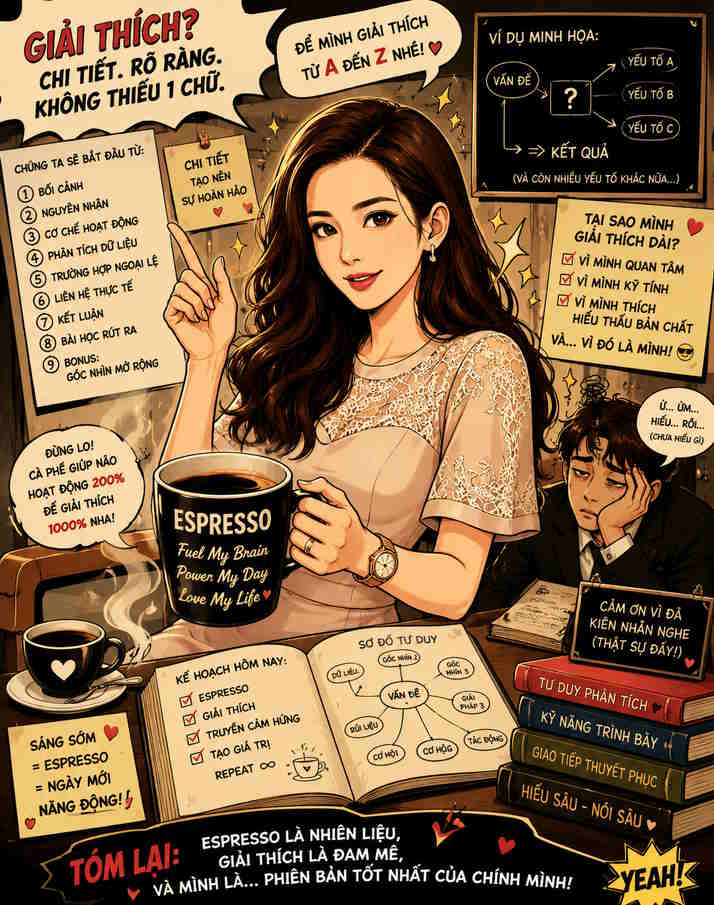
The trend of self-deprecating caricatures
This trend has exploded across social media platforms, including X, Facebook, Instagram, and TikTok. Users aren't just asking for a caricature; they're asking ChatGPT to create a highly personalized caricature based on memories of past conversations. The most common request is: 'Create a caricature of me based on everything you know about me. '
Why is it popular? The trend is personal and often accurate in a humorous way.
Prompt suggests:
Look at my photo and create a lively caricature of me, highlighting my love for espresso and my habit of over-explaining everything, using a bold comic book style.
Film photos are not perfect
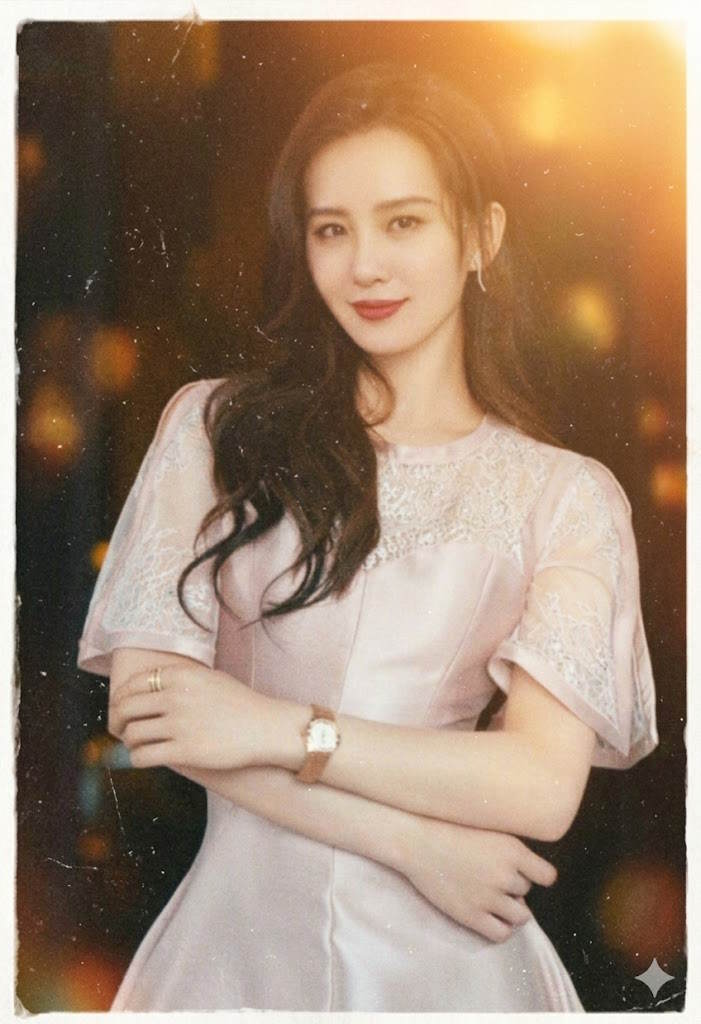
One of the biggest trends on social media right now is intentionally making photos look older and more emotionally charged. Users are adding film scratches, graininess, faded colors, random blurring, and light leaks to counteract the overly perfect aesthetics of AI.
This trend has become particularly popular among Gen Z creatives, who grew up in the polished photography environment of influencers and are now craving something more authentic.
Why is it popular? This trend evokes emotions in viewers and is authentic, close to reality.
Prompt suggests:
Transform this photo into a nostalgic memento from a disposable camera in the late '90s. Add dusty film grain, subtle blurring effects, uneven lighting, tiny scratches, and warm sunset light from an angle. Make every detail look random and nostalgic rather than meticulously crafted.
Professional travel posters
Upload a portrait or selfie and turn it into a professional travel poster while still preserving the original face. This is a very popular trend for Instagram Reels cover photos, Facebook vacation albums, LinkedIn travel industry posts, and YouTube travel vlog thumbnails.
Why is it popular? The photos look professional, as if they were designed by a professional.
Prompt suggests:
The system first analyzes the uploaded image and automatically adjusts the composition, landscape, color, lighting, subject placement, camera angle, clothing mood, and environmental elements to match the original image.
Create a travel poster with a cinematic overlay effect using uploaded images, while preserving the true identity, facial structure, hairstyle, pose, skin tone, and clothing details of the people in the photos.
AI will automatically detect:
subject posture
viewpoint
clothing style
mood of the image
direction of light
tourist atmosphere
camera frame
environmental suitability
Then, it automatically generates travel elements and layouts that naturally fit the image.
STYLE:
Surreal cinematic overlay effects, emotionally charged travel storytelling, luxurious travel campaign aesthetics, realistic photo collages, dreamy spaces, high-end poster design, high-quality photo editing, light fog, cinematic depth, layered landscapes, realistic blending.
PRINCIPLES OF SMART LAYOUT:
If the subject is looking from an angle → add mountains/roads/horizon lines in the direction of view.
If the subject is standing → it creates a panoramic composition where the landscape surrounds the entire body.
If the subject is seated → creates a quiet, contemplative, storytelling atmosphere.
If the outfit looks like winter/travel attire → add snow-capped mountains, fog, and pine forests.
If the outfit looks casual/summery → add valleys, rivers, tropical roads, sunsets.
If the lighting in the photo is warm → use a cinematic yellow tone.
If the lighting in the photo is cold, use a soft, hazy blue tone.
If you prefer a simple background, create a clean, elegant white background.
An impressive pose enhances depth and cinematic proportions.
LANDSCAPE CREATION:
Automatically generate and combine suitable elements:
mountain
river
winding road
forest
cloud
fog
lake
valley
waterfall
temple/wooden house/village
birds
Means of transportation (motorcycle/car/jeep if the layout is suitable)
DOUBLE EXPOSURE EFFECT:
Seamlessly blending landscapes within the body's silhouette with realistic transparency, fog enveloping the body's edges, depth layers, natural shadows, and smooth image stitching.
SECONDARY SUBJECT:
A smaller, more realistic version of the same person is added in the lower area, interacting naturally with the landscape:
standing near the road
next to the bicycle
looking down into the valley
walking through the scenery
FONT STYLE:
Automatically place elegant, cinematic text based on the layout:
"[Name of the discovered or customized location]"
"[Region/Country]"
TRAVEL • BREATHE • FREEDOM
The typography should look minimalist, elegant, cinematic, and professionally designed.
COLOR ADJUSTMENT:
Adaptive cinematic color correction is based on the original image's color tone:
earthy green
foggy white
mountain blue
warm sunset tones
gloomy darkness
gentle atmospheric contrast
QUALITY:
Surreal, incredibly detailed, seamless blending, realistic textures, volumetric lighting, high-end travel advertising quality, 8K movie poster.
NEGATIVE REVIEWS:
Cartoon images, low quality, distorted faces, extra limbs, unrealistic blending, inaccurate anatomy, oversaturated colors, messy composition, artificial AI errors, blurry faces, duplicate objects, flat lighting.
Result:
Cinematic-style travel poster for vertical display, 9:16 aspect ratio.

Turning real people into toys
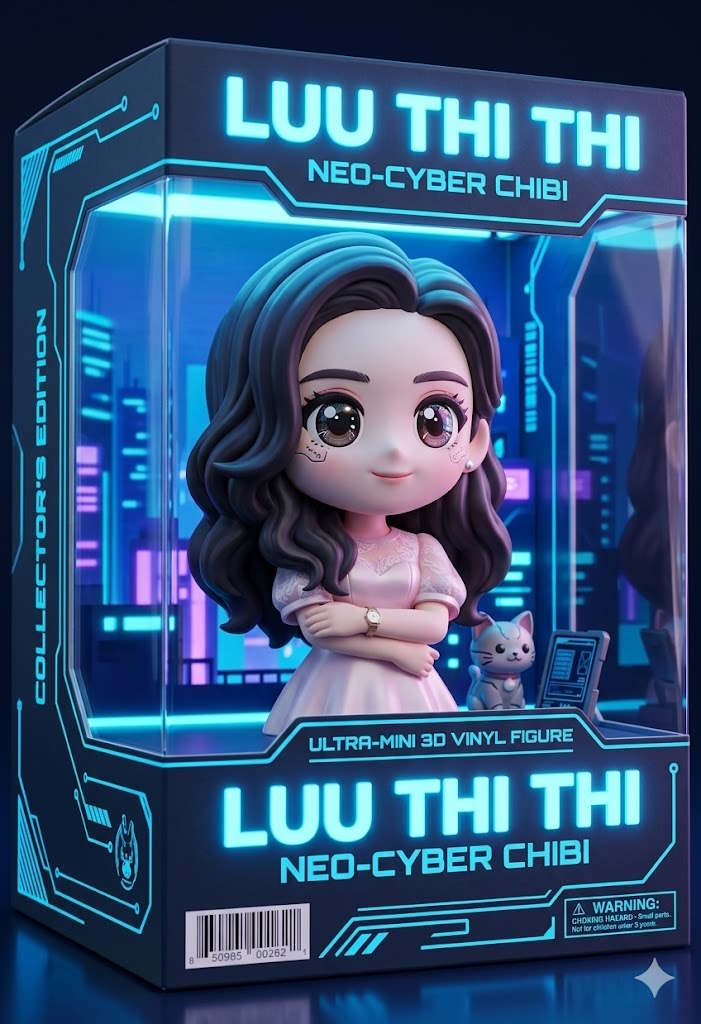
Pinterest and TikTok are currently obsessed with the trend of turning real people into toys. This trend includes transforming real people into 3D Chibi characters or plastic action figures, complete with product packaging.
Why is it popular? The trend is to showcase the protagonist's energy in a fantastic way.
Prompt suggests:
Transform the person in this picture into a 3D Chibi-style collectible toy. Draw them expressive big eyes and place them inside a neon blue 'Cyberpunk' themed action figure box with a clear plastic window.
Retro cartoon image
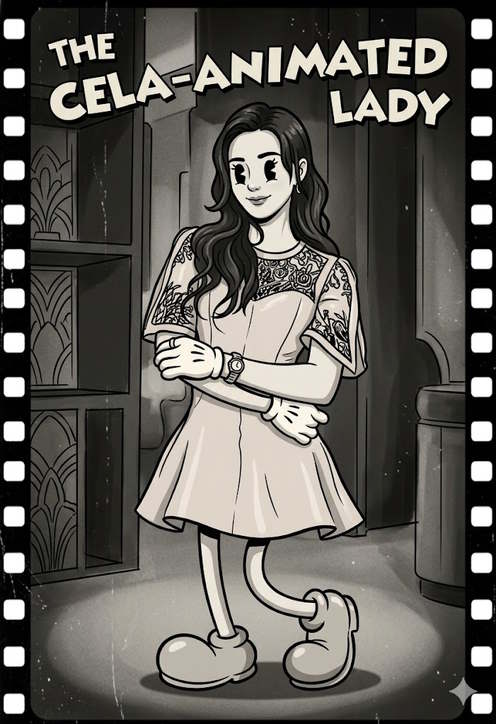
Perfect for Instagram profile pictures, TikTok avatars, and fun "compare the original to the cartoon" posts. Upload a selfie, portrait, group photo, or pet photo, then use this ChatGPT photo editing tip to create a recognizable classic cartoon profile picture.
Why is it popular? The photos are interesting and fun, and easily go viral on social media.
Prompt suggests:
Transform the person in the photo into a classic 1930s-1940s cartoon character, inspired by classic "rubber tube" animation styles like Betty Boop, Cuphead, Steamboat Willie, and old Fleischer Studios cartoons.
IMPORTANT:
Preserve the identity of the person in the photo clearly (hair, beard, glasses, recognizable face and facial expression).
An exaggerated, stretchy body in a cartoon style.
Classic big, dark eyes.
A bright, expressive smile.
Classic white gloves with a cartoon design.
Oversized cartoon-themed shoes in the style of the 1930s.
Their arms and legs are slender, like rubber tubes.
Thick black outlines and a realistic, classic cartoon look.
Visual style:
Classic black and white or reddish-brown color palettes.
The film's structure is outdated.
Small grains, scratches, and imperfections like old film rolls.
Simple shading in cel cartoon style.
Cartoon, but with natural proportions.
The background is inspired by the original environment of the photograph.
Artistic style:
Animation from the 1930s/1940s.
"Rubber hose" style of animation (animation drawn using a rubber hose).
Classic cartoon poster style.
Fleischer Studios style.
Classic animation style inspired by Cuphead.
The ink outline and exaggerated expression.
Quality:
Classic animation with incredible detail.
Cinematic composition.
The facial details are highly realistic.
Soft, classic lighting.
Authentic retro animation feel.
Full-body character.
Classic cinematic style photos from the old decades
History enthusiasts are using ChatGPT to travel through time. Instead of simply changing the background, this artificial intelligence now understands how to adjust lighting and clothing textures to suit specific eras. It's a tool favored by educators and storytellers on YouTube and Instagram.
Why is it popular? This trend offers a more realistic experience than a green screen; it looks as if you're actually there.
Prompt suggests:
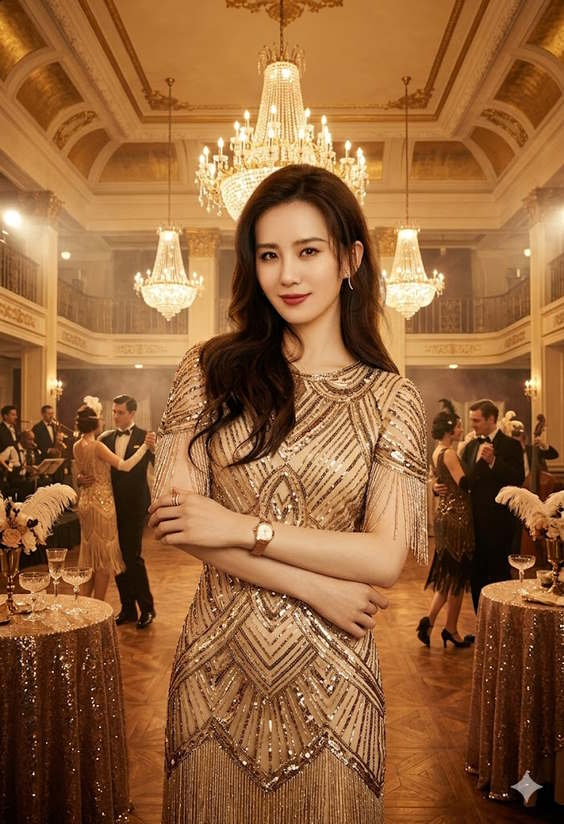
Place the subjects in this photo in a 1920s 'Great Gatsby' style ballroom. Change their attire to a flapper-style sequined dress/vest and adjust the lighting to match the warm yellow glow of vintage chandeliers.
Related Articles
 The Latest Update to ChatGPT Makes Photo Editing Easier: Explained5 minutes read
 Advantages of Using Photoshop in ChatGPT for Photo Editing: Explained8 minutes read
 Best AI Photo Editing Tools10 minutes read
 4 Favorite Photo Editing Apps That Don't Abuse AI Features: What You Need to Know6 minutes read
 Instructions on Removing Objects from Photos Using ChatGPT: Explained3 minutes read
 minutes read
Reader Comments 0
Sign in with email or Google to join the discussion.