Table of Contents
Five ChatGPT features can make a meaningful difference when a standard question-and-answer chat is not enough: Study Mode, shopping research, reasoning controls, deep research, and Agent with apps. Each serves a different kind of work, and availability or limits can depend on the plan, device, region, and workspace settings.
Choose the smallest tool that fits the task. A complex mode takes longer and does not remove the need to check sources, calculations, purchases, or actions.
1. Study Mode for guided learning
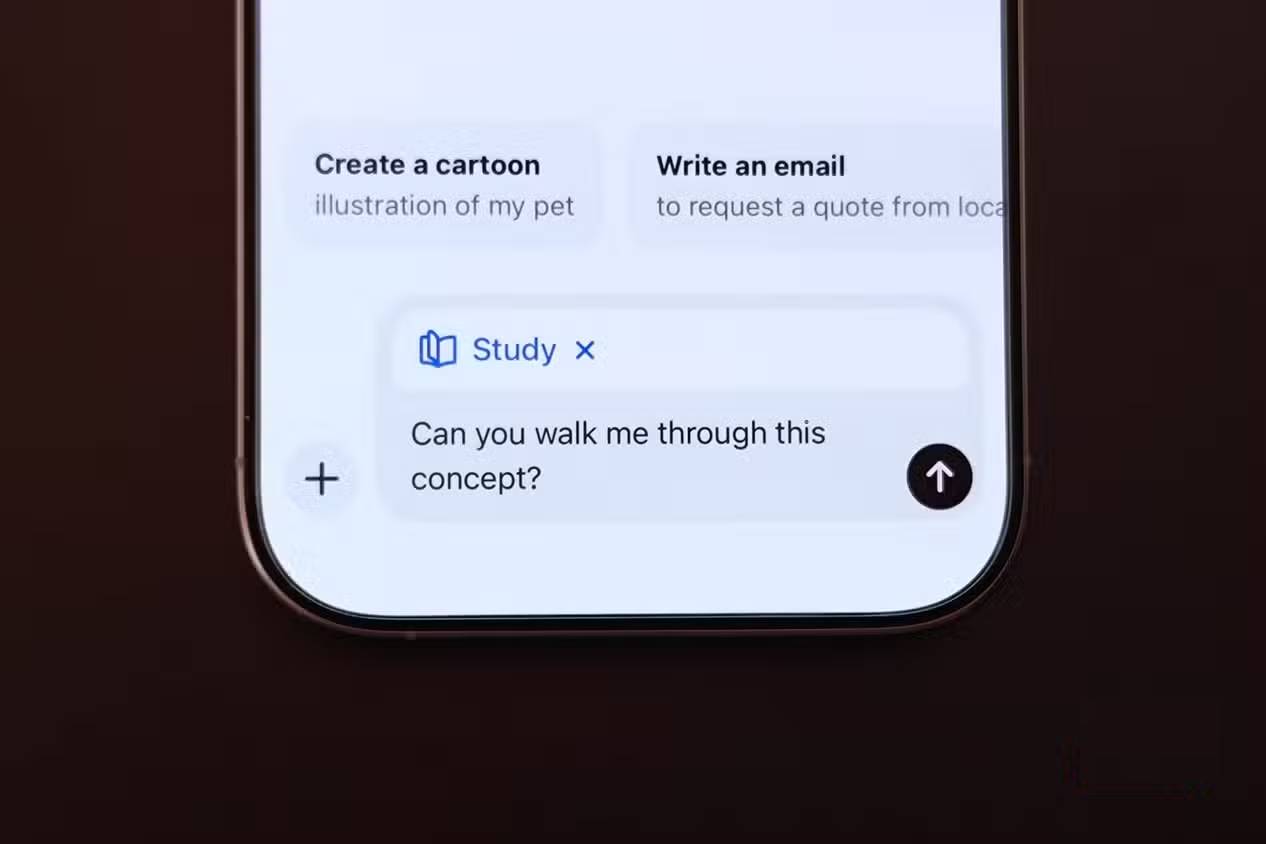
Study Mode is designed to build understanding rather than provide only a final answer. It can ask what you already know, guide you through a problem, explain a concept in layers, and quiz you one question at a time.
On the web, type @study or open the plus menu and search for Study. On iPhone, select the attachment button and choose Study. On Android, open + > Plugins and search for it. It can work with notes, PDFs, slides, worksheets, and photos when file upload is available.
A useful first request states the level, topic, goal, existing understanding, and deadline:
I am a first-year college student preparing for a calculus quiz on integration by parts. Ask one diagnostic question, then teach only the gaps. Do not reveal a complete practice answer until I attempt each step.
Study Mode can still make mistakes. Follow your school's AI-use rules and compare explanations with the course material. The official Study Mode guide lists current availability and shortcuts.
2. Shopping research for comparisons with constraints
Shopping research helps compare products when the decision involves several trade-offs. Describe the product, budget, location, must-have features, size or compatibility requirements, and what matters most. ChatGPT may ask follow-up questions and present product options for further comparison.
Shopping results can contain stale prices, incomplete specifications, affiliate or merchant data, and regional differences. Open the seller's page and verify the exact model number, final delivered price, stock, warranty, return policy, and seller identity before buying. Ads are separate from shopping research, and a recommendation is not an independent laboratory test.

3. Instant, Thinking, and reasoning controls
Where the model selector or reasoning control is available, use a faster setting for ordinary drafting and a higher reasoning effort for tasks that require careful planning, multi-step logic, or difficult code analysis. The names and models offered can change; do not anchor a workflow to an old version number.
| Choice | Good fit | Trade-off |
|---|---|---|
| Instant or default | Editing, brainstorming, summaries, and straightforward questions | May spend less time checking a complex chain of dependencies |
| Thinking | Hard debugging, quantitative reasoning, planning, and detailed analysis | Takes longer and can consume more of the applicable usage allowance |
| Higher effort | A difficult task where extra analysis changes the likely outcome | More time and tokens do not guarantee correctness |
Provide the data and evaluation criteria regardless of the setting. Asking a model to “think harder” cannot recover missing facts or validate an unsupported assumption.

4. Deep research for a documented report
Deep research is intended for questions that require multiple sources, investigation, and synthesis. It can use uploaded files, public websites, selected sites, and enabled apps, then produce a report with citations.
Define the scope before starting:
- the exact question and decision the report should support;
- date range, region, and excluded topics;
- preferred primary sources and unacceptable source types;
- required comparisons, tables, or calculations;
- the date by which facts must be current.
Afterward, open important citations and confirm that each source supports the associated sentence. Check publication dates, distinguish an event date from an article date, and look for contrary evidence. A long bibliography does not guarantee a reliable conclusion.
See OpenAI's deep research overview for current capabilities.
5. Agent and apps for supervised actions
ChatGPT Agent can perform supported multi-step online work rather than merely describing the steps. Apps can give ChatGPT authorized access to external information or actions. Together, they can help with tasks such as reviewing connected files, preparing a comparison, updating a supported tool, or navigating a web workflow.
Start Agent from the tools menu or type /agent when the shortcut is available. State what it may do, what it must not do, the sources it should prefer, and when it must stop for review:
Compare these three conference venues using their official pages, put capacity and cancellation terms in a table, and stop before contacting anyone or entering payment details.
Supervise the run. Websites can contain misleading instructions, sessions can expose private data, and an agent can select the wrong item. Grant apps only the permissions required, review consequential actions, and disconnect integrations no longer used. The ChatGPT Agent guide explains how to start and interrupt a task.
What happened to ChatGPT group chats?
Group chats were a pilot that allowed invited people to collaborate with ChatGPT in one conversation. OpenAI began retiring the feature on July 9, 2026. New group chats can no longer be created or joined, and existing ones are expected to become read-only while their history remains accessible.
Therefore, a “group chat” button shown in an older tutorial may no longer be available. Use an approved shared workspace, Project-sharing feature, or existing team collaboration system instead, depending on the need.

Which feature should you use?
| Goal | Feature |
|---|---|
| Learn a subject through questions and practice | Study Mode |
| Compare products against budget and requirements | Shopping research |
| Give a hard problem more analysis time | Thinking or higher reasoning effort |
| Produce a source-backed report across many materials | Deep research |
| Carry out a supervised multi-step task | Agent and relevant apps |
Features and model labels evolve quickly. If a control is missing, update the app, search the tools or plugin menu, and check the current Help Center rather than following a screenshot from an older release.
Related Articles
 ChatGPT Has Many Features in 2026: Here Are 3 Features You Might Have Missed7 minutes read
 Why Do Many People Regret Ignoring This ChatGPT Feature for So Long: Key Facts7 minutes read
 Hidden Features of ChatGPT That You Might Not Know About4 minutes read
 Learn About ChatGPT-4o: Features, Benefits and How to Use It: Complete Guide7 minutes read
 How to Use the ChatGPT API: a Complete Guide from a to Z12 minutes read
 What Is ChatGPT Deep Research?6 minutes read
Reader Comments 0
Sign in with email or Google to join the discussion.