Table of Contents
This updated guide examines Test Stress Test CPU: 8 Stress Test Tools Useful for CPU and organizes the essential facts, background, and practical takeaways in clear American English.
The tools in this article are very useful in stress testing CPU tests. Before doing so, you need to know that these tests are at the highest load that can cause the machine to heat up.
1. HeavyLoad
- Download HeavyLoad for Windows
HeavyLoad from Jam Software developer can make the computer work at full capacity so you can evaluate the computer components better.

You should try different applications, programs, and browsers at the same time. You will quickly know which components should not be used when opening too many windows.
2. AIDA64 Extreme
- Download AIDA64 Extreme for Windows
AIDA64 is a very powerful tool, compatible with all Microsoft systems from 95/98 to Windows Server 2016. It can perform multi-threaded memory analysis and cache performance testing.
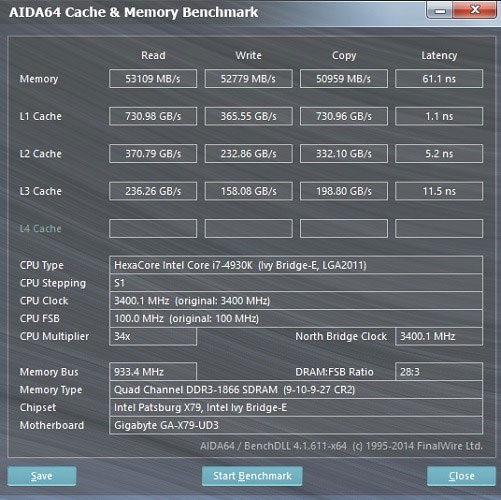
The software has additional tests on voltage, fan speed, temperature and more. This is a complete diagnostic tool.
3. Stress-Ng
Linux users can depend on this reliable tool to perform load test tests on Linux distributions. Specific CPU test stress tests include testing the ability to handle (floating point), integer, bit manipulation and control flow.
For Debian, you can install Stress with the following command:
sudo apt-get install stress-ng
With Stress-ng, you can specify specific CPU mode, timeout, number of supported operations.
stress-ng --cpu 8 - io 2 --timeout 30s --metrics.
4. Geekbench 4 (Mac)
- Download Geekbench 4 for Mac

Like the Windows Taskbar, the Mac's Activity Monitor provides a complete table of all existing CPU processes. But to carry out the stress test, you need to download an application called Geekbench 4. It performs a series of load test tests for you.
5. CPUX
https://cpux.net/cpu-stress-test-online
Don't like downloading any software to your computer? CPUX will provide you with a powerful stress test and evaluation and rating of your system. If you enter a good number of threads (64) and with the highest capacity (100%), your computer may face a few problems and take a long time to fix it. Therefore, you should not stress test with this parameter.
6. Overclock Checking Tool
https://www.ocbase.com/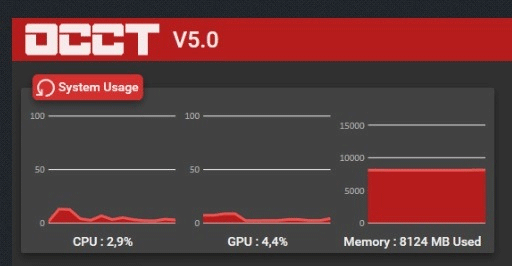
This Windows software is very popular for CPUs and a series of tests since 2003. As its name suggests, this tool tests overclocking among other tests. Instead of combining all the results into one, each test is done separately.
7. Prime95
https://www.mersenne.org/download/#stresstest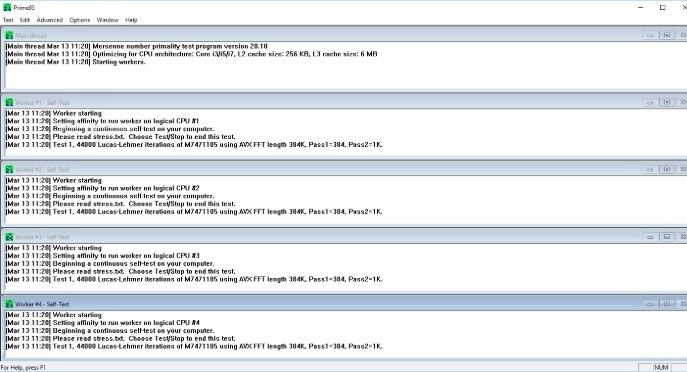
This stress test software has been around since 1995. Prime95 supports a variety of operating systems such as Windows, Linux, Mac and FreeBSD. It can do a lot of work and give great results.
8. Novabench
- Download Novabench for Windows

Novabench is a tool commonly used by large IT groups to implement heavy load CPU tests. It gives quick results in just minutes.
Many online diagnostic tools perform stress tests that test not only CPU but also RAM, graphics card and GPU. Such combined results cannot provide accurate information. The only question you need to answer is your computer's download level without causing overheating.
FAQ
What is Test Stress Test CPU: 8 Stress Test Tools Useful for CPU about?
It provides a structured overview of test stress test cpu, explains the main context, and highlights practical takeaways for readers.
Why does this topic matter?
Understanding the main concepts helps readers evaluate the issue, avoid common mistakes, and make better-informed decisions.
How should readers use this information?
Use the guidance as a practical starting point, confirm details that may have changed, and follow current product, safety, or security recommendations.
Related Articles
 What Is Stress Test: What Is a Stress Test?3 minutes read
 How to Safely Stress Test Overclocked RAM, GPU and CPU12 minutes read
 How to Stress Test Hard Drives on Your Computer or Server?9 minutes read
 What Is GPU Stress Testing?6 minutes read
 How to Perform Graphical Stress Test on Linux6 minutes read
 10-Minute Stress Relief Habit: Practical Guide6 minutes read
Reader Comments 0
Sign in with email or Google to join the discussion.