Table of Contents
While Nova Launcher is one of the more unique launchers, a number of launchers have continued the legacy of personalized home screens, and there are some great options for you to start using instead.
In September 2025, Nova Launcher bid us farewell after a long journey of 14 years. It made customizing Android so easy that it became a trend. People shared their home screen setups everywhere on social media. Nova Launcher also created a large community built around customizations and settings on platforms like Reddit and Telegram.
But since Nova Launcher is no longer part of the story, is the era of home screen customization coming to an end? The answer is no.
While Nova Launcher is one of the more unique launchers, a number of launchers have continued the legacy of personalized home screens, and there are some great options for you to start using instead.
4. Microsoft Launcher
Expand your ecosystem while keeping your home screen fresh
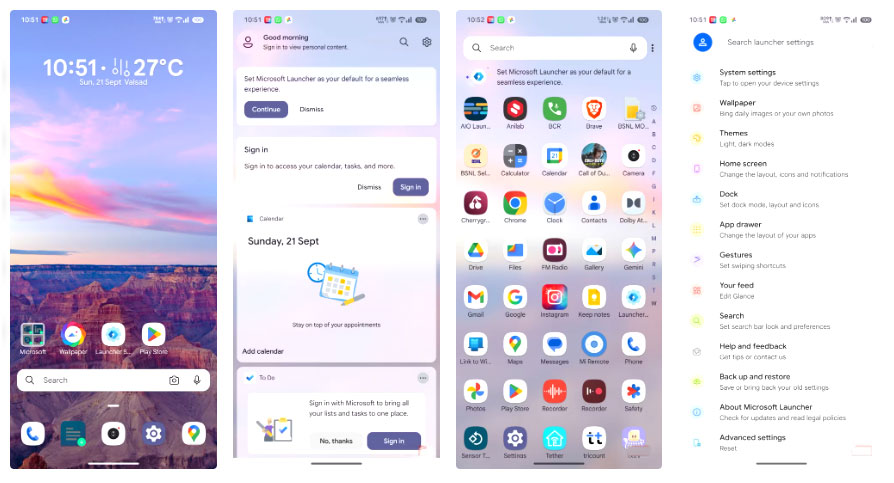
Microsoft is developing a number of products for the Android ecosystem, such as Microsoft Phone Link, which allows your phone to seamlessly connect to your PC. Similarly, Microsoft Launcher lets you add a layer of customization to your Android device. It lets you tweak many aspects of your home screen.
Advantage
- Control every aspect of the launcher.
- Support app lock and app hide.
- Integration with the Windows ecosystem.
Disadvantages
- Missing animation effects in launcher settings.
- Internet connection required for features to work.
3. Niagra Launcher
Everything, all in one list
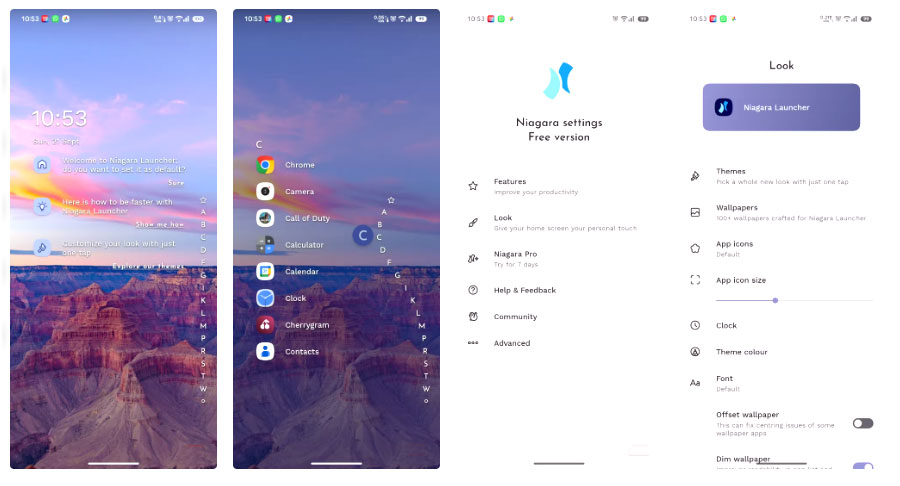
Niagra Launcher is one of those unique launchers that offers a unique and less distracting look to your home screen. If you find the colorful icons in your app drawer too much, Niagara Launcher is the perfect launcher to switch to. It offers a simple, linear, comfortable, one-page app layout that minimizes distractions.
Advantage
- Reduce screen time.
- Minimally disruptive user interface.
- Provides a unique experience compared to the traditional home screen.
Disadvantages
- Icon styles are limited.
- Initial time to adapt to the user interface.
- Gestures are limited.
2. AIO Launcher
Simple, informative, text-based interface
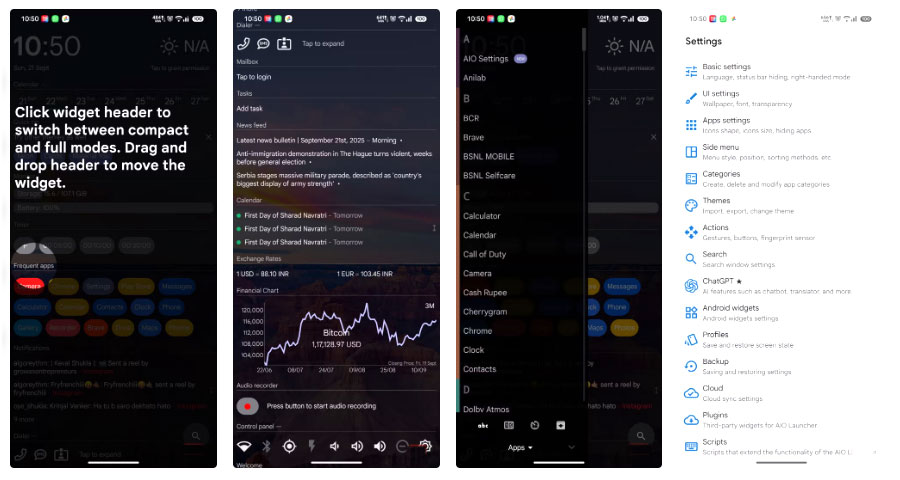
If you're looking for something different and Niagara seems too basic, consider AIO Launcher. It takes a completely different approach to the text-based home screen. It has no icons at all. Yes, you can add them, but it's primarily designed to be used icon-free, so it lacks the icon customization that other launchers offer. What you get is a list of your apps without any icons. While you can do that in Niagara as well, AIO Launcher's sole purpose is to give you text-based information on your home screen.
Advantage
- Different text-based approach.
- Information-rich home screen.
Disadvantages
- User interface is overloaded.
- Custom widgets cannot be placed.
1. Smart Launcher 6
This launcher is most similar to Nova Launcher
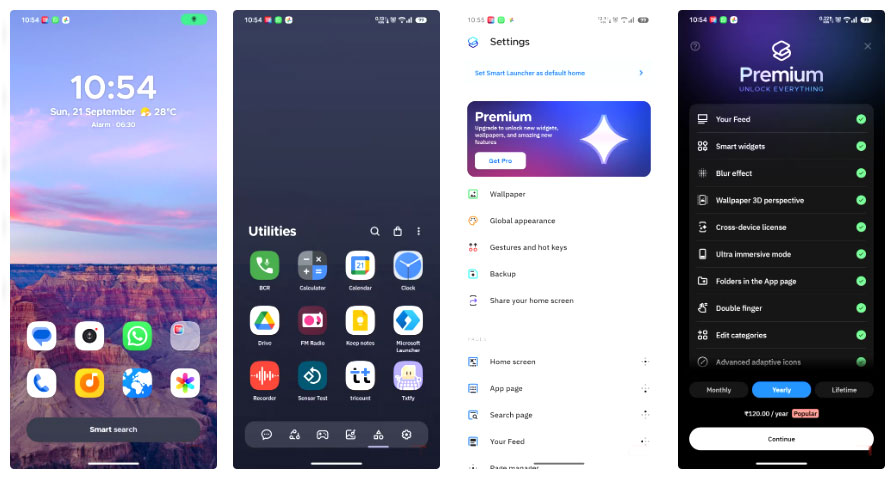
Smart Launcher 6 is one of the most customizable launchers out there and can be considered the true successor to Nova Launcher. Smart Launcher 6 offers a wide range of customization options, including home screen, app drawer, app icons, and home screen effects. Smart Launcher 6 has its own unique set of icon styles, widgets, and customizations.
Advantage
- Many customization options.
- Built-in system utilities.
- App drawer and single page interface.
Disadvantages
- Some widgets and settings require a premium plan.
- System administrator rights are required for gesture manipulation to work.
Give your home screen a new look!
The home screen is the first thing we see when we unlock our phone, and staring at the same old home screen can sometimes get boring. That's where these awesome launchers come in. Even though Nova Launcher has been around for a while, these launchers are ready to take over the old features. Not only do they refresh our phones, but additional features like changing icons, adding gestures, or simplifying the interface can also enhance our daily phone experience.
FAQ
What should you know about the options in this guide?
In practical terms, while Nova Launcher is one of the more unique launchers, a number of launchers have continued the legacy of personalized home screens, and there are some great options for you to start using instead.
Which option is the best choice?
The best choice depends on your priorities, compatibility, budget, and the specific features discussed in the comparison.
What should you compare before deciding?
Compare core features, limitations, ease of use, compatibility, and long-term value before making a decision.
Related Articles
 Nova Launcher - Nova Launcher Download and Installation5 minutes read
 Top 10 Best Android Launchers 201910 minutes read
 Huawei Nova 7i: Kirin 810 Chip, 4,200 MAh Battery, Twice3 minutes read
 Huawei Nova 6 Image Render: Huawei Nova 6 Revealed Renderings3 minutes read
 Review Tenda Nova Mw6 and Mw3: Good, Cheap Mesh Mesh Wi-Fi System6 minutes read
 Open Source Android Launcher: Best Options and Key Tips5 minutes read
Reader Comments 0
Sign in with email or Google to join the discussion.