Table of Contents
Discover why is olauncher superior to other Android launchers and explore the main causes, risks, practical effects, and recommended actions.
Yes, there are many alternatives to Nova Launcher. While options like Niagara Launcher, Lawnchair, and Microsoft Launcher are good, they feel too similar to the default launchers from Samsung, Google, or OnePlus. Over the years, there has been only one third-party launcher that has been used by many people for a long time, and that is Olauncher.
What makes Olauncher special?
Minimalist interface combined with convenient design
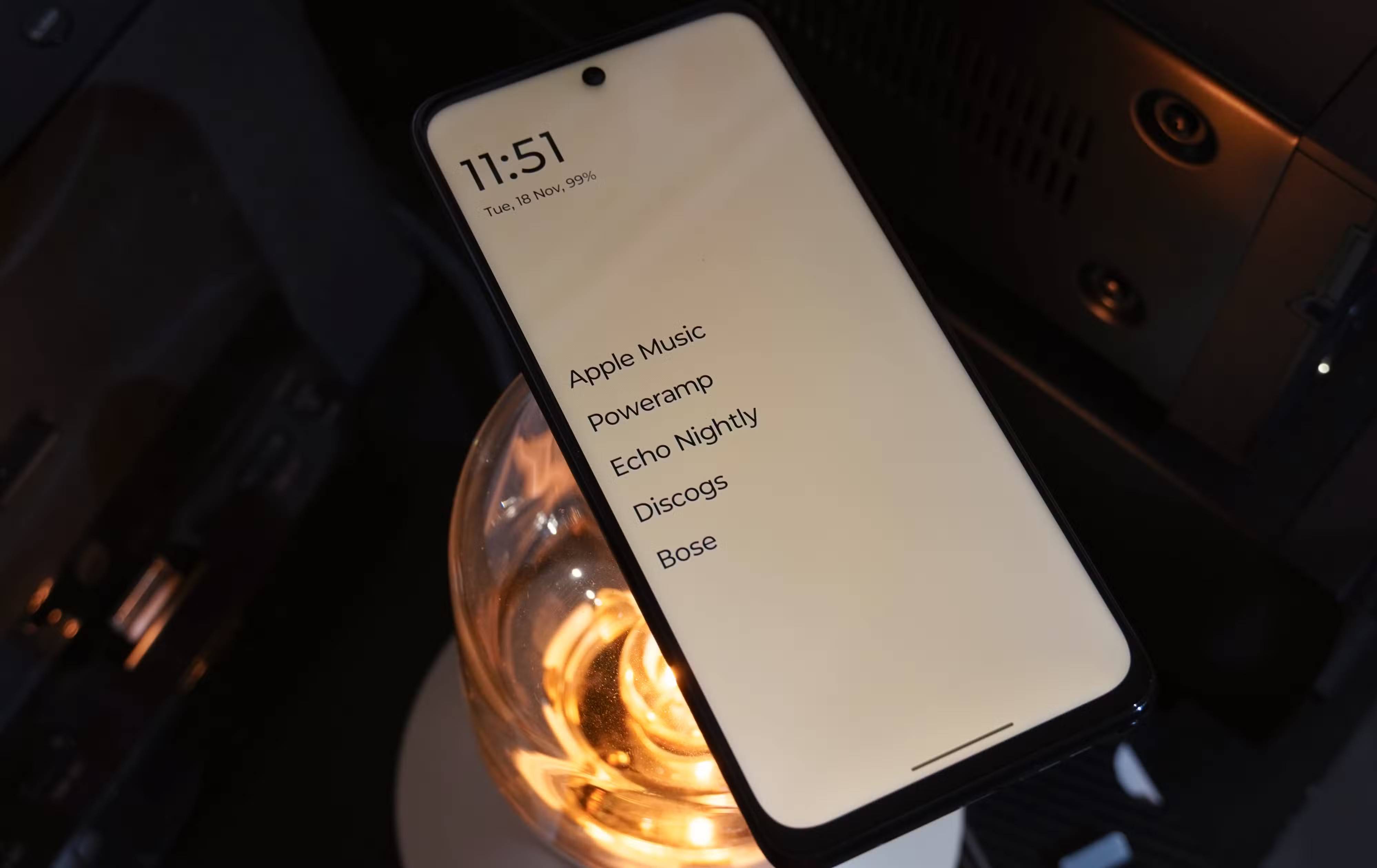
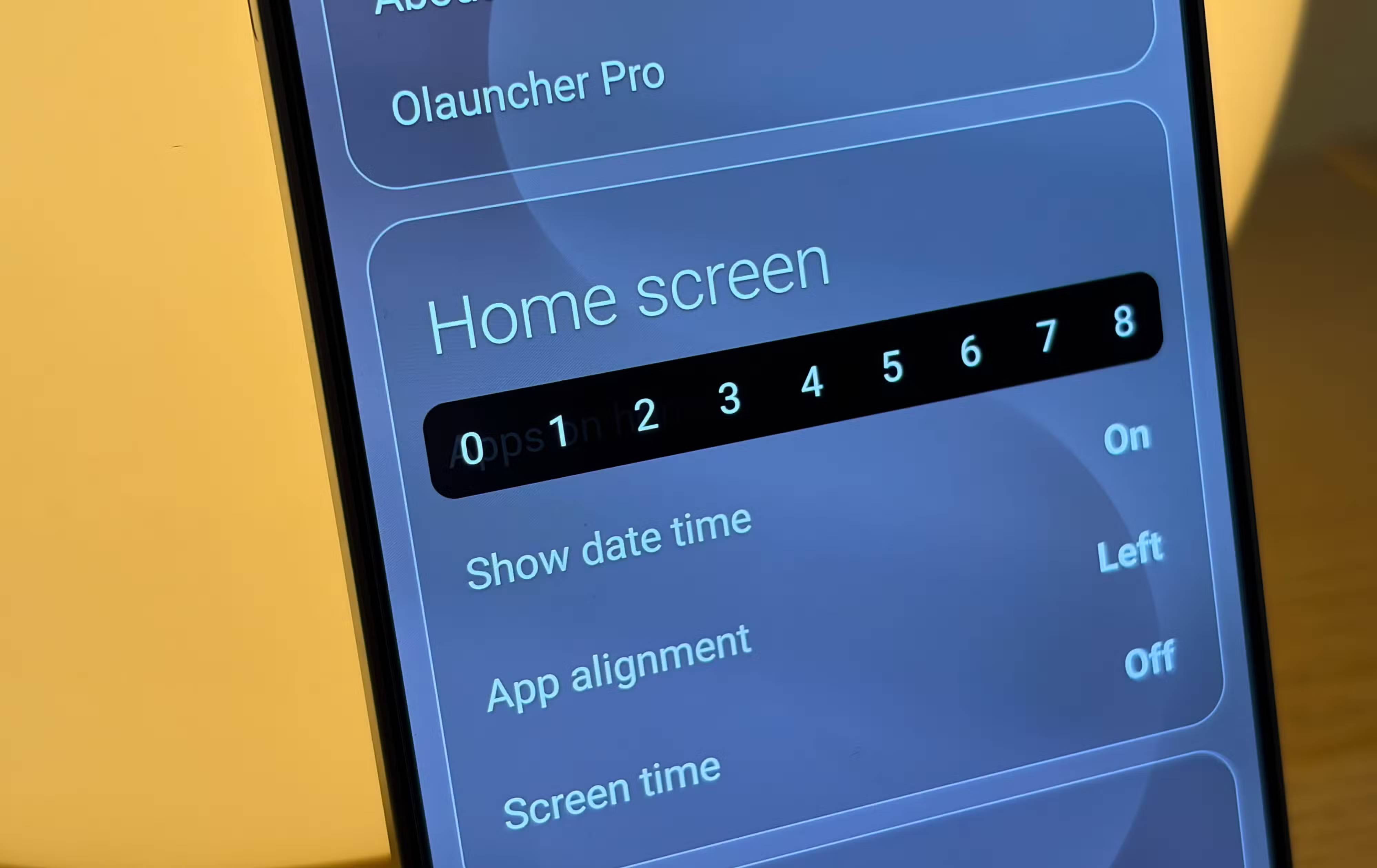
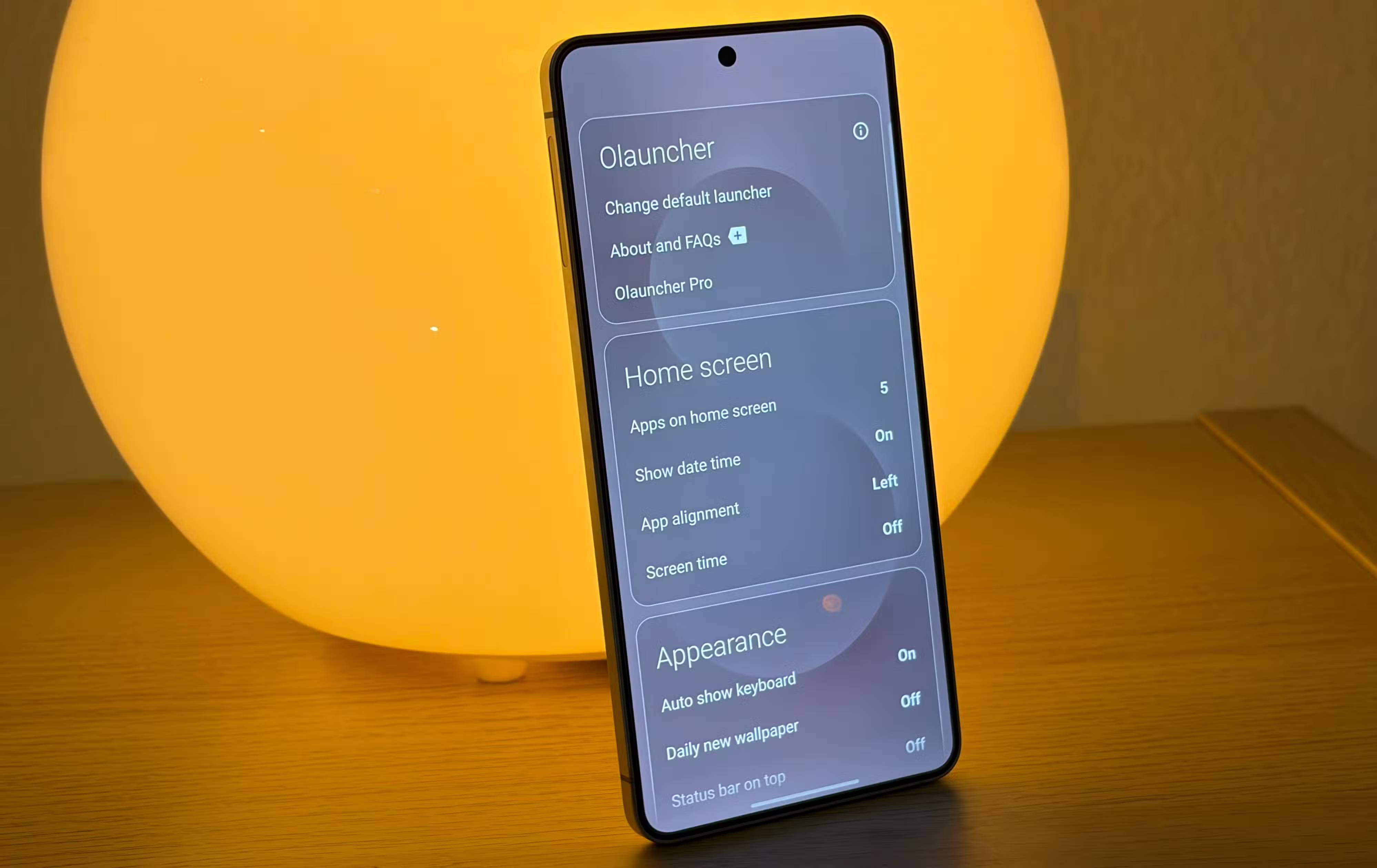
Olauncher ditches the current interface for a completely different user interface, which might make some users hesitant to try it out. There is no home screen – at least not in the typical Android way. With this launcher, the home screen is simply a list of up to 8 app names. There are no app icons, widgets, or notification badges.
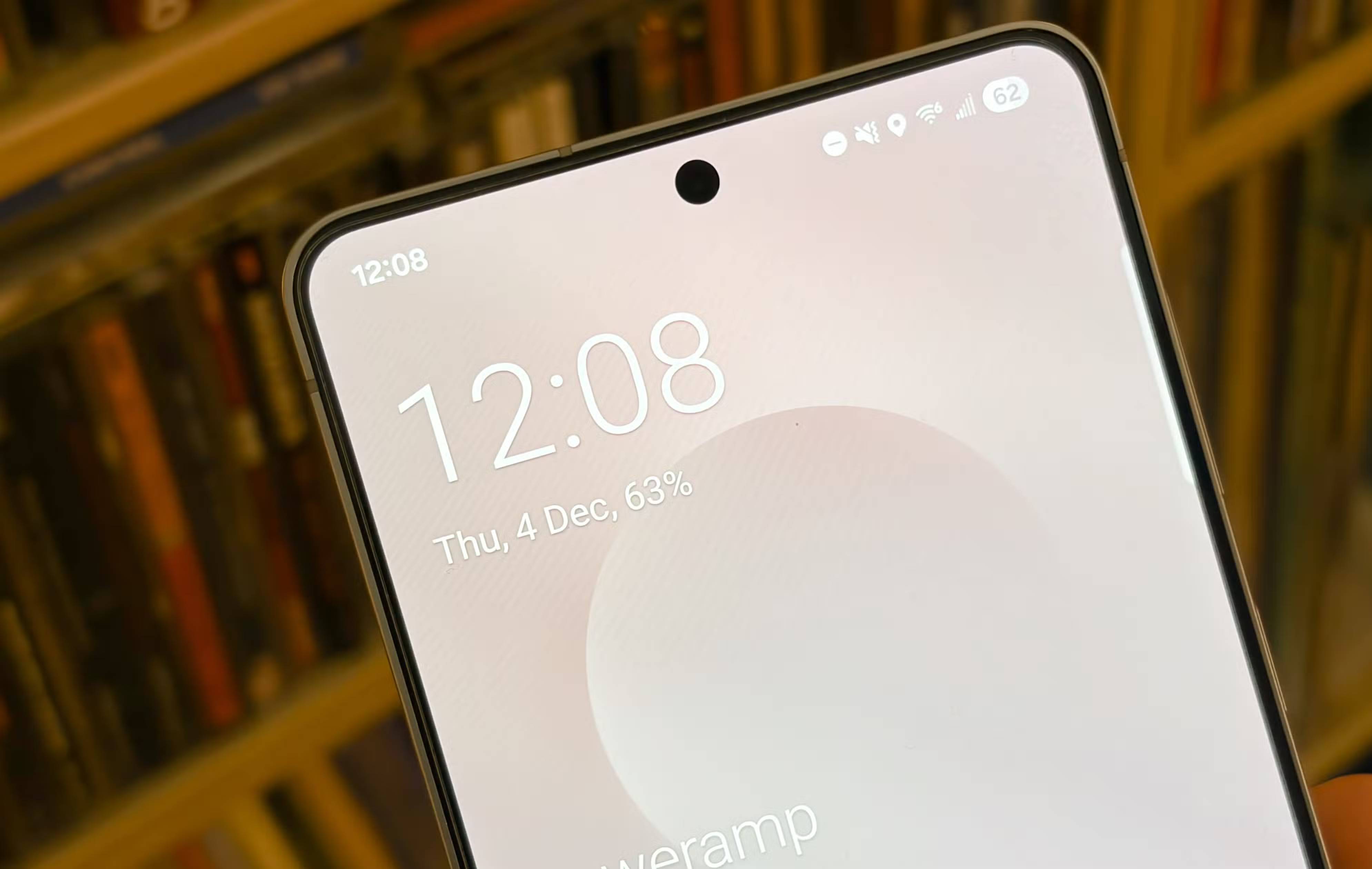
By default, Olauncher includes a digital clock near the top of the home screen, which displays the date and battery percentage of your phone. You can disable this feature if you want a cleaner interface, showing only the list of apps on the home screen. In fact, you can disable every element on the home screen. By disabling the date and time module and setting the number of apps on the home screen to 0, the Olauncher home screen becomes the wallpaper.
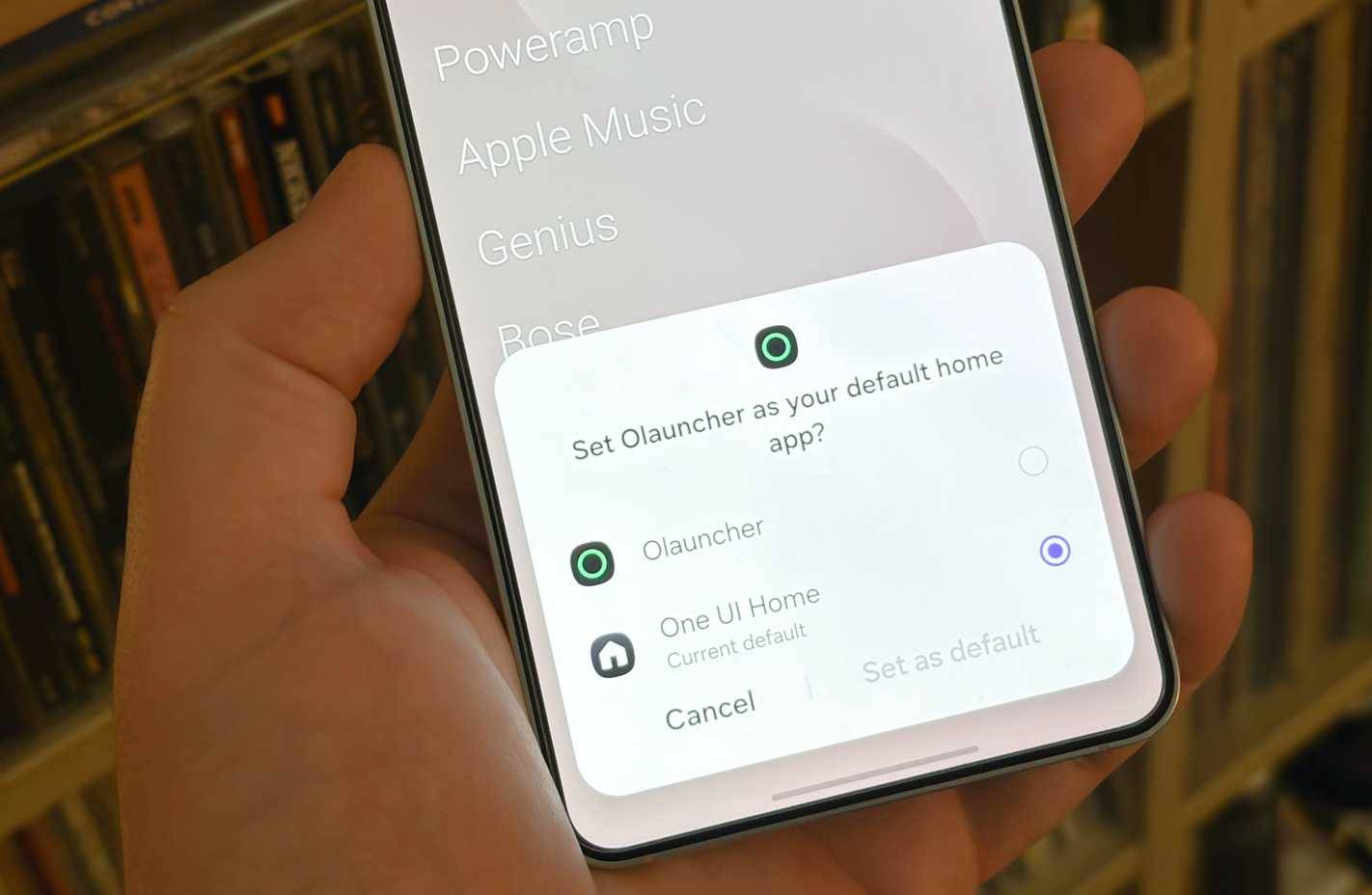
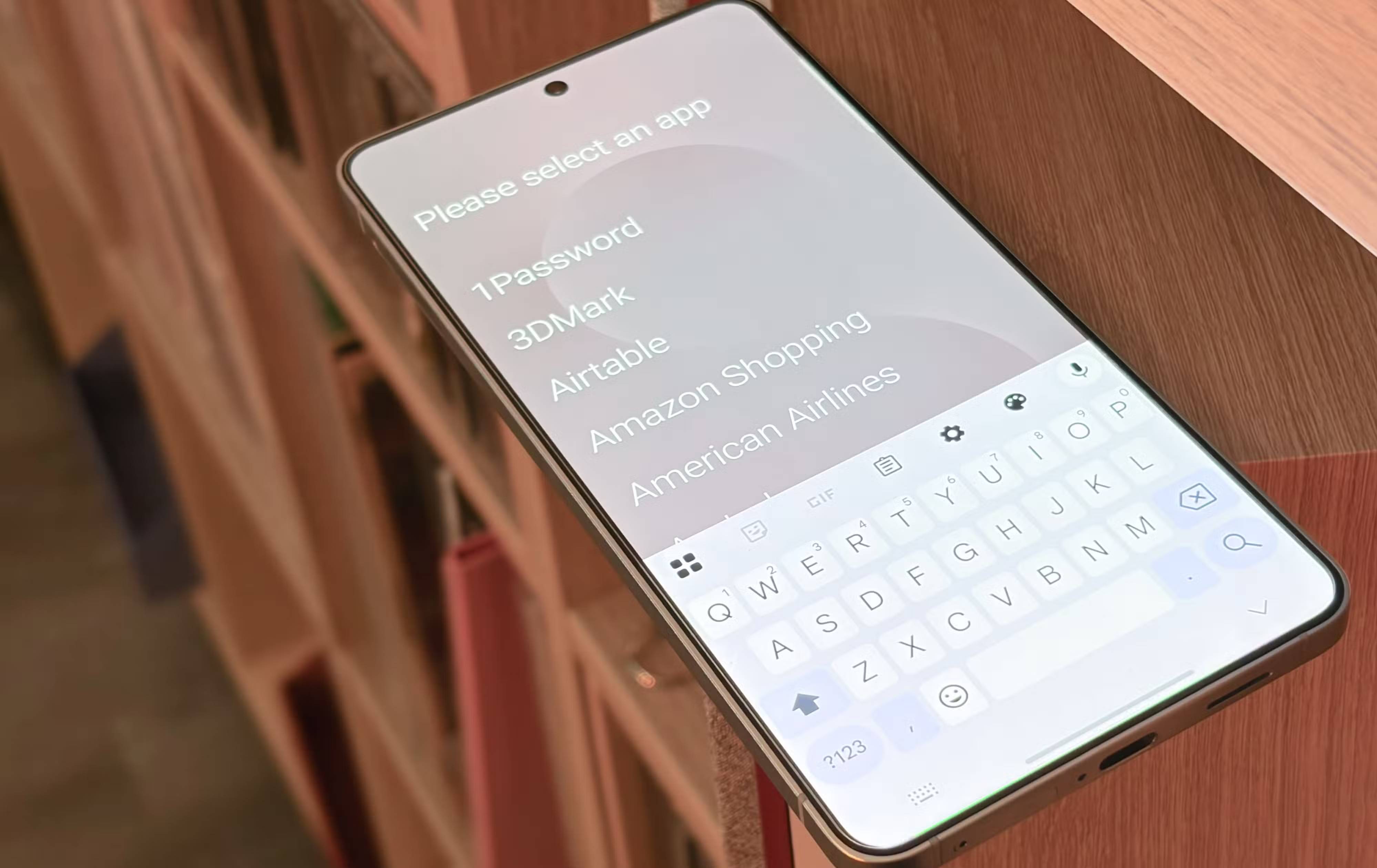
Don't worry! There are still plenty of ways to access apps, notifications, and settings, even in Olauncher's most minimalist form. Swiping down brings up the custom Olauncher app search screen, while swiping up opens the notification panel and control panel. Olauncher has a lot of functionality hidden behind its minimalist exterior. For example, tapping the time or date on the home screen (if enabled) will act as a shortcut to your default clock or calendar app.
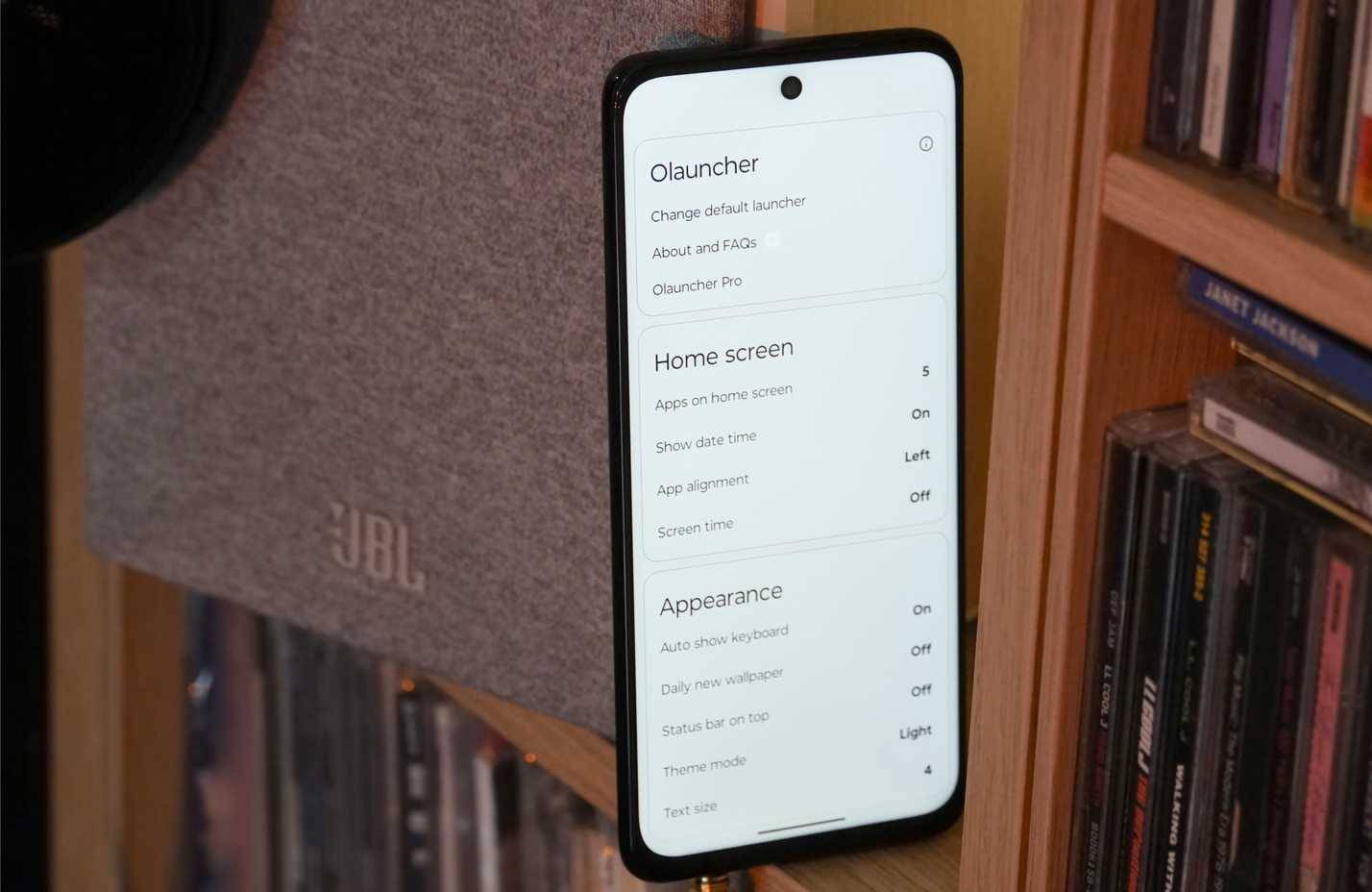
Despite its minimalist design, Olauncher is very customizable. Long-pressing the home screen will bring up the launcher's settings, where you can control everything from the interface to the apps and gestures on the home screen. Olauncher can be kept aligned on the left, but there are also options to place it in the middle and on the right. Gestures are set to open the Camera and Messages apps with a left or right swipe, although they can be mapped to any app.
Except for the lack of app icons, widgets, and notification bubbles, Olauncher brings more functionality than your current launcher in a simple package.
Why people don't miss the default launcher
Many people think that they will miss the default launcher on their phone after switching to Olauncher, but that doesn't happen. In this case, the author is replacing the One UI 8 launcher on the Samsung Galaxy S25 Edge with Olauncher, and everything is very easy. Olauncher's minimalist design really helps you use your phone faster, while reducing unnecessary screen time and making operations more intentional.
The text-based home screen might seem a bit daunting at first. After a while, it becomes clear that Olauncher is close to the perfect home screen design. Think about how few apps really deserve a spot on your home screen—probably only 8 or so. Then consider how you actually launch apps most often. Use the app widget or Google's app drawer to search for apps by name almost all the time, even for apps that are on your home screen.
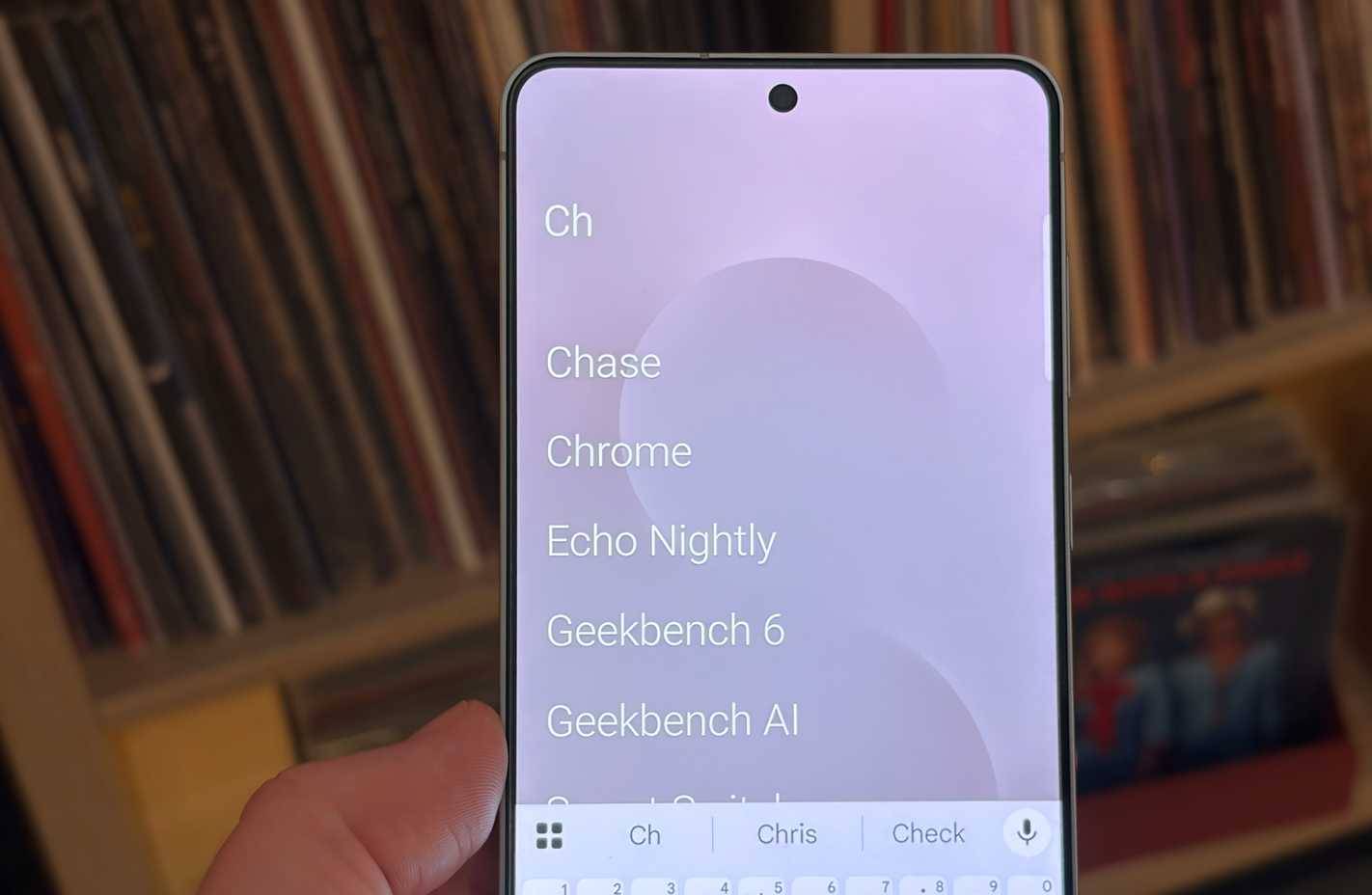
Olauncher might be the perfect solution. This launcher won't slow down your Android workflow, but it will improve it. That's because Olauncher's app search is smarter and automatically opens apps when you've entered enough characters. For example, if Chrome is the only app on your phone that starts with "Chr," typing those three characters into Olauncher's search will instantly open the app. In the end, you'll still be able to use your phone the same way you did before switching to Olauncher, but with less time.
Is this the only third-party launcher worth using?
Traditional launchers still can't surpass One UI or Pixel Launcher
There is an Android launcher for almost everyone, from niche apps like Windows Launcher to popular ones like Nova Launcher. After trying many, Olauncher is the launcher that should be recommended to most Android users. Third-party launchers have to be not just good, but great to be worthy of replacing the default launcher on your device. Instead of being great, most end up adding an outdated and restrictive design under the guise of customization.
Olauncher is an exception because it is attractive, convenient, and fast. Use it to create a minimalist digital music player and limit screen time on your primary Android phone, and many people will not switch to any other launcher anytime soon.
Final Thoughts
Understanding why is olauncher superior to other android launchers makes it easier to evaluate the information and apply the most relevant recommendations. Focus on the key points above and verify details that may change over time.
FAQ
What is why is olauncher superior to other android launchers?
Discover why is olauncher superior to other Android launchers and explore the main causes, risks, practical effects, and recommended actions.
What key points does this article cover?
The article focuses on What makes Olauncher special?, Minimalist interface combined with convenient design, Why people don't miss the default launcher, with practical explanations and examples.
How can you use this information in practice?
Use the explanations to compare options, verify important details, and make a more informed decision. Apply the recommendations that best match your goals and situation.
Related Articles
 Open Source Android Launcher: Best Options and Key Tips5 minutes read
 4 Android Launchers That Fill the Gap Left by Nova: Practical Guide6 minutes read
 Top 10 Best Android Launchers 201910 minutes read
 Why Are So Many People Unhappy with the Android Launcher Experience: Key Facts6 minutes read
 Top 5 Best Browsers for Android: Explained7 minutes read
 8 Key Ways GIMP Is Superior to Photoshop8 minutes read
Reader Comments 0
Sign in with email or Google to join the discussion.