Table of Contents
Explore 10 best Android emulator software for Windows and learn what each option does well. The article focuses on practical details that can help you make a more informed decision.
Games and applications on Android phones are increasingly invested thoroughly in both graphics and features to bring a great experience to users. But plowing many games on the phone sometimes causes disadvantages such as eye strain, warming up, and fast screen damage. Fortunately, you can use the Android operating system emulator to play games on Windows computers, have been experienced on the big screen, can use the mouse, the keyboard does not harm the "mobile phone". In this article,. com will nominate you for a list of the top 10 best and most popular Android emulator software today.
How 10 Best Android Emulator Software for Windows Works
Note: Some games and new applications have not been updated on the Android emulator software, then you can download APK files from some reputable websites and install directly into the emulator software.
Price: Free, see ads
Bluestacks is the most famous name in the Android emulator, not only on Windows but also on the Mac. Bluestacks is an application that is fast, stable, works well and has many modern features. It always supports the latest Android versions, pre-installed the Google Play Store app store, supports installing more games from outside sources, keyboard mapping, many pre-installed hot games, screen shake feature, locate, Stream games directly to Facebook , support full screen view, regularly updated to improve performance and patch.
Especially in Bluestacks 4 version, released in 2018, users can play multiple games at once (or play the same game multiple times) thanks to the ability to open multiple sessions of Bluestacks.
Because of its advanced features, Bluestacks is the heaviest Android emulator on the list. If you are using a high-configuration computer (how high is it, please see the configuration requirements section), good graphics support, BlueStacks will be a good choice. In addition to Requiring high computer configuration, BlueStacks also "captures" users for ads so that they can download the game and often experience minor errors.
Configuration requirements for Bluestacks 4:
- Operating system: Windows 7 and above, preferably Windows 10
- Processor: Intel or AMD, preferably multithreaded chips with Single Thread PassMark> 1000 points and virtualization turned on in BIOS
- RAM: At least 2GB of RAM. I think this place needs to explain a bit, this 2GB of RAM is 2GB of RAM just used to run Bluestacks, not the total amount of RAM you have on your computer. So at least your computer must have 4GB of RAM to install the app. But it is recommended to have 8GB of RAM or more to be smooth.
- Hard drive: 4GB free space, SSD drive possible.
- Graphics card: Any card is okay, but the minimum PassMark score is 750.
- Have admin rights to install and run software, broadband Internet.
- Update the latest graphics driver for your computer.
 The main interface of BlueStacks
Refer to the article about errors on BlueStacks: Summary of common errors on Bluestacks and how to fix each error
The remaining software on the list only need 4GB of RAM or more is used temporarily okay, when needed to be smoother then 6GB of RAM is enough.
Price: Free
Next is Nox, like BlueStacks, Nox is one of the Android emulators for computers designed to serve gamers. It has additional features and special features that help gamers control the game using a keyboard, mouse. Specifically, the Nox allows simulating gestures when playing games on the phone with a keyboard and mouse. For example, assign a swipe to the right on the right arrow key. The right-hand toolbar allows you to take screenshots, record videos while playing games, link to macro records and install APK files from external sources. This brings more fun for Android game lovers. Nox does its job quite well and is completely free.
Because Nox brings the Android stock version, so in addition to gaming capabilities, this Android emulator is also a useful tool to test the programmed applications for Android, you can also install other applications. from Google Play Store.
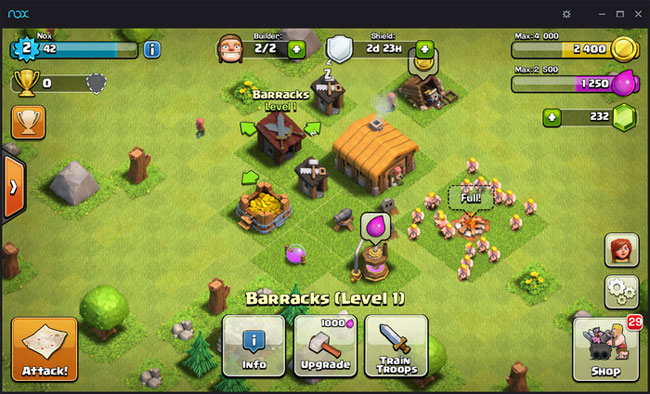 Interface of Nox App Player when playing Clash of Clans game on computer
Price: Free
KoPlayer is like AMIDuOS, a new Android emulator on Windows. KoPlayer targets users who are gamers. It has 2 modes: Speed and Compatibility. when needed to maximize gaming performance, you should choose Speed mode, but if the device's capabilities are not enough to load, you can choose the remaining mode for a smoother experience. You can use the keyboard mapping feature to simulate gaming controllers with a computer keyboard. Players can also record the game and upload it to any video sharing website. The installation process is simple, works well and is easy to use. In addition to playing games, KoPlayer can also run many other Android applications and many APK files are available on the app's website to download.
The downside of KoPlayer is that some users still notice the app crashes and sometimes lag in Compatibility mode.
 Home screen of KoPlayer
Price: Free
Although Droid4X is not really popular and has strong PR like other Android emulators, Droid4X is gaining great affection of users community. Once you've used Droid4X you won't want to try another Android emulator. It is even more Appreciated than BlueStacks For its convenience, compactness, Works well on moderately configured computers, Doesn't install additional software, views ads, supports game installation outside of Google. Play Store with. apk file, video recording during game play, screen zoom and many other great features for gaming. Droid4X's user base has been increasing rapidly in recent times. If you're a fan of Android, try Droid4X now.
 Home interface of Android Droid4X emulator software
Explore more:
- Instructions to simulate Android on Windows by Droid4x
- Fixed a bug that did not start the Droid4x emulator
Price: Free trial, 10 USD, 15 USD
AMIDuOS is a relatively new Android emulator on Windows. It brings two Lollipop versions ($ 10) and Jelly Bean ($ 15). You only have to pay once to use the product for life. AMIDuOS runs very well. It works smoothly, works well and plays games well. Most users can use AMIDuOS to do all the work they do on their phones. Although unable to meet the requirements of mobile application developers, AMIDuOS can satisfy popular Android users thanks to its good features and performance.
 The main interface of the app runs Android on AMIDuOS computers
Price: Free
This free Android emulator can be a good replacement for BlueStacks. It can simulate various aspects of the Android operating system on your computer such as launcher, install and play games, use high-performance applications, and even install root access when needed. As a result, you can try out new features, install more software, applications you want to experience but don't guarantee enough security without affecting your phone.
 Android emulator interface on Windows OS OS
Price: Free
MEmu is a popular name when it comes to the list of the best Android emulator software. It prides itself on its full Compatibility with Intel and AMD processor chips , its latest version has updated Android to 5.0 Loillipop, Helping you experience the latest applications without support for sessions. Older Android version. MEmu comes with complete Root And toolbar Capabilities With Tons of functions and features . It's not bulky, has a high performance, is a good alternative to other Android emulators, especially when you want to play games and work.
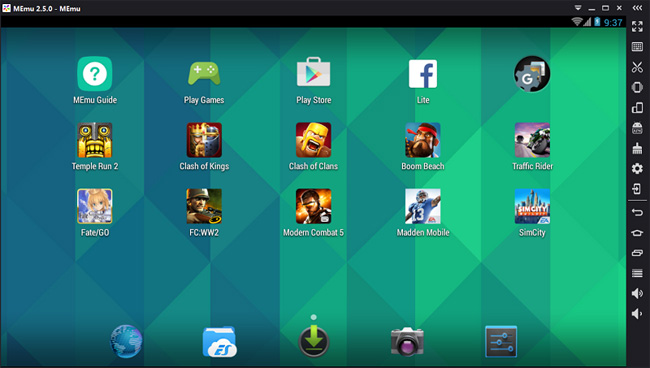 The main interface of the Android emulator on PC MEmu
Refer to the article: MEmu Software - Add options to play Android games on computers
Price: Free with paid options
The emulator is aimed at developers who want to test their apps and games on a range of Android devices without actually owning them. It is possible to configure the emulator for multiple devices with different Android versions to suit testing needs. For example, run the Nexus One with Android 4.2 or Nexus 6 with Android 6.0. The choice is up to you and can be easily switched between devices. Because the installation and configuration process is slightly more complicated than other emulators, Genymotion is not suitable for ordinary users, using the emulator only to check email and play games. But Genymotion provides a free service for personal use, so you can still experience it when needed.
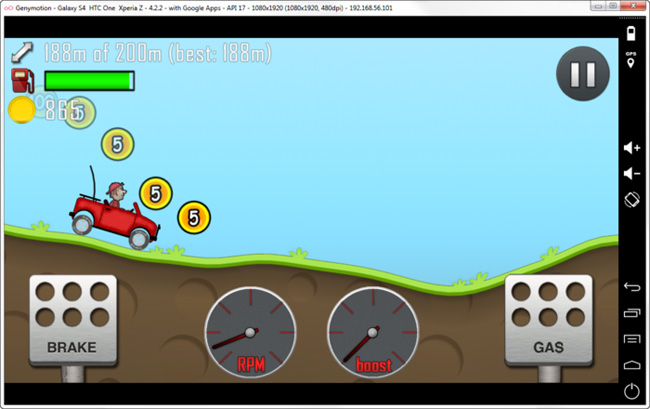 Main interface of Genymotion
Price: Free
This Android emulator software is highly appreciated thanks to the ability to Handle "delicious" games, applications with terrible graphics. Jar of Beans does not need to be installed, supporting hardware acceleration manager to improve overall performance. Although the original interface of Jar of Beans can make new users feel a bit "pragmatic" but only one click to move to the familiar Android interface. And then it doesn't matter if the game or check is announced.
 Play Angry Birds game (Android version) on smooth computer with Jar of Beans
Price: Free
Remix OS Player or simply called Remix OS, developed by Jide, is also a new member in the Android emulator array on the computer. It is the only emulator application running Android Marshmallow Instead of Android Lollipop or Kit Kat. The installation process is quite straightforward to use. It is designed to be the main game, so you will have a variety of options to customize your game experience to your liking. Unfortunately, Remix OS currently only supports AMD processors.
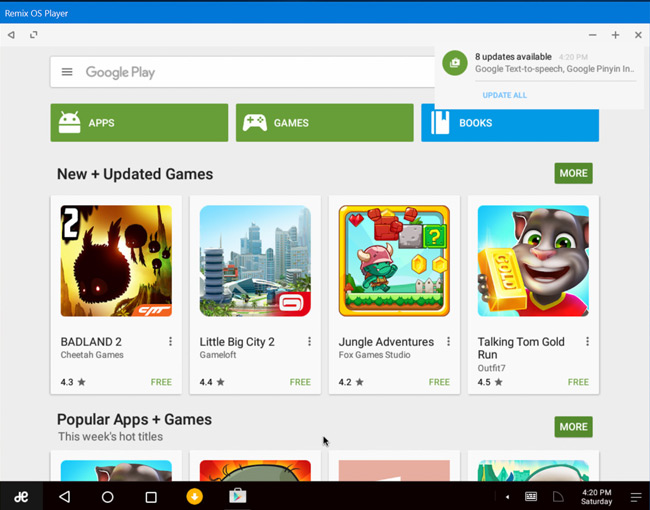 Access Google Play Store on Windows to download games with Remix OS Player
- How to install Android in parallel with Windows by Remix OS
If you're knowledgeable about technology and looking for a different Android emulator tool than the above names, Bliss, based on Android 8 Oreo, is an interesting option (it's free) and even updated quickly. more BlueStacks. Before running this software, you must check if the device is compatible with the app, otherwise the app may not work. The setup steps are also more complicated than other software, but in return you will have the computer running the original Android via USB installation or running on a virtual machine (with a simpler way).
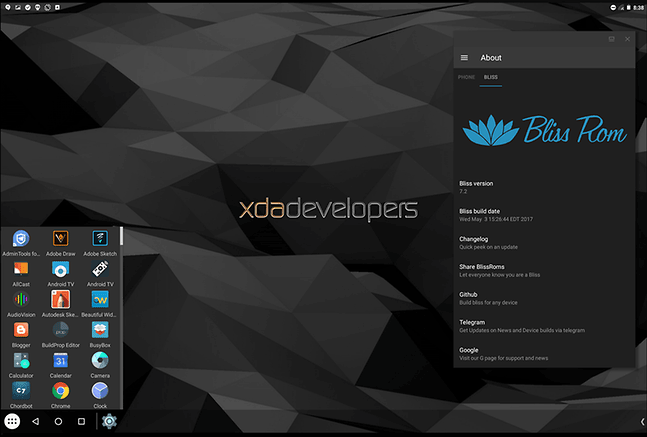
Download link Bliss or you can download Bliss here.
These are the Android emulator software that. com rated the most, and what about your views? Please share with us below this article.
- Top the best iOS emulators on Windows
- Instructions for simulating gameboy GBA on iOS 10.3 without jailbreak
- Top 5 Xbox One emulator software for Windows PC
- To run Android applications on Windows computers, read this article
- Install Android on your computer, run Android in parallel with Windows with Virtualbox
FAQ
How were the 10 best Android emulator software for Windows options selected?
The options are compared by usefulness, ease of use, core features, and their fit for the situations described in the article.
Which option is best for beginners?
Choose the option with the simplest setup, clear documentation, and the features you actually need. A more advanced option is not always the better starting point.
What should I check before choosing?
Check compatibility, current availability, pricing or licensing, privacy requirements, and whether the product still receives updates and support.
Related Articles
 Top 9 PC Emulator Software for Android11 minutes read
 Top 5 PC Emulators on Android4 minutes read
 Speed up Tips for Bluestacks Emulator Software5 minutes read
 Run Android on a Computer Without Installing Emulator2 minutes read
 3 Best Best Android Emulation Software4 minutes read
 8 Best PSP - Play Station Portable Emulator Software for Android8 minutes read
Reader Comments 0
Sign in with email or Google to join the discussion.