Table of Contents
Ubuntu, Linux Mint, macOS, and ChromeOS can replace Windows for some workflows, but none is a universal drop-in replacement. Start with your essential applications, files, games, peripherals, and support requirements. An attractive desktop is not enough if a required program will not run.
Ubuntu: a general-purpose Linux option
Ubuntu offers desktop and server editions and can suit web work, programming, and many everyday tasks. The standard desktop uses GNOME, while other flavors provide different interfaces; old descriptions of Unity do not apply to every current release.
Check the current supported release and requirements before downloading. Do not assume an old Ubuntu 20.04 specification describes the newest version. Test Wi-Fi, graphics, suspend, printers, and any specialist applications on your machine.
Windows executables do not become native Linux applications because a similar program is available. Wine or a virtual machine may help with a particular application, but compatibility needs testing.
Linux Mint: a familiar desktop layout
Linux Mint offers desktop choices including Cinnamon, MATE, and Xfce. A conventional panel and application menu can make the transition feel familiar to someone used to Windows.
Its installation is not inherently more difficult than Ubuntu's; the real complexity depends on disk layout, encryption, dual boot, and hardware. Use the official release information to choose a supported edition and read its installation notes.
macOS: consider the hardware purchase as well
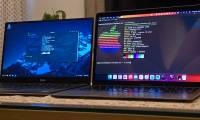
macOS is Apple's operating system for supported Mac hardware. It is Unix-based and uses the Darwin/XNU foundation; it is not a Linux distribution.
It may suit a workflow built around Mac applications or Apple devices, but switching usually means choosing compatible Mac hardware and confirming software licenses and peripherals. Some Windows programs and games have no Mac version.
Do not treat unofficial installation on an ordinary PC as equivalent to buying a supported Mac. For a software checklist, see Windows applications without macOS versions.
ChromeOS and ChromeOS Flex: browser-centered work
ChromeOS is the operating system supplied on Chromebooks. ChromeOS Flex is Google's option for certain existing PCs and Macs. They are related but differ in hardware support and features.
Flex can be worth testing when most of your work happens in a browser. Check your exact device in Google's certified-model list, including its support end date. Do not assume the Google Play or Android-app experience matches a Chromebook.
Browser-based does not mean every task requires a constant connection, nor does it mean every Windows application has a suitable web replacement. Test offline needs, storage, printing, video calls, and required business sites.
Why Remix OS is not a current recommendation
Remix OS was an Android-based desktop project and is no longer developed. It belongs in a historical comparison, not a recommendation for a new everyday Windows replacement. An old system may boot while lacking the updates and compatibility you need.
Compare your requirements
| Requirement | Decision to check |
|---|---|
| Required Windows-only software | Keep Windows, confirm a supported alternative, or test a VM before switching |
| General browsing and documents | Test Linux or ChromeOS Flex with your files and services |
| Apple-only applications | Evaluate supported Mac hardware and macOS |
| Games and specialist peripherals | Check each title, anti-cheat system, driver, and device separately |
| Work-managed computer | Confirm organization support and management requirements |
Test before replacing your system
Back up files and recovery information, then try a live session or a VM where appropriate. A VM is useful for learning the interface but does not fully test physical hardware compatibility. Compare virtual-machine applications for a reversible trial.
Confirm that you can open important documents without losing formatting, use required accounts, and restore your backup. Choose the system that passes those checks rather than one advertised as universally faster or more secure.
Related Articles
 Windows operating system is 35 years old, everything you need to know about Windows
 Not Linux, macOS is actually a better alternative to Windows
 Microsoft once wanted to kill Windows and replace it with the Midori operating system
 The Chinese military will replace Windows with its own self-developed operating system
 This is UOS, China's new computer operating system, the interface is a combination of Android and iOS
 The web browser will replace the operating system
Reader Comments 0
Sign in with email or Google to join the discussion.