Table of Contents
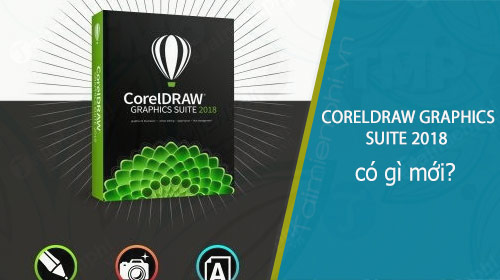
CorelDRAW Graphics Suite 2018 was a Windows-era release focused on faster vector production, more direct photo correction and new creative effects. Its headline additions included Symmetry drawing mode, Block Shadow, Pointillizer and PhotoCocktail effects, interactive straightening and perspective correction, plus workflow refinements for alignment and curve editing.
Legacy-version note: this is a historical overview of the 2018 release, not a guide to the current CorelDRAW product. Availability, licensing, compatibility and upgrade eligibility have changed, so do not use old prices or package details when making a purchase decision.
Creative drawing and mosaic effects
- Symmetry drawing mode: mirrored strokes and shapes update as you draw, supporting bilateral designs as well as multi-axis, kaleidoscope-style artwork.
- Pointillizer: converts selected vector or bitmap artwork into a vector mosaic built from repeated shapes.
- PhotoCocktail: creates a larger bitmap composition from a collection of smaller photographs.
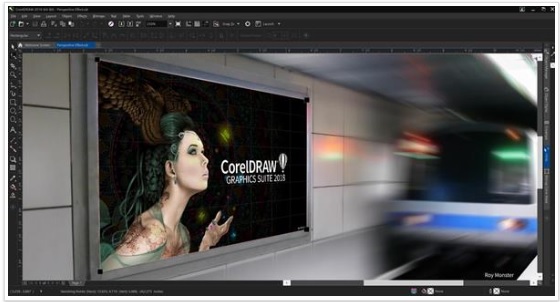
- Perspective on vector objects: lets a designer create the appearance of depth while keeping the source artwork editable.
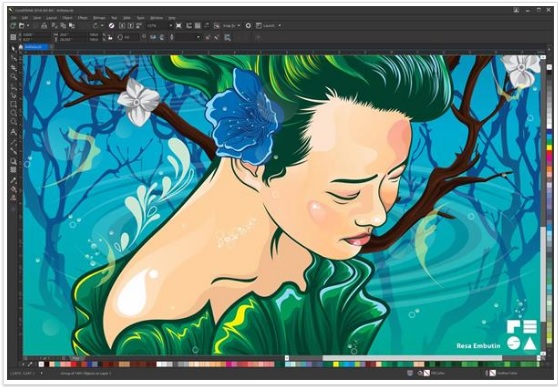
Faster layout and production work
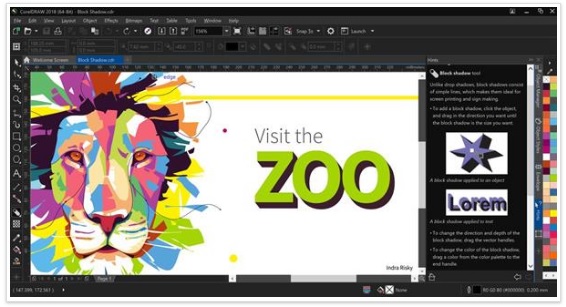
- Block Shadow: creates solid vector shadows for text and objects with fewer unnecessary lines and nodes, which is particularly useful for sign, print and cutting workflows.
- Align and Distribute improvements: provide more direct controls for positioning objects relative to a selection, page, grid or specified point and for distributing consistent spacing.
- Curve and node editing refinements: improve previews and reduce friction during common vector-editing tasks.
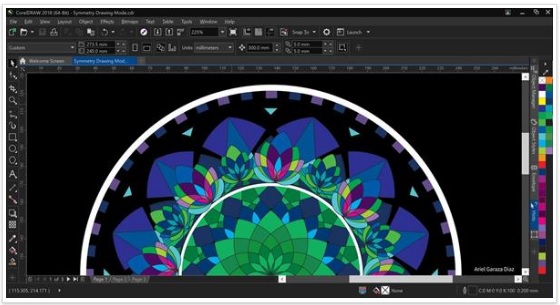
Photo correction and RAW workflow
- Interactive Straighten: makes it easier to rotate and crop a tilted photo using controls in the drawing window and property bar.
- Perspective Correction: helps correct converging lines in photographs of buildings, documents and other rectangular subjects.
- AfterShot 3 HDR: supplied a separate RAW-photo workflow and HDR tools as part of the suite package offered with the release.
Pen, touch and publishing features
- LiveSketch: interprets freehand input and turns it into editable vector curves, making it useful with a pen-enabled device.
- Stylus and touch support: continued to support pressure-aware creative workflows on compatible hardware.
- WordPress publishing: exported selected objects or a document to a web image format and uploaded the result to a WordPress media library.
- Project Timer: recorded time spent working on a document, providing a basic input for planning or billing rather than a complete invoicing system.
Applications included in the suite
The 2018 package centered on CorelDRAW for vector illustration and page layout and Corel PHOTO-PAINT for bitmap editing. It also bundled companion utilities such as Font Manager, PowerTRACE, CONNECT and CAPTURE; the exact extras could vary by edition or distribution. CorelDRAW Graphics Suite 2018 launched for Windows, while later CorelDRAW generations expanded platform support.
Does the 2018 release still make sense?
It can remain useful on an existing, compatible offline workstation, especially when older CDR files or plug-ins are involved. Before relying on it, verify operating-system compatibility, font availability, color-management settings and the required export formats. Unsupported legacy software may also lack fixes for bugs or file-format changes introduced after its release.
For a current purchase, compare the official CorelDRAW version table instead of the 2018 pricing once quoted online. Corel’s archived 2018 feature documentation provides additional technical context.
TipsMake readers can also compare CorelDRAW with Illustrator, review the CorelDRAW shortcut reference, or learn how AI files can be moved into a CorelDRAW workflow.
Related Articles
 Comparing Illustrator and CorelDraw5 minutes read
 Get Familiar with Coreldraw 12 - Lesson 1: Set up the Drawing Page4 minutes read
 Coreldraw X6 Interface Overview, and Coreldraw X6 KEYS to11 minutes read
 Designing a Chrome Logo Using CorelDraw7 minutes read
 How to Install CorelDraw on a MacBook4 minutes read
 'Mail Merge' in Coreldraw6 minutes read
Reader Comments 0
Sign in with email or Google to join the discussion.