Table of Contents
A “good” typing speed is the pace you can sustain accurately for the work you do. Around 35–40 words per minute is a common baseline on general online tests, while 50–60 WPM is comfortably fast for many office tasks. These are reference points, not universal standards: language, keyboard layout, test length, punctuation, and error rules all change the result.

What WPM means
WPM stands for words per minute. In many typing tests, one standard “word” equals five characters, including spaces. The service counts the characters entered during the test and applies its own rules for errors and corrections.
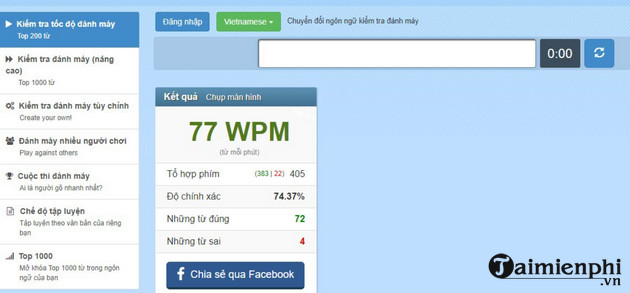
Because those rules differ, the same typist can receive different WPM scores on different websites. Accuracy should always be read alongside speed.
Practical typing-speed ranges
| Speed | Practical interpretation | What to work on |
|---|---|---|
| Below 20 WPM | Early beginner or hunt-and-peck typing | Learn home-row placement and stop looking down |
| 20–30 WPM | Basic keyboard familiarity | Use all fingers and reduce repeated mistakes |
| 30–40 WPM | Common general-use range | Build rhythm and accuracy on real text |
| 40–60 WPM | Comfortable for many office and study tasks | Add punctuation, numbers, and longer passages |
| 60–80 WPM | Fast, sustained touch typing | Target weak keys and maintain accuracy |
| Above 80 WPM | Very fast on typical online tests | Use realistic material and longer endurance tests |
Do not label everyone below 60 WPM as “slow,” as older versions of this article did. The useful target depends on the task. A programmer typing symbols, a transcriptionist copying speech, and a student writing an essay face different demands.
Accuracy changes the value of a speed score
A raw score may count all entered characters, while a net or adjusted score subtracts errors. A 70 WPM result with frequent corrections can be less productive than 55 WPM with consistently clean text.
When evaluating yourself, record:
- WPM or net WPM
- accuracy percentage
- test duration
- language and keyboard layout
- whether punctuation and numbers were included
How to test your typing speed
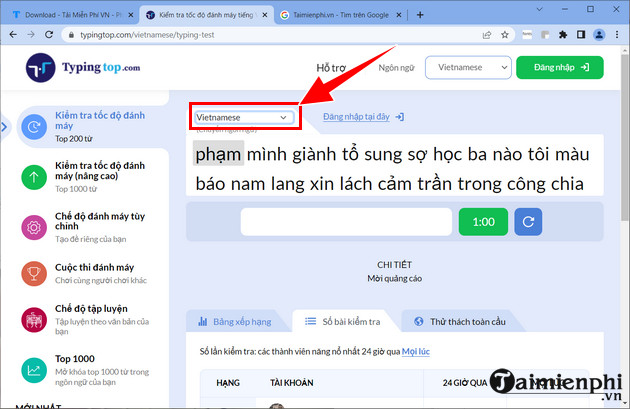
1. Choose the right language
Open a browser test such as Typingtop, and select the language and layout you normally type in.
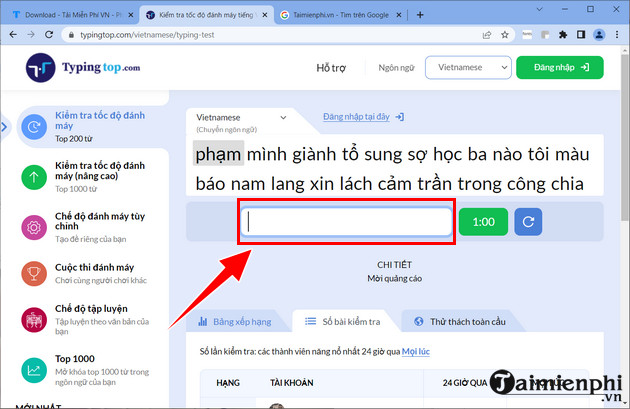
2. Take a repeatable test
Use a one-minute test for a quick baseline or a longer passage for sustained performance. Type the displayed content exactly as shown.
3. Record more than the best attempt
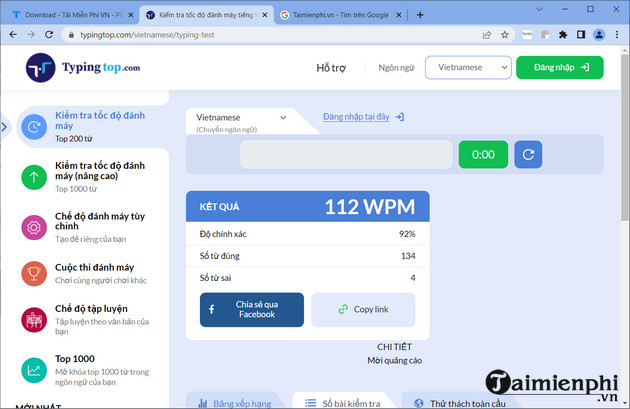
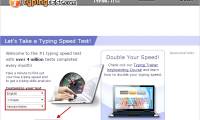
Take two or three tests after a short warm-up and use the middle result. The screenshot below shows an example score; it is not a universal threshold for “high” typing speed.
Set a useful target
Choose a goal based on your starting point and task. For example, a typist at 28 WPM might first aim for 35 WPM with steady accuracy, while someone at 55 WPM might practice punctuation and five-minute passages rather than chasing a higher one-minute peak.
If an employer requires a typing score, ask which test, duration, language, correction policy, and minimum accuracy they accept. A certificate from an unrelated test may not satisfy the requirement.
How to improve
- Learn touch typing: place the left fingers on A, S, D, F and the right fingers on J, K, L, ;.
- Practice accurately: slow down until each key is pressed with the assigned finger.
- Target weak combinations: repeat the letters and words you miss most.
- Use realistic text: add capitals, punctuation, numbers, and subject-specific vocabulary.
- Retest weekly: keep the same settings so the results are comparable.
TipsMake explains the technique in its touch-typing guide. You can compare online typing tests, follow these typing-speed improvement tips, or install RapidTyping for structured practice.
Compare yourself with your own baseline
Public averages depend on who took the test and how it was configured. Track the same test over several weeks and judge whether you can type everyday work faster with fewer corrections. That trend is more useful than a broad “slow, average, professional” label.
Related Articles
 The Most Accurate Way to Check Your Typing Speed20 minutes read
 How to Check Typing Speed, Typing 10 Fingers7 minutes read
 How to Check Your Typing Speed Online, Online Typing Test4 minutes read
 To Improve Typing Speed, Visit These 5 Websites5 minutes read
 How to Improve Typing Speed: Step-by-Step Guide17 minutes read
 Check the Typing Speed, Typing Speed3 minutes read
Reader Comments 0
Sign in with email or Google to join the discussion.