Table of Contents
This guide provides a clear, practical overview of what is scareware? how to protect your computer from, with useful context, important details, and straightforward takeaways for everyday readers.
1. What is Scareware?
Scareware is a malicious computer program or fake security software that tricks you into paying and sharing bank card information for a bogus product or service.
This program often disguises itself as anti- virus software . It will then send a virus infection notification to you and suggest you download applications to protect your computer, which will also require you to pay to get the full version before proceeding. virus scan .

Scareware often disguises itself as anti-virus software
2. How Scareware works
Scareware's purpose is to induce the act of downloading applications through a fake notification window, then, setting up steps to trick you into paying for them or sharing credit card information.
After they have reached their goal, two scenarios will happen to you:
- Your device is not protected: On the contrary, it may have problems related to malicious code or give information when you officially download Scareware programs programmed by hackers .
Disclose credit card information: When hackers get your credit card information, losing money or even impersonating is very likely.
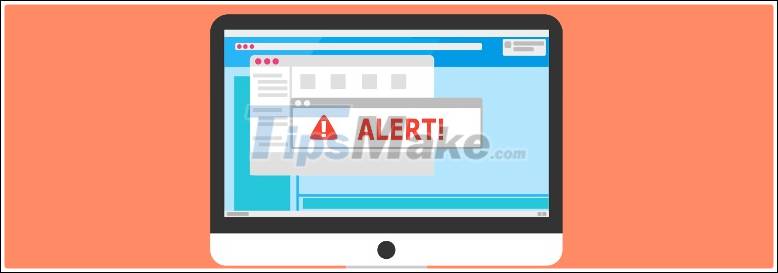
The pop-up panel is usually the first step for Scareware to lure users into
3. How to protect your computer from Scareware
You can protect computers from Scareware by applying some of the solutions below:
- Blocking pop-ups: Most pop-up notifications from websites are annoying, the rest carry Scareware related risks. So, actively install programs, or set up pop-up blocking in your web browser .
- Do not click on a pop-up window: Every action on a pop-up window can redirect you to strange websites, or lead to unpredictable consequences. So, if a website comes up with a message window that you suspect is Scareware, proactively turn it off and refrain from clicking on any selection in the pop-up window.
- Smart antivirus software selection: There is no shortage of famous and quality antivirus software providers ( BKAV , AVG, AVIRA, Avast Antivirus , .). Therefore, before deciding to download an anti-virus software to your computer, do research about its origin and the credibility of its developer team. Until you have the correct information about the software, you absolutely should not download or pay to upgrade the version.
Remember: Limit clicking pop-up windows that contain ambiguous information
Above are information about Scareware and solutions to help protect your computer from this malicious program. Hope to have provided you with useful information. Good luck.
Key Takeaways
Use the information above as a practical reference for what is scareware? how to protect your computer from. Review each step carefully, confirm any requirements, and choose the option that best fits your situation.
FAQ
What does this guide explain about What Is Scareware? How to Protect Your Computer from?
It explains the main concepts, practical considerations, and useful steps related to what is scareware? how to protect your computer from without requiring advanced knowledge.
Who can benefit from learning about What Is Scareware? How to Protect Your Computer from?
This information is useful for readers who want a clear overview, practical guidance, and reliable steps related to what is scareware? how to protect your computer from.
What should I check before applying this information?
Review the requirements, confirm that your device, software, or situation matches the instructions, and back up important data before making major changes.
Related Articles
 What Is Scareware? How to Remove Scareware?5 minutes read
 Learn to Use Lesson Computer 16 - Protect Your Computer8 minutes read
 Viruses: Difference Between Virus, Spyware and Malware6 minutes read
 How to Protect Your Computer from Maoloa Ransomware7 minutes read
 How to Protect Your Computer Before It Gets Stolen6 minutes read
 How to Password Protect Your Windows Computer5 minutes read
Reader Comments 0
Sign in with email or Google to join the discussion.