Table of Contents
What is PCIe? Explore the PC connection standard, from its operating principles and speed generations to its importance for GPUs and SSDs. Optimize your PC.
The key distinction: a slot's physical length does not guarantee its electrical lane count. A full-length x16 slot may be wired for x16, x8, or x4, and its active width can change when an M.2 slot or another expansion card shares lanes. Check the motherboard manual and CPU lane configuration.
For a closer look, see TipsMake's explanation of PCIe x1, x4, x8, and x16 slots and its guide to reading PCIe information in CPU-Z.
Key points
- PCIe is a high-speed bus interface and connection standard used to connect components such as graphics cards (GPUs), SSDs, network cards, and other peripherals to the computer's motherboard.
- PCIe combines one or more full-duplex lanes into links commonly described as x1, x4, x8, or x16. Dedicated links avoid the shared parallel bus used by legacy PCI, but devices can still contend for CPU, chipset, memory, or uplink bandwidth.
- Each new generation of PCIe (4.0, 5.0) doubles the bandwidth compared to the previous generation, unlocking the speed potential for modern components.
- The device, slot generation, active lane width, CPU or chipset connection, firmware, and workload together determine whether PCIe bandwidth is a limit.
- PCIe is backward compatible, allowing older generation components to work in newer slots and vice versa (at the speed of the lower standard).
1. What is PCIe?
PCIe (Peripheral Component Interconnect Express) is a high-speed connection standard in computers, used to link and exchange data between components such as graphics cards ( GPUs ), SSDs, network cards, etc., and the motherboard.
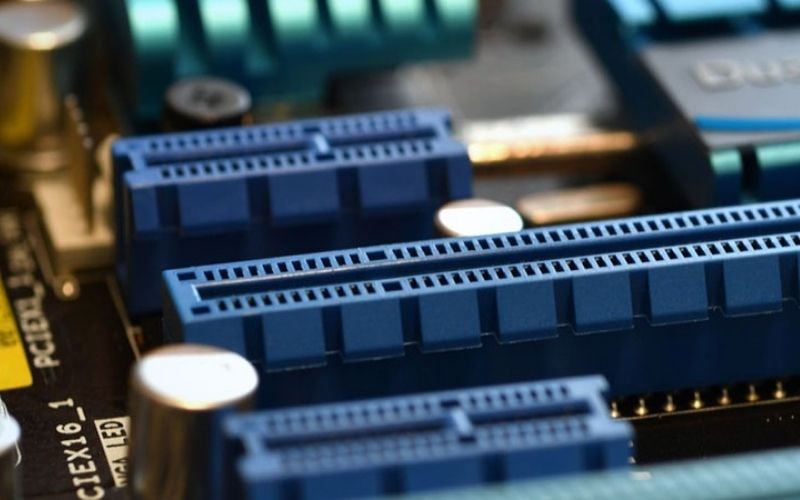
PCIe succeeded PCI and AGP for mainstream expansion. It provides much higher scalable bandwidth, but overall device performance can still be limited by the component, software, CPU, memory, chipset, or shared lanes.
2. How PCIe works
Unlike the older PCI standard which used a single bus for multiple devices, PCIe operates much more intelligently and efficiently thanks to its point-to-point architecture and unique lane concept.
2.1. Point-to-Point Protocol
PCIe uses point-to-point connections, meaning each PCIe slot has a separate link directly to the central controller on the motherboard. This is like each device having its own lane, not sharing or waiting for each other.
This avoids the single shared parallel bus of legacy PCI, but it does not eliminate contention. Several chipset-connected devices can share the chipset-to-CPU link, and motherboard designs often reallocate lanes between slots.
2.2. The concept of "Lane" in PCIe
Each PCIe connection is made up of one or more "lanes". Each lane consists of two pairs of signal wires: one pair for sending and one pair for receiving data simultaneously. This is the basis of the enormous bandwidth of this connection standard.
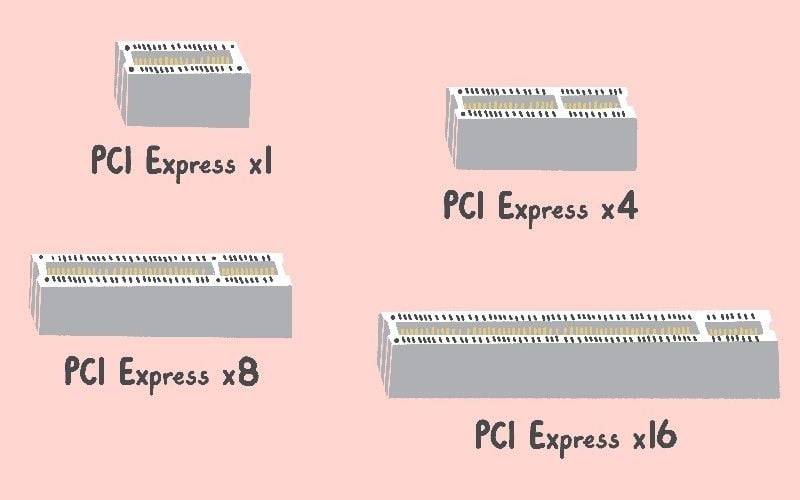
The number of lanes a slot or device supports is denoted by "x" (e.g., x1, x4, x8, x16). The more lanes, the greater the bandwidth, allowing for the transmission of massive amounts of data simultaneously.
3. Identify the PCIe slot sizes on the motherboard
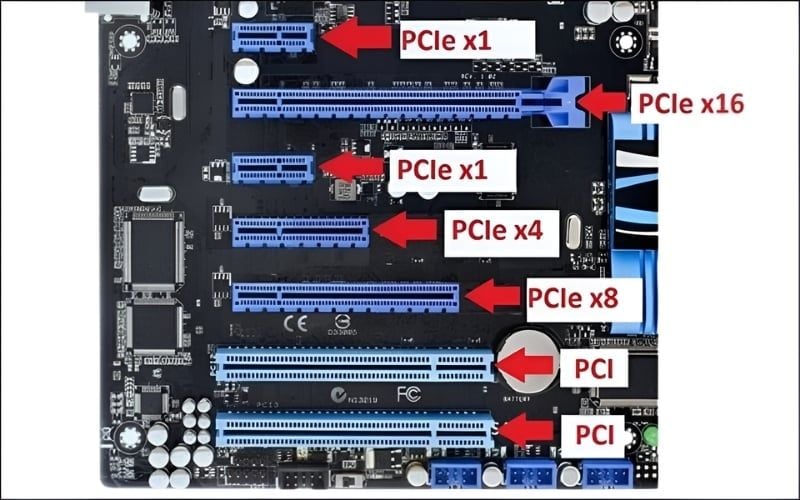
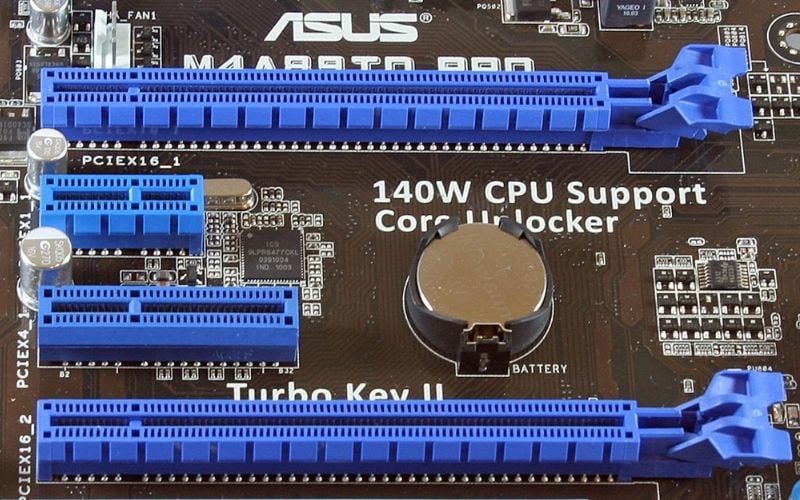
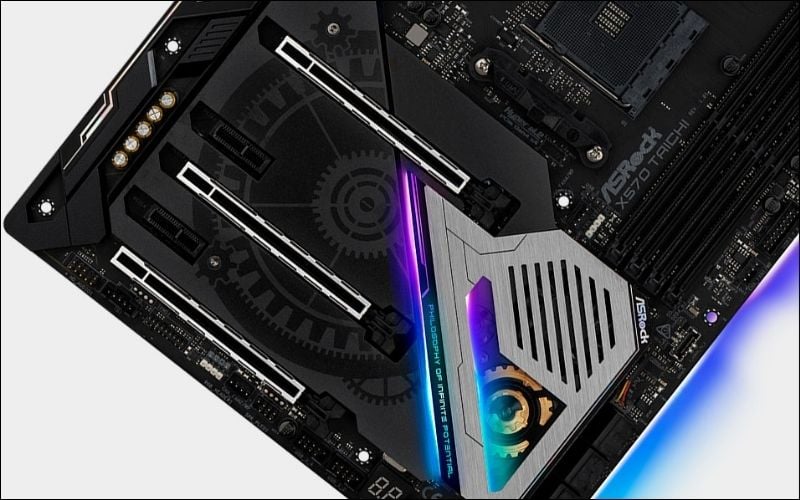
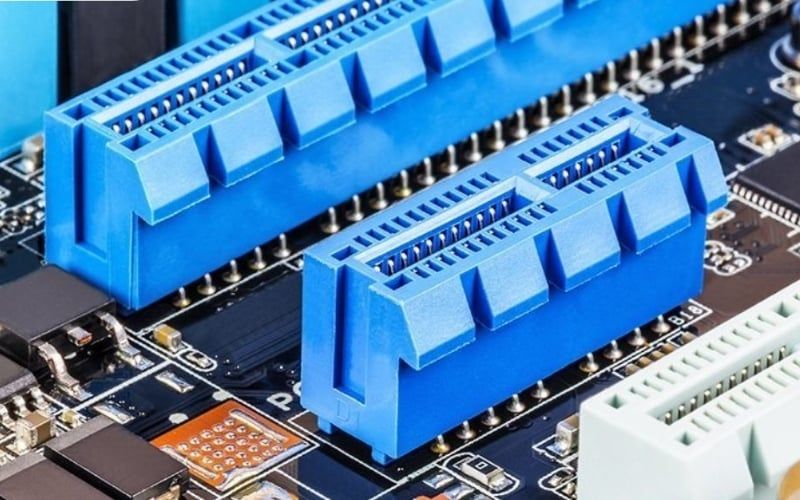
On the motherboard, you'll find PCIe slots of varying lengths. Physical length indicates what card connector can fit, not necessarily how many lanes are electrically connected.
3.1. PCIe x1: For basic devices
This is the shortest slot, typically used for expansion cards that require less bandwidth. Typical examples include sound cards, low-speed Wi-Fi network cards, or USB expansion cards.
3.2. PCIe x4: Flexibility for NVMe SSDs and expansion cards
This slot is longer than the x1 slot, providing ample bandwidth for high-speed NVMe SSDs (via M.2 slot or adapter), capture cards, or 10GbE network cards.
3.3. PCIe x8: High performance for specialized graphics cards
The PCIe x8 slot offers significant bandwidth, often reserved for specialized cards such as RAID controllers, processing accelerators, or running two graphics cards in SLI/CrossFire mode (though this is no longer common).
3.4. PCIe x16: Dedicated slot for graphics cards
A full-length x16 slot is commonly used for a discrete GPU, but it can also host other cards. Some full-length slots are wired for fewer than sixteen lanes.
3.5. Notes on physical compatibility and bandwidth
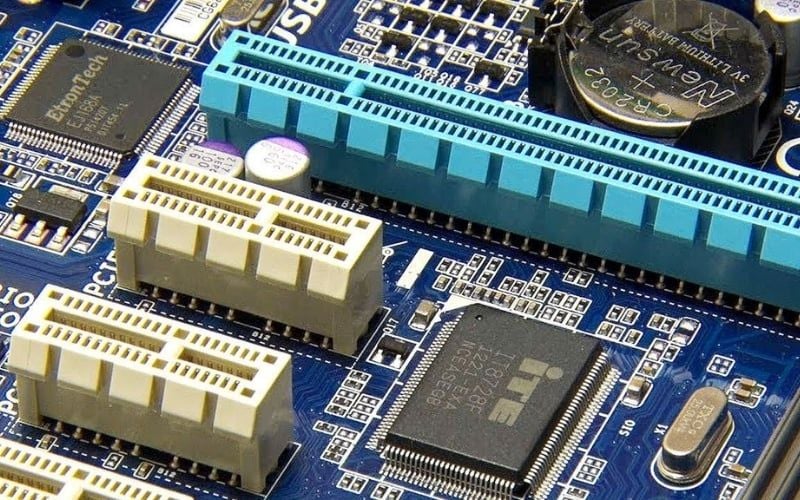
One of PCIe's strengths is its cross-compatibility. A shorter card usually works in a longer compatible slot. A longer card cannot fit a closed shorter slot, although some boards use open-ended slots or risers that allow it to operate with fewer lanes. Mechanical fit, firmware support, power, and case clearance still matter.
The actual bandwidth you receive will depend on the number of lanes on both the card and the slot, whichever is lower. For example, plugging an x8 card into an x16 slot will only allow the card to run at x8 speed.
4. PCIe Generations: A Revolution in Speed
Since its launch, PCIe has continuously evolved through multiple generations, with each new version doubling the bandwidth of its predecessor, pushing the boundaries of performance.
4.1. PCIe 1.0 (2003) - The beginning of the revolution
Launched in 2003, PCIe 1.0 laid the foundation for modern connectivity standards. It offered speeds of 2.5 GT/s (Gigatransfers per second) per lane, a significant leap forward compared to the PCI and AGP standards of the time.
4.2. PCIe 2.0 (2007) - Doubling the Speed
PCIe 2.0 emerged and doubled transfer speeds to 5 GT/s per lane. This generation maintained full backward compatibility, allowing older devices to operate seamlessly on the new platform.
4.3. PCIe 3.0 (2010) - A once popular standard
With speeds of 8 GT/s per lane, PCIe 3.0 has been the gold standard for a decade. It has been powerful enough to handle most high-end graphics cards and components for a long time and remains very popular today.
4.4. PCIe 4.0 (2017) - The Era of High-Speed SSDs
PCIe 4.0 continues to double bandwidth to 16 GT/s per lane. This generation truly unlocks the potential of NVMe SSDs, allowing data read/write speeds to reach unimaginable numbers, completely transforming the work and gaming experience.
4.5. PCIe 5.0 (2019) - Power for Hi-End PCs
Offering speeds of 32 GT/s per lane, PCIe 5.0 is gradually becoming the standard on high-end PC systems. It provides massive bandwidth, ready for the latest generation of graphics cards and SSDs with extremely high performance requirements.
4.6. PCIe 6.0 and Beyond - Looking Towards the Future
PCIe 6.0 uses a 64 GT/s data rate. PCI-SIG released the PCIe 7.0 specification in June 2025 at 128 GT/s, while maintaining backward compatibility goals. A published specification does not mean consumer motherboards and cards immediately support it. See the PCI-SIG specifications list.
4.7. Comparison Table of PCIe Generation Speeds
The table shows approximate one-way payload bandwidth for an x16 link through PCIe 6.0. PCIe 7.0 doubles the raw data rate again to 128 GT/s and approximately 256 GB/s one way for x16. Encoding, protocol overhead, implementation, and workload reduce application throughput.
|
PCIe generation |
Speed per Lane |
x16 slot bandwidth |
|
PCIe 1.0 |
2.5 GT/s |
~4 GB/s |
|
PCIe 2.0 |
5.0 GT/s |
~8 GB/s |
|
PCIe 3.0 |
8.0 GT/s |
~16 GB/s |
|
PCIe 4.0 |
16.0 GT/s |
~32 GB/s |
|
PCIe 5.0 |
32.0 GT/s |
~64 GB/s |
|
PCIe 6.0 |
64.0 GT/s |
~128 GB/s |
5. Comparing PCIe and PCI: The differences that make up the performance gap
PCIe is a significant successor and improvement over the older PCI (Peripheral Component Interconnect) standard. The differences between them are fundamental to the performance of modern computers.
- Architecture: PCIe uses a point-to-point serial architecture, where each device has its own dedicated connection. PCI, on the other hand, uses a parallel bus architecture, requiring all devices to share a single bandwidth, which can easily lead to congestion.
- Bandwidth: PCIe's bandwidth is far superior to PCI's. Even PCIe 1.0 x1 is faster than a standard 32-bit PCI slot. Later generations of PCIe have created an even greater speed gap.
- Performance: Because it doesn't have to share bandwidth, PCIe offers higher performance, greater stability, and significantly lower latency compared to PCI. This is especially important for latency-sensitive applications like gaming.
- Features: PCIe supports many advanced technologies such as hot-plugging, efficient power management, and quality of service (QoS), things that the older PCI standard could not do.
6. Why is PCIe important for your PC build?
- Maximize graphics card performance: A GPU should use a slot with the lane width and generation recommended by its manufacturer. Many GPUs do not saturate a full x16 link continuously, while cards designed for x8 or x4 can be more sensitive to an older generation.
- Unlocking NVMe SSD Speed: Without a PCIe interface, NVMe SSDs cannot achieve the ultra-fast read/write speeds that are dozens of times faster than SATA III SSDs. This allows Windows to boot up, games to load, and applications to open in the blink of an eye.
- Upgradeable platform: PCIe offers great flexibility. You can easily add new features to your PC such as a Wi-Fi 6E card, a high-quality sound card, or a capture card for livestreaming.
- Ensuring the future of your system: Newer PCIe support can help future upgrades, but CPU socket, firmware, power delivery, physical space, cooling, and lane layout may matter more than the headline generation.
- Reduced system latency: Faster communication speeds between the CPU, GPU, and storage via PCIe minimize overall system latency. All operations become smoother and more responsive.
7. Some related questions
7.1. Can a PCIe 3.0 card be plugged into a PCIe 4.0 motherboard?
Usually yes. A PCIe 3.0 card can negotiate with a PCIe 4.0 slot at the highest mutually supported speed and width, provided the slot, firmware, power, and device are otherwise compatible.
7.2. Will a PCIe 4.0 graphics card run on a PCIe 3.0 motherboard experience performance degradation?
Performance loss depends on the specific GPU's lane width, game, resolution, CPU, and data transfers. Test the exact card or consult reliable benchmarks; an x4 or x8 card can be more affected than a similar x16 card.
7.3. Why is my PCIe x16 slot only running at x8 speed?
There are several possible reasons, such as your motherboard potentially sharing PCIe lanes when you plug in additional devices (like an M.2 SSD); your CPU not providing enough PCIe lanes; or it could be due to BIOS settings. Check your motherboard's manual for instructions on how to allocate PCIe lanes.
7.4. How do I check the version and speed of my current PCIe drive?
You can use free software like CPU-Z (Mainboard and Graphics tab) or GPU-Z. These tools will show details of the PCIe version your slot and graphics card support, as well as the current link speed.
Related Articles
 What Is the Difference Between Pcie 3.0, Pcie 4.0 and Pcie7 minutes read
 PCIe 5.0 SSDs Will Dominate the Market for Another 5 Years, PCIe 6.04 minutes read
 What Is Pcie 4.0? Should I Upgrade?9 minutes read
 PCI Express (Pcie 6.0): What's New and When Will It Be Available?7 minutes read
 5 Top Cheap PCIe 4.0 Motherboards: Expert Selection Guide8 minutes read
 Team Group Launches T-force Z54E Pcie 5.0 SSD with Record Read Speed4 minutes read
Reader Comments 0
Sign in with email or Google to join the discussion.