Table of Contents
Use Photoshop when the job is primarily about pixels: retouching photographs, compositing images, painting, color correction or preparing raster assets. Use Illustrator when the deliverable is primarily vector: logos, icons, diagrams, scalable illustration, packaging graphics or typography that must remain editable at different sizes. Many professional projects use both.
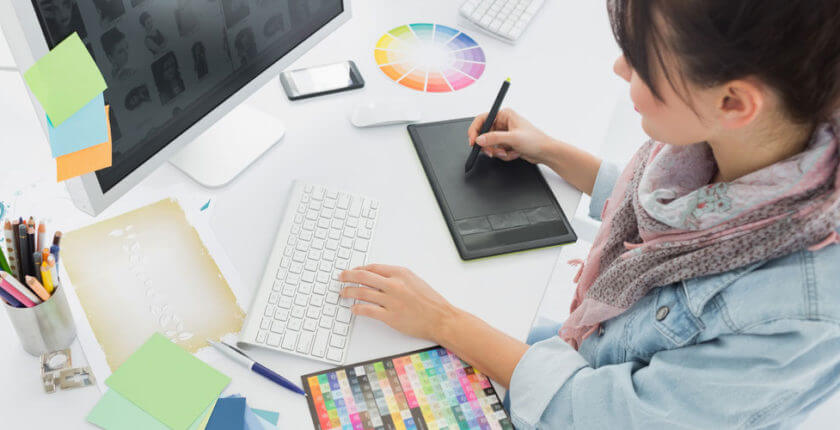
Photoshop: pixel editing and compositing
A Photoshop document is built around a pixel canvas and layers. That makes it the stronger choice for:
- retouching and color-correcting photographs;
- combining multiple images with masks and blend modes;
- digital painting and texture work;
- selecting hair, skies and other detailed pixel regions;
- preparing web images, mockups and raster effects;
- working with Camera Raw and high-resolution photo sources.
Raster artwork has a fixed pixel grid. Enlarging a small image far beyond its original dimensions cannot create the same edge fidelity as a native vector. However, Photoshop is not limited to editing at the original size: high-resolution source files, shape layers, type layers and Smart Objects make many transforms practical and non-destructive. The key is to plan the final pixel dimensions and print resolution.
Illustrator: scalable vector construction
Illustrator is the stronger choice for:
- logos and brand marks that must work from a screen icon to large signage;
- icons, diagrams, maps and technical illustrations;
- editable typography and custom lettering;
- patterns, packaging artwork and print graphics;
- multi-artboard asset sets;
- SVG, PDF, EPS and other vector-oriented delivery workflows.
Vector objects are described by paths and appearance properties, so their edges can be rendered cleanly at different output sizes. Illustrator can also place and mask photographs, apply effects and perform limited raster adjustments, but it does not replace Photoshop’s detailed pixel-selection, retouching and compositing tools.
Illustrator vs. Photoshop comparison
| Criterion | Illustrator | Photoshop |
|---|---|---|
| Primary model | Vector paths, shapes and type | Raster pixels and layers |
| Native format | AI | PSD |
| Document structure | Artboards, layers and objects | Canvas, layers, masks and channels |
| Best at | Logos, icons, scalable illustration and vector print graphics | Photo editing, compositing, painting and raster effects |
| Scaling | Native vectors scale without pixelation | Quality depends on pixel dimensions; Smart Objects preserve original source data during transforms |
| Photo retouching | Limited | Extensive |
| Precision paths and shapes | Extensive vector controls | Useful shape and path tools, but not a full Illustrator replacement |
| Typical shared workflow | Create vector assets, then place or link them | Prepare photos and textures, then composite the assets |
Choose by the final deliverable
- Logo or icon: start in Illustrator so the master remains vector. Use Photoshop later for realistic mockups.
- Photo retouch or composite: start in Photoshop. Add Illustrator artwork as a Smart Object when it must remain linked or scalable.
- Poster: use Illustrator for a vector-heavy layout; use Photoshop when the design is a complex photographic composite. For long, multi-page text, consider a page-layout application.
- Social graphic: either can work. Choose Photoshop for image-heavy effects and Illustrator for reusable vector systems.
- Web graphic: Illustrator is useful for SVG icons; Photoshop is useful for optimized raster images and photo treatments.
Use both without losing editability
- Create logos, icons and line art in Illustrator.
- Save the AI source with named layers and appropriate color settings.
- In Photoshop, choose File > Place Embedded or Place Linked to bring in the vector artwork as a Smart Object.
- Double-click the Smart Object to edit its source, then save and return to Photoshop.
- Export copies for delivery; keep the layered PSD and AI masters.
Avoid pasting and rasterizing too early. Also confirm whether the final destination expects RGB or CMYK, whether fonts must be outlined or packaged, and which application the next collaborator will use.
Bottom line
Photoshop and Illustrator overlap, but they are not substitutes. Photoshop manipulates the visual detail of pixel-based images; Illustrator constructs reusable vector artwork. If a project contains both photography and scalable branding, a two-application workflow usually preserves more control than forcing everything into one file.
Review the current Photoshop product details and Illustrator product details before choosing a plan. On TipsMake, compare Illustrator and CorelDRAW, use the Illustrator shortcut reference, or learn Photoshop Quick Export.
Related Articles
 Comparing Illustrator and CorelDraw5 minutes read
 AI Software Shortcuts: Common Adobe Illustrator Shortcuts9 minutes read
 Adobe Illustrator: Complete Guide: Download Adobe Illustrator 2021.26.04 minutes read
 Compare Adobe Illustrator and Photoshop5 minutes read
 Differences Between Photoshop and Illustrator6 minutes read
 What Is Adobe Illustrator? Learn Adobe Illustrator for What5 minutes read
Reader Comments 0
Sign in with email or Google to join the discussion.