Table of Contents
This guide provides a practical overview of very interesting free ar applications on iOS 11 and download links with clear explanations and useful details. It focuses on the information users are most likely to need.
Here are the attractive AR applications that take advantage of ARKit power on iOS 11 that you should try.
How Very Interesting Free AR Applications on iOS 11 and Download Links Works
1. MeasureKit - Virtual ruler on iOS 11 (free)

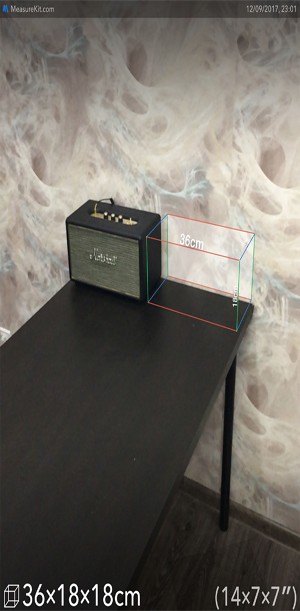
With AR MeasureKit users can measure any distance in real space from simple line, curve, angle, and volume measurements without the need for a ruler. You just need to turn on the phone camera, touching the two ends of the object can know the length.
With the free package, MeasureKit only allows measuring object length. But with a fee (about VND 69,000), users can measure the distance from an object / object to you, someone's height, according to the desired lines.
Link download MeasureKit.
2. PLNAR (free)

PLNAR is also a useful measurement application. Not only is it capable of measuring edge lengths, but also PLNAR has the ability to accurately measure the area of a room in a house.
Link download: PLNAR
3. Complete Anatomy 2018 (free)
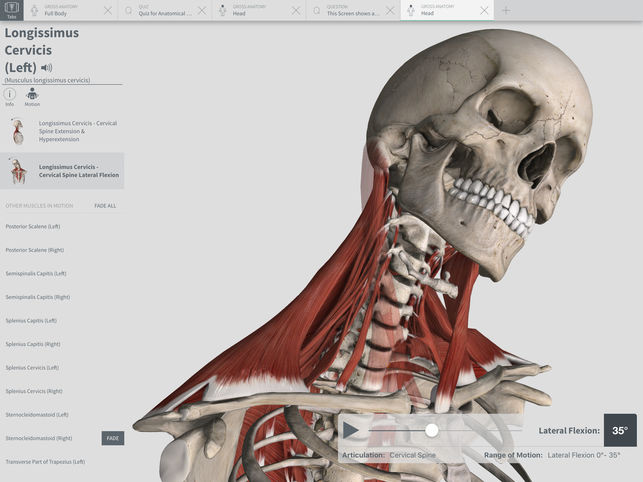
This AR for iPad application will give users detailed images of body parts in both finished and cross-sectional classes. This is an AR support application for studying anatomically extremely useful for those who like to study anatomy, studying Medicine.
Download link:Complete Anatomy 2018.
4. Stack AR (free)
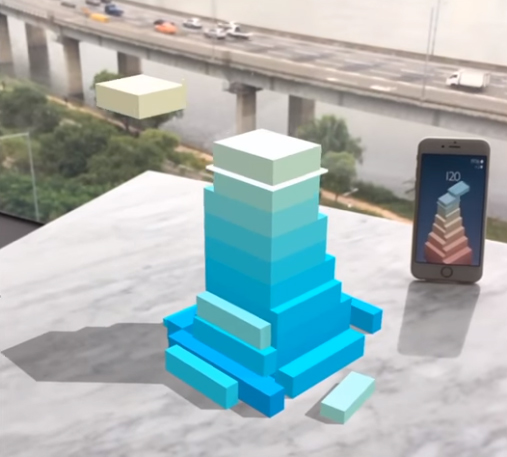
Stack AR is a different puzzle game compared to other games. Thanks to AR, users will conduct a puzzle in three-dimensional space, even if it can be arranged in real life like on the floor, on the table. This is really a very interesting experience that you should try.
Link to download AR game on iOS: Stack AR.
5. Dubface (free)

This is an extremely fun AR application. Users can pair their faces into images of both men and women dancing or make fun and cute gestures available in the app and place the image anywhere in the actual environment and then record picture again. You will have extremely funny videos to share with friends and relatives.
Link download: Dubface .
6. GIPHY World (free)
Thomas and Friends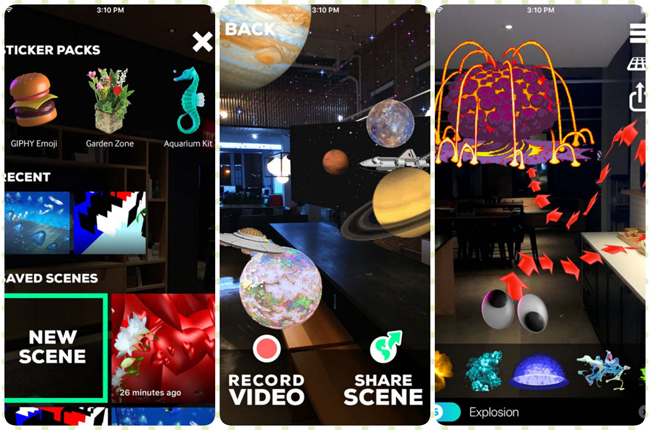
This is the app to put GIF shapes into the real world of people. Similar to Dubface, you can also create videos to share with friends or save them as memories for any occasion.
Download link: GIPHY World.
7. Thomas and Friends (free)

With this game, players will have to build rails to the train to reach a predetermined destination. Thanks to AR technology, they can build that track in the real world. This is an interesting pole for younger children and it will be better to play on an iPad.
Download link: Thomas and Friends.
- 6 AR apps for great Android phones you should not miss if you are using AR-powered smartphones
- 12 super attractive AR apps for Android people
- Super interesting AR games on iOS 11 you should try
FAQ
What is the main benefit of very interesting free ar applications on iOS 11 and download links?
The main benefit is a clearer understanding of the topic and a practical way to apply the information covered in this guide.
What should I check before using very interesting free ar applications on iOS 11 and download links?
Confirm compatibility, review the required settings, protect important data, and use the latest supported version whenever possible.
What should I do if the result is different?
Repeat the steps carefully, verify permissions and version differences, and consult the product's official support documentation for changes not shown in the article.
Related Articles
 How to Add a Download Link to Free Download Manager to Accelerate2 minutes read
 Websites That Get / Get High Speed VIP Link: Vip Links4 minutes read
 Fix IDM Error Without Capturing MP4 File Download on Chrome5 minutes read
 Fix IDM Error Without Downloading Download Link4 minutes read
 Download Link Windows and Ghost Windows Latest 202011 minutes read
 How to Add Download Link to IDM When IDM Does Not Automatically Link3 minutes read
Reader Comments 0
Sign in with email or Google to join the discussion.