Table of Contents
Use this guide to understand tips to help you control notifications from zalo, Facebook and the factors that affect it. The information is organized to make the topic easier to apply in practice.
Sometimes, you need to receive notifications from social networking applications or texting such as Facebook, Zalo, Messenger, Viber, Skype. Too many notifications on the app will make you stressed, distracted on the job and you need to control them better.
The tips below will help you control all the messages that appear on your phone, without affecting your work history or chatting with friends.
- How to not receive messages from the Official Account on Zalo
- How to turn off Google Maps location notification
- 10 ways to fix notification errors are not displayed on Android
How to control application notifications more effectively on the phone
Block notification apps from unnecessary applications
If you feel that there are too many notifications coming from multiple applications, you can turn it off if you really don't feel that it's necessary. Or on an application that has chat groups that you don't need to receive notifications about, you can turn off notifications from that chat group.
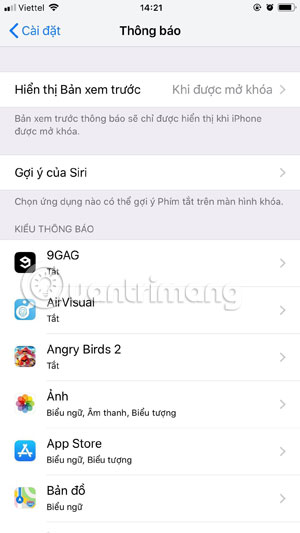
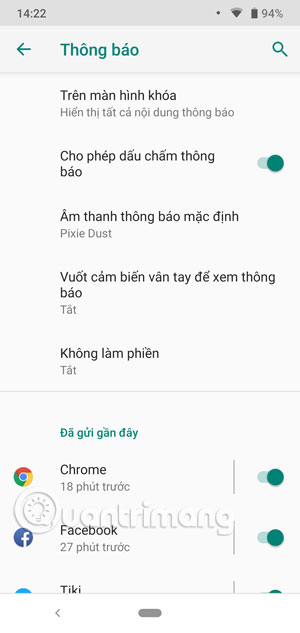
On iPhone, you simply need to go to the Settings Application> select Notifications And turn off notifications of applications that you deem unnecessary. Also on Android, go to the SettingsApp > Applications and notifications > select Next Notice . You can now choose to turn off notifications of applications in the list.
Change the behavior and sound of the notification
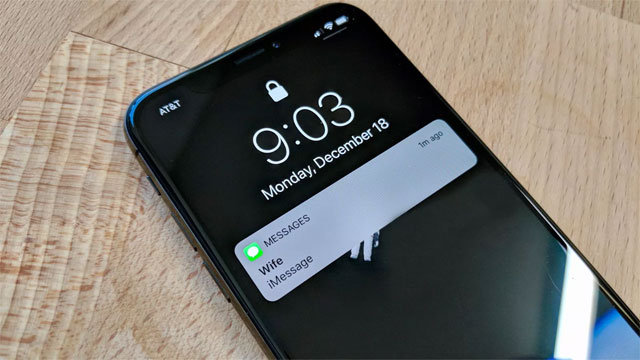
If you have selected notifications from applications you really need, you can change the way you get them on the phone. By default, the messages you receive will come with sound.
With notifications from important applications to you, you can leave it in the default mode to not miss any notifications. For apps that are less important, you can turn off the app's notification sound to avoid being bothered when you're concentrating on doing something or chatting with friends.
Or you can customize each individual tone for each application depending on the importance. Arrange how you can identify this sound as the app.
Set up message review
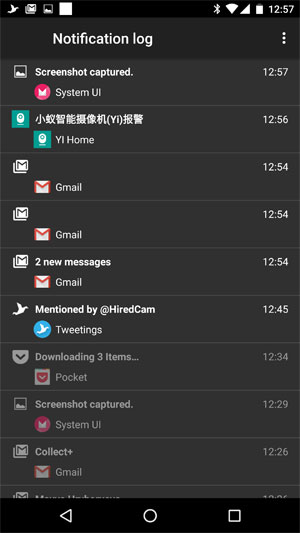
If you accidentally delete the app notification before you can read them. How will you review those announcements before you even see the app icon that just sent you a notice?
There is a feature that will help you record notification logs of incoming applications. However, this feature is only available on phones running Android and does not show details like the original message, but at least it tells you which application just sent the message to you.
To review the notification log on Android phones, please refer to the instructions in the article How to review the notification history on Android? Here you will be given detailed instructions on how to review the notification log on Android.
FAQ
What is the main benefit of tips to help you control notifications from zalo, Facebook?
The main benefit is a clearer understanding of the topic and a practical way to apply the information covered in this guide.
What should I check before using tips to help you control notifications from zalo, Facebook?
Confirm compatibility, review the required settings, protect important data, and use the latest supported version whenever possible.
What should I do if the result is different?
Repeat the steps carefully, verify permissions and version differences, and consult the product's official support documentation for changes not shown in the article.
Related Articles
 Instructions to Turn Off Notifications on Zalo Effectively5 minutes read
 Zalo Surpasses Facebook Messenger, Becoming the Most3 minutes read
 Interesting Hidden Features Should Try with Facebook13 minutes read
 How to Turn Off Log Notifications and Moments on Zalo: Zalo Moments4 minutes read
 Tips for Using Zalo Are Useful for Users8 minutes read
 How to Create Event Reminder Notifications on the Messenger4 minutes read
Reader Comments 0
Sign in with email or Google to join the discussion.