Table of Contents
This practical guide explains how to change language for apps on Android. Follow the steps in order, review the requirements first, and use the troubleshooting notes when a setting or option does not work as expected.
How to changing language for applications on Android
Step 1:
You select Settings on Android and then select System . Then you continue to select Languages & input to adjust the language on your Android phone.


Step 2:
Next, in this new interface, select App Languages settings to adjust the application language on your phone.

Step 3:
Select the specific app you want to change the language for, then select that app and select the new language you want to use from the list of display languages.
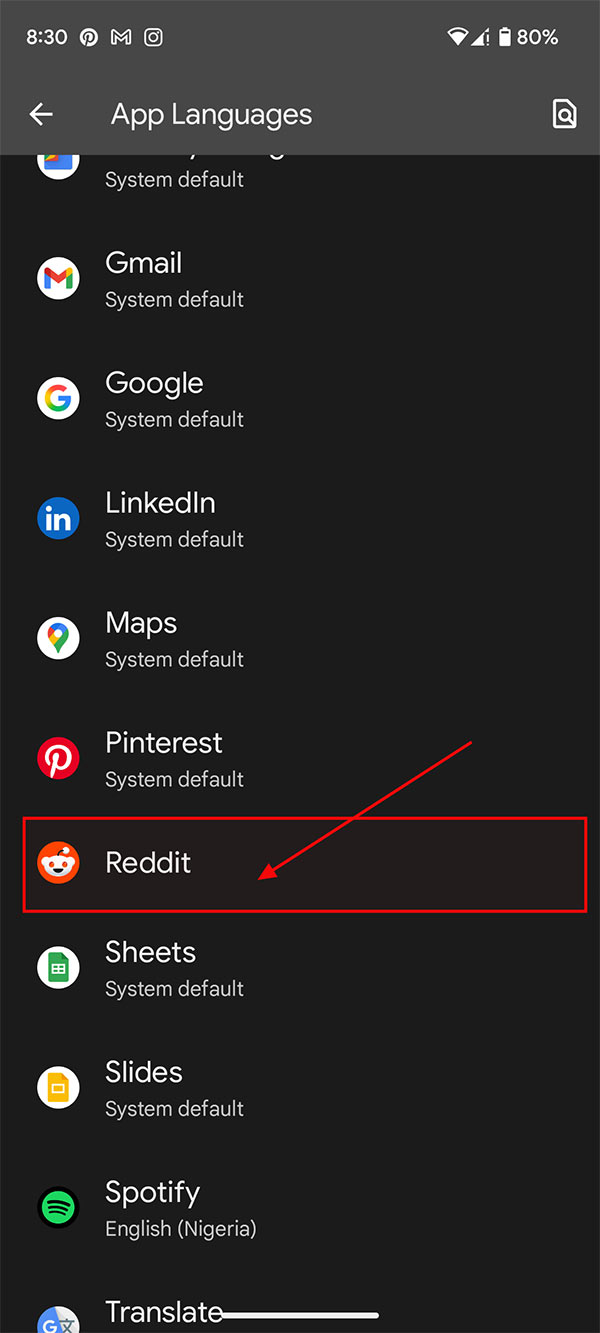
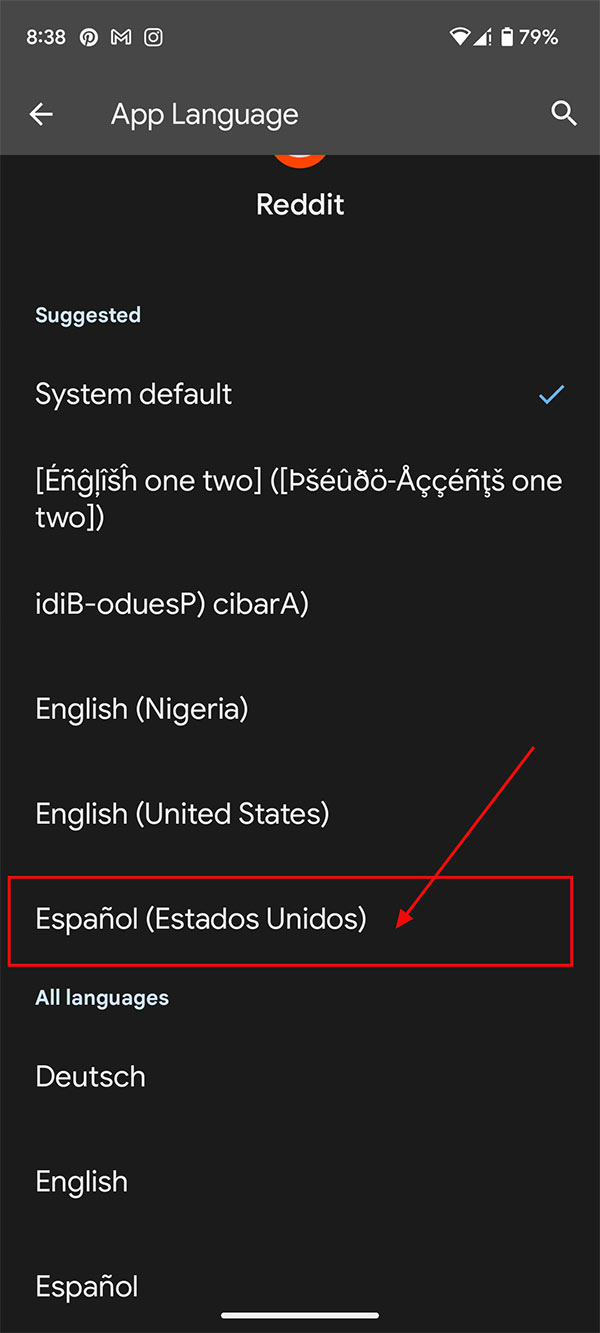
The new language is then applied to the application and the system or other application language remains the same.
FAQ
How to changing language for applications on Android?
You select Settings on Android and then select System. Then you continue to select Languages & input to adjust the language on your Android phone.
What does this guide cover?
This guide explains change language for apps on Android, including the main steps, important details, and practical considerations.
Who is this guide for?
It is designed for readers who want a clear, practical overview and a reliable process they can follow without unnecessary complexity.
Related Articles
 Instructions to Change the Zalo Language on Android and Iphone3 minutes read
 How to Change the Application Language on Iphone, Ipad3 minutes read
 Apple Wants to Improve Android Apps with Swift Language5 minutes read
 11 Amazing Android Apps That Will Change the Way You Use Your Phone11 minutes read
 How to Switch Language on Android: Complete Guide7 minutes read
 8 Free Wallpaper Changes Apps on Android and Download Links6 minutes read
Reader Comments 0
Sign in with email or Google to join the discussion.