Table of Contents
The sections below explain the hidden features on Android used to troll extremely interesting in a clear and practical way. Review the key details, examples, and considerations before applying the information.
For those who do not have laptops available to make the screen blue to death to troll friends, do not be sad, now on Android smartphones or tablets have also integrated extremely interesting features so you can troll friends afraid of blue face.
Certainly with these jokes will help people have relaxing moments as well as learn more useful features on their smartphones. If you are interested in this joke, please join the Network Administrator.
Specifically, these 5 hidden features are all within the Developer Settings (Developer Options) section. If your smartphone has not been activated the Developer Options folder, you can follow the instructions below: First go to Settings> Phone information> Software information> Continuous touch 7-9 times to the line Version number .

After you have completed the above step, you will return to the Settings section, and you will be presented with the Settings for developers section. Now it's time to troll your friends.
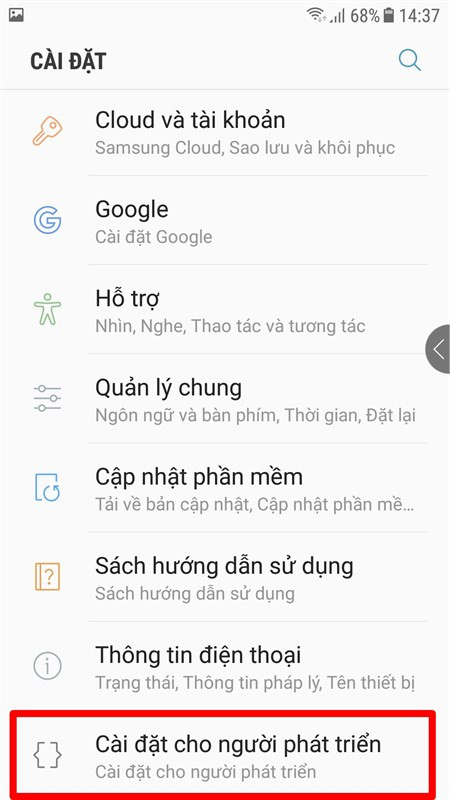
1. Show the cursor position
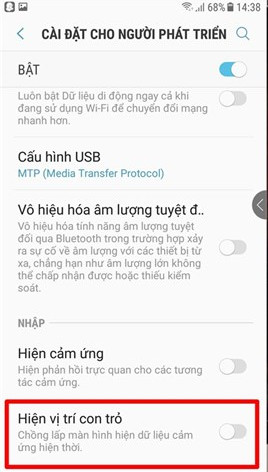
In the Settings section for developers, you turn on the cursor position, when swiping to the main screen the cursor will leave the zigzag, even if the screen is turned off, it will startle the victim. I thought my smartphone was broken.
2. Display the update screen
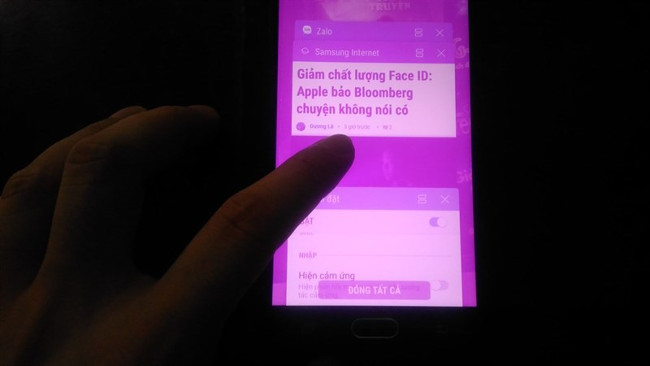
The next troll is that you show the touch screen, now, when the victim touches the phone screen to use it, the device will blink continuously, the more you will try to blink the stronger.
3. Display layout boundaries
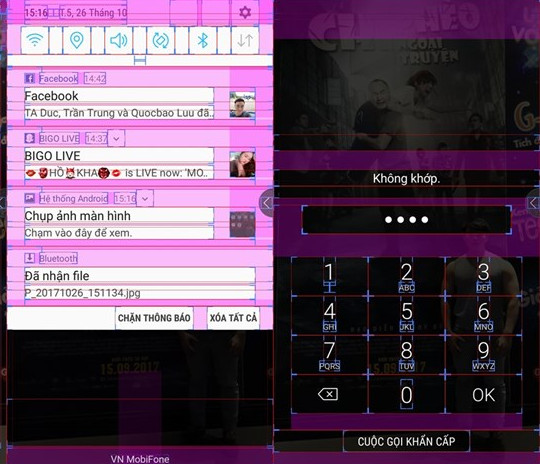
All applications or features on the phone will have a layout boundary, which will certainly make the victim crazy because he doesn't understand why his phone is like that.
4. Forced to use RTL layout
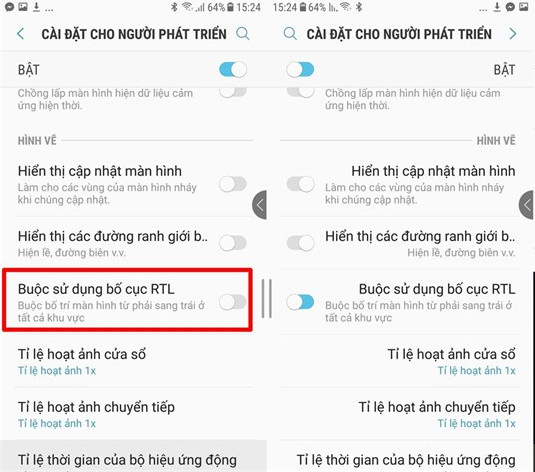
Continuing with the 4th joke, please select Forced to use RTL layout, at this time the interface as well as the layout on the phone will be flipped up, nowhere.
5. Finally simulate color space
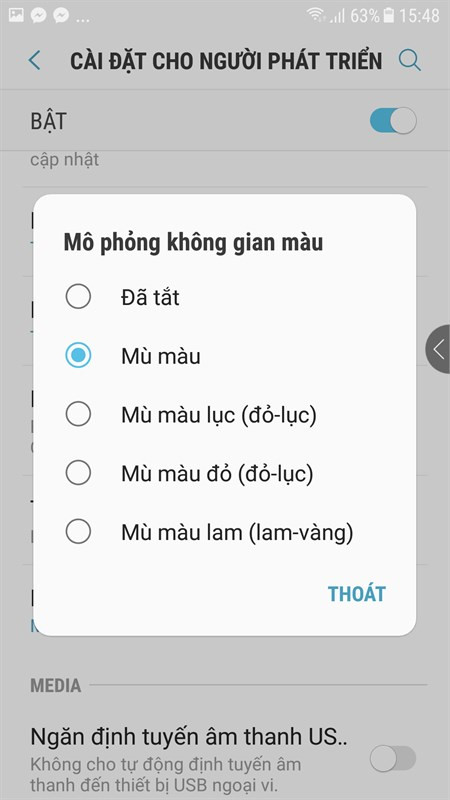
Also on the Developer Settings section, you choose to simulate color space, select Color blindness at this time, the machine interface will turn into full black and white. Other color options apply the same
Hopefully, the troll games will help you have fun moments in the early days of the new year. However, in each event, please be happy, but not too happy to affect your relationship.
Hope you are succesful.
- Very cool troll Facebook app that helps friends have to wait for your message forever
- Troll friends by creating "fake" virus on Notepad
- Make fake computer errors to troll friends
FAQ
What is the main benefit of the hidden features on Android used to troll extremely interesting?
The main benefit is a clearer understanding of the topic and a practical way to apply the information covered in this guide.
What should I check before using the hidden features on Android used to troll extremely interesting?
Confirm compatibility, review the required settings, protect important data, and use the latest supported version whenever possible.
What should I do if the result is different?
Repeat the steps carefully, verify permissions and version differences, and consult the product's official support documentation for changes not shown in the article.
Related Articles
 Virtual Virus: 4 Virus Fake Troll Friends Extremely Happy7 minutes read
 Fake Virus: Troll Friends by Creating a 'Fake' Virus on Notepad7 minutes read
 3 Hidden Features on Android P Should Be Explored Immediately5 minutes read
 Very Cool Troll Facebook App That Helps Friends Have to Wait for Your Message Forever4 minutes read
 Make Fake Computer Errors to Troll Friends3 minutes read
 Viber Features on Android You May Not Know Yet: Features Viber8 minutes read
Reader Comments 0
Sign in with email or Google to join the discussion.