Table of Contents
APKCombo VPN is an unofficial desktop client that was built around Cloudflare WARP+. Cloudflare now provides its own supported Windows client, so most users should install the official Cloudflare app instead of an old third-party build. Neither option guarantees faster downloads, uninterrupted Zoom calls, or access to every region-restricted site.
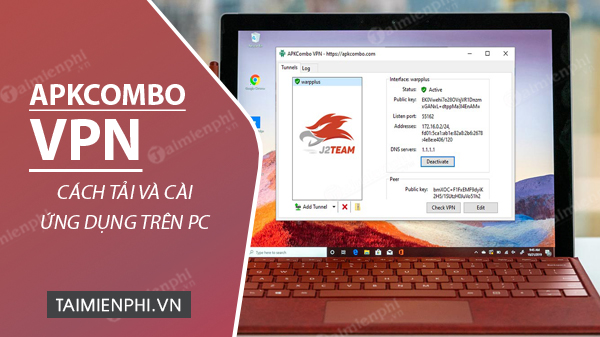
APKCombo VPN and Cloudflare WARP are not the same product
The APKCombo project describes itself as a client that activates a WARP+ tunnel, but it is not published or supported by Cloudflare. Its public GitHub repository documents an Active CloudFlare WARP+ VPN workflow. Before installing any VPN client, remember that it can route substantial network traffic and therefore requires a high level of trust.
Cloudflare's official client, formerly called WARP and now documented as Cloudflare One Client, sends device traffic to Cloudflare's network. It is designed to protect the connection to that network; it is not a conventional location-selection VPN and does not promise a different country on demand. Read TipsMake's explanation of what Cloudflare WARP does before choosing it.
Recommended option: install Cloudflare's official Windows client
- Check Cloudflare's current client requirements and stable download. Cloudflare currently lists Windows 10 LTSC, Windows 11, or Windows 365 Cloud PC running Windows 11, with AMD64 or ARM64 processors.
- Download the stable Windows installer directly from Cloudflare.
- Open the installer and verify the publisher in the Windows security prompt before approving it.
- Complete setup, open the Cloudflare client, and follow the connection prompt. A work or school installation may require an organization name supplied by an administrator.
- Test ordinary browsing and the services you rely on. Disconnect the client if it causes a compatibility problem.
For DNS-only protection rather than a traffic tunnel, compare security-focused DNS resolvers or configure DNS over HTTPS in Windows 11.
If you still need the legacy APKCombo VPN client
Use the project's public GitHub repository to inspect its source, release history, and documentation. Check whether a release is current, scan the installer, verify any published checksum or signature, and create a restore point before installation. Do not download repackaged installers from unrelated software portals.
The original workflow used separate 32-bit and 64-bit installers. Modern Windows PCs are usually 64-bit, but confirm under Settings > System > About > System type. If no trustworthy, current build matches the PC, do not install it.
Legacy installation screens
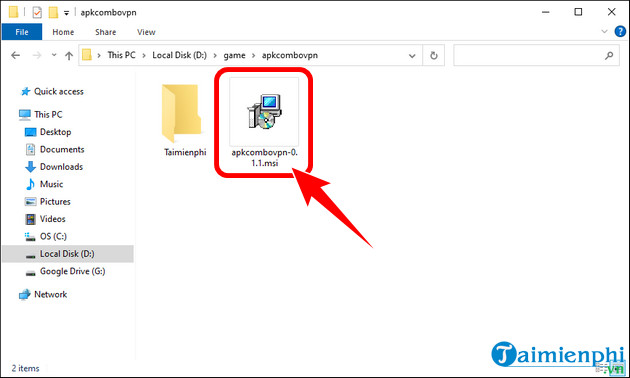
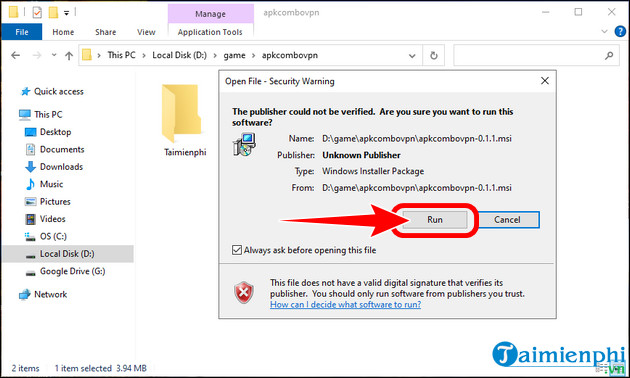
- Open the downloaded installer and approve Run only after verifying the file.
- Complete the setup and open APKCombo VPN.
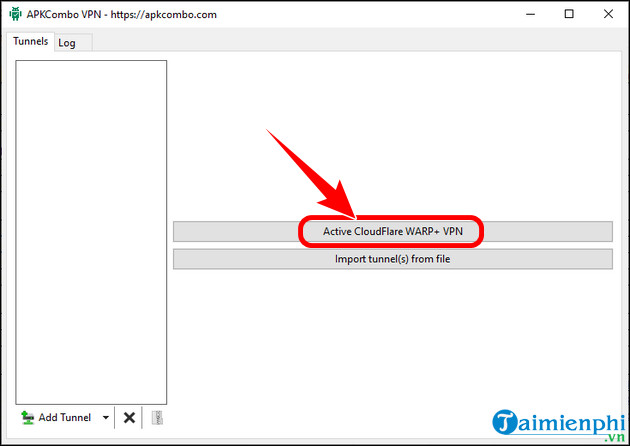
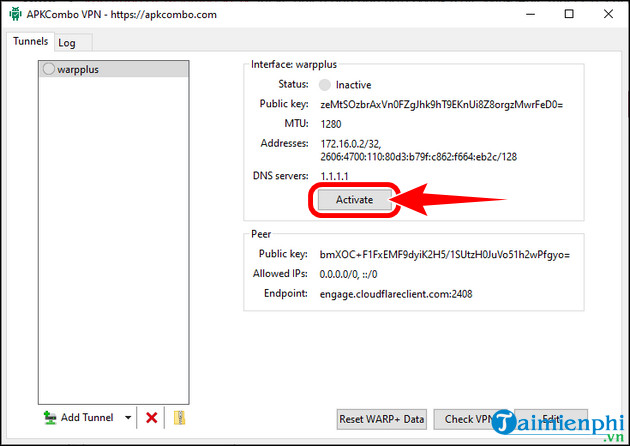
- Select Activate CloudFlare WARP+ VPN, then choose Active.
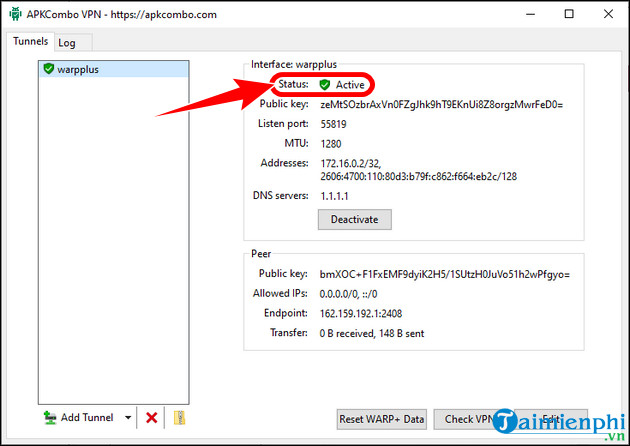
- Confirm that the status changes to Active, and test connectivity.
The screenshots below are retained to identify the older interface. They are not evidence that the installer is current or officially supported.
Set realistic expectations
- Speed: a different route may improve, reduce, or leave performance unchanged. It cannot repair weak Wi-Fi, ISP congestion, or a damaged cable.
- Location: WARP generally does not provide a country picker, so it is not suitable when a specific apparent location is required.
- Privacy: the tunnel protects traffic between the device and the provider's network, but the provider still processes that traffic. It does not make browsing anonymous.
- Blocked services: availability depends on the type of block, local rules, and the service. No client can guarantee access.
Troubleshooting
If the internet stops working, disconnect the tunnel, restart the client, and test the normal connection. Remove other VPN adapters that are no longer needed, but do not delete network drivers at random. On a managed device, ask the administrator before installing a VPN or changing network settings. If an unofficial APKCombo installation behaves unexpectedly, uninstall it, restart Windows, and run a trusted malware scan before installing Cloudflare's official client.
Related Articles
 How to Download Pho Anh Hai iOS, Android: Step-by-Step Guide5 minutes read
 How to Download Music to USB Is Simple and Fastest3 minutes read
 How to Install and Use Happymod to Download Games on Android5 minutes read
 Download Minecraft Map: How to Download and Install Map Minecraft5 minutes read
 How to Download Videos on YouTube Fastest in 20204 minutes read
 Download Au Mix for PC, Install Au Mix on Your Computer3 minutes read
Reader Comments 0
Sign in with email or Google to join the discussion.