Table of Contents
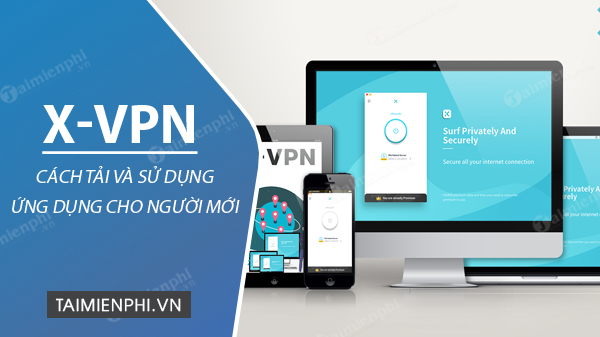
X-VPN is available as a native app for Windows, Android, and iPhone, as well as a Chrome extension. Download it only from X-VPN's official page or the device's app store, connect to a free server, and confirm that the app reports an active VPN connection. The free and paid tiers differ, and the Chrome extension protects browser traffic rather than every app on the PC.
What the free plan includes
X-VPN currently says its free plan requires no sign-up, has no data cap on most platforms, and lets users choose from a limited set of locations. The company also states that ads appear in the free Android and iOS apps but not on desktop. Server availability, advertising, and plan limits can change, so verify the details shown in the app before starting a trial or subscription.
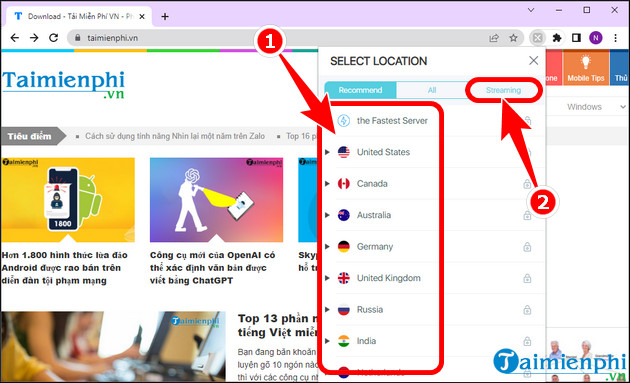
Free servers do not include every premium feature. X-VPN says streaming-optimized servers require a paid plan, so the free version should not be presented as a guaranteed way to access a particular streaming catalog. A VPN can also reduce speed because traffic travels through an extra encrypted server.
Review X-VPN's current free-plan description and compare it with TipsMake's lists of free VPNs for computers and phones and VPN services to consider.
Install X-VPN on Android or iPhone
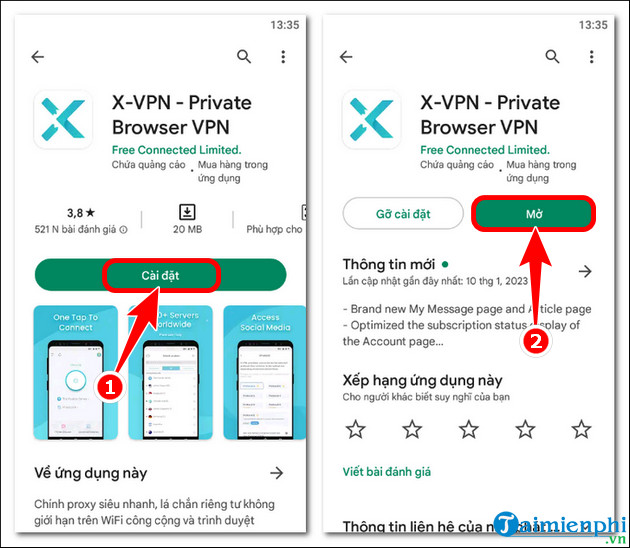
- Open Google Play on Android or the App Store on iPhone and search for X-VPN. Check the publisher and app details before installing.
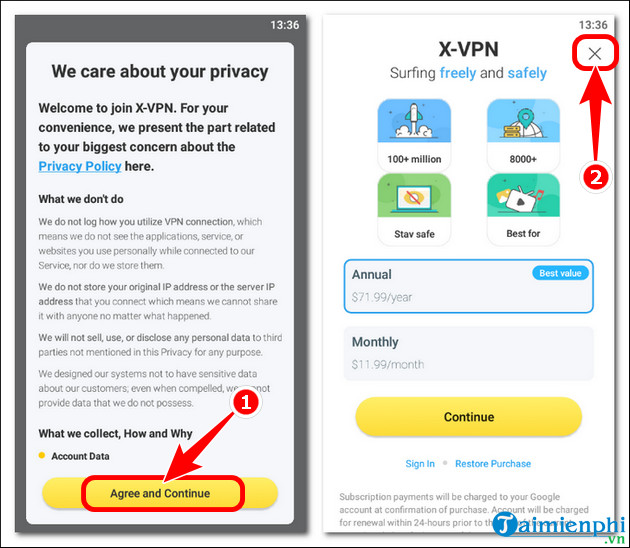
- Open the app and read the privacy policy, subscription terms, and any free-trial conditions before accepting.
- Choose the free or guest option if you do not want a paid trial. Do not confirm an app-store subscription unless you understand when billing begins and how to cancel.
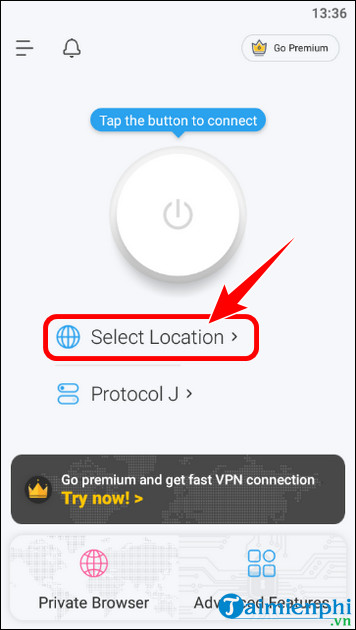
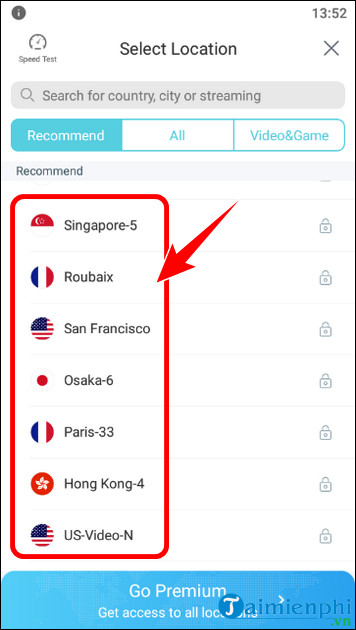
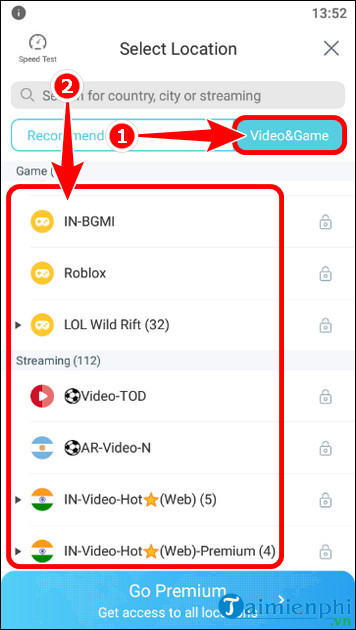
- Tap the connection control or select an available free location.
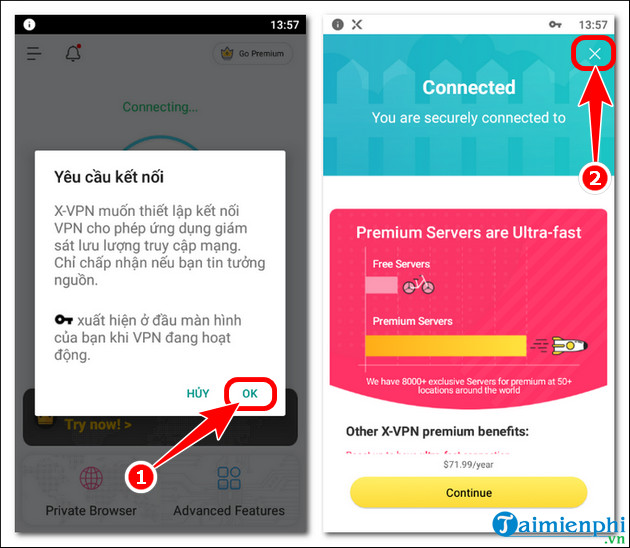
- Approve the operating system's request to add a VPN configuration. This permission is required for the app to route traffic through the VPN.
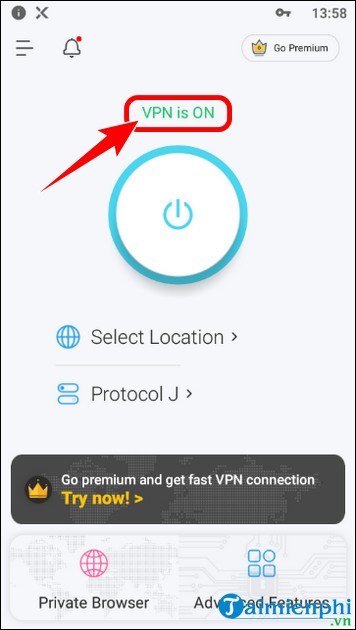
- Wait for the interface and the phone's status area to indicate that the VPN is connected.
The screens below show an older Android release. Current menus and available locations may look different.
Use X-VPN on a Windows PC
For system-wide protection, download the native Windows app from X-VPN's official Windows page, open the installer, verify the publisher in the Windows prompt, and follow the setup wizard. Launch the app and select Connect or an available free location. A native VPN app can route supported traffic from browsers and other programs; a Chrome extension cannot.
Install the X-VPN Chrome extension
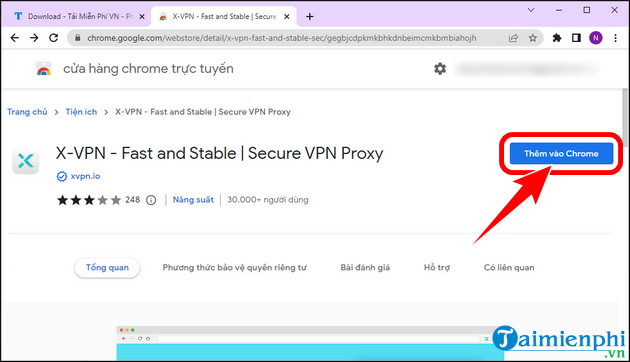
- Use the link from X-VPN's official Chrome extension page to reach its Chrome Web Store listing.
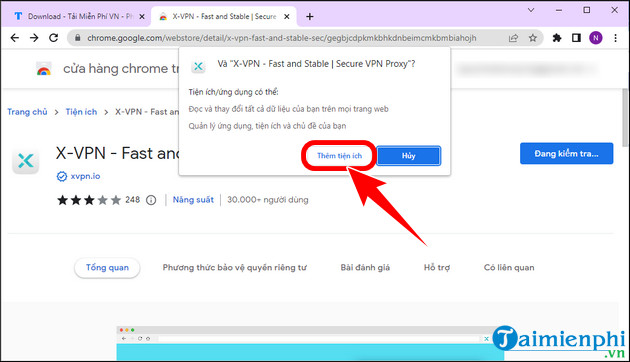
- Review the developer name, permissions, privacy information, and recent reviews, then select Add to Chrome > Add extension.
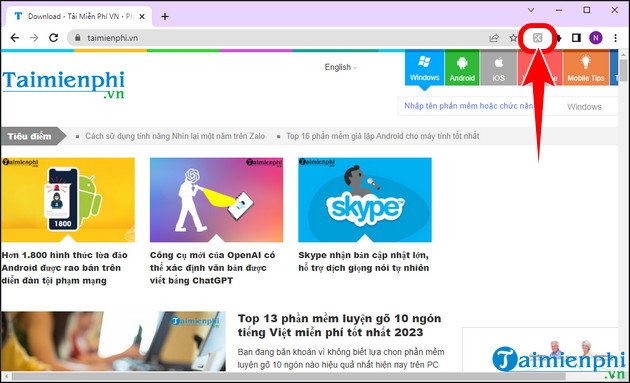
- Open the Extensions menu, pin X-VPN if desired, and select its icon.
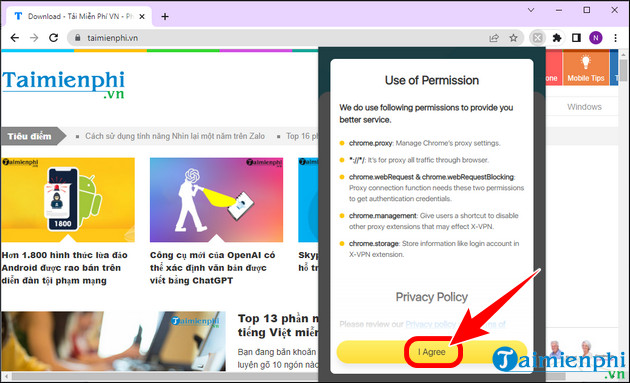
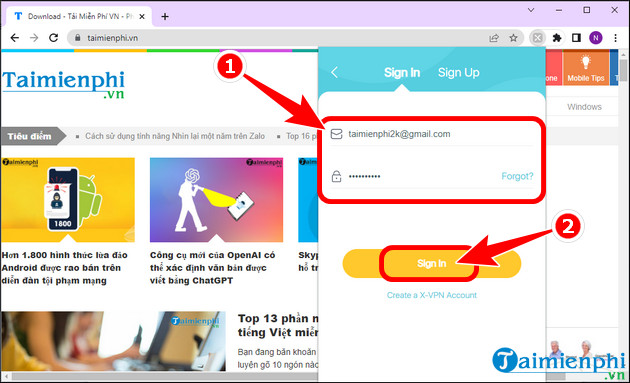
- Read and accept the terms only if they are suitable. Sign in for paid benefits or use the available guest/free option.
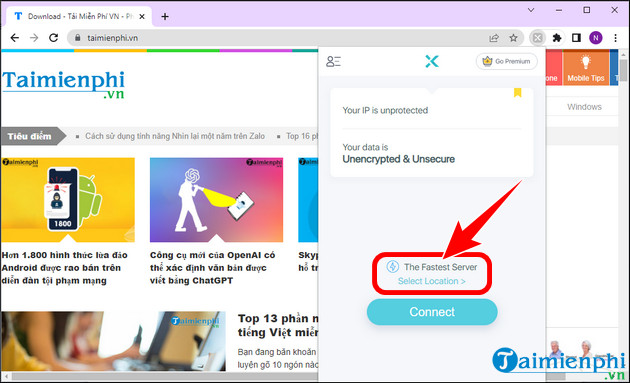
- Select Connect or an available location. Disconnect from the same extension panel when finished.
The legacy screenshots below include an older sign-in-first flow; today's free extension may offer access without registration.
Check the connection and use it safely
- Visit a reputable IP-check page before and after connecting to confirm that the public IP changes.
- Enable a kill switch in the native app if available and if traffic must stop when the VPN drops.
- Keep HTTPS enabled. A VPN protects the route to the VPN server but does not make a fraudulent site safe.
- Expect banks, email providers, or streaming services to request extra verification when the apparent location changes.
- Disconnect if performance becomes poor, then try another permitted server.
A VPN does not remove malware, protect passwords entered into a phishing page, or guarantee anonymity. For another desktop option, see TipsMake's Hotspot Shield overview; for browser-only choices, compare free VPN extensions for Chrome.
Related Articles
 How to Download Free Music for Itunes and iPhone7 minutes read
 Android SDK - Download Latest Android SDK4 minutes read
 Download App Animal 4D + for Free - Create Animal Animal 4D9 minutes read
 The Best Free Music Download Apps on Android6 minutes read
 How to Download SPSS on Android Phones, iPhone/iPad for Free4 minutes read
 These Free Apps Turn Android into iPhone10 minutes read
Reader Comments 0
Sign in with email or Google to join the discussion.