Article on the subject of "windows 8.1 preview"
-

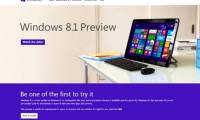
How to download and install Windows 8.1 Preview
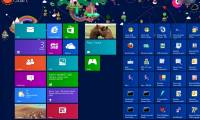
microsoft has officially released the preview (preview) of windows 8.1 - the first major update for windows 8. here are the steps to download and install windows 8.1.
-
The Messaging application is removed on Windows 8.1, integrated into Skype
in windows 8.1 preview just released, microsoft has decided to remove the application messenging inherent on windows 8.
-
Windows 8 - Where's the match?
before launching microsoft's version of windows 8.1, let's sit back and take a look at the road that windows 8 has gone through.
-
How to download and install Windows 8.1 Preview
microsoft has officially released the preview (preview) of windows 8.1 - the first major update for windows 8. here are the steps to download and install windows 8.1.
-
Some good tips for Windows 10 Technical Preview (Part 3)
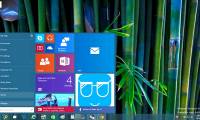
windows 10 technical preview was officially released to users to help bring a new wind to the technology village this time. this article will summarize some of the new windows 10 technical preview tips contributed by the technology community during the experience.
-
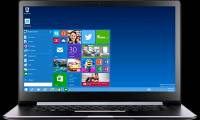
Please read the Windows 10 Technical Preview download
please download and experience the first preview of windows 10 as .iso, this is the latest version of microsoft windows 7 that combines the familiarity of windows 7 and what's new on windows 8.
-
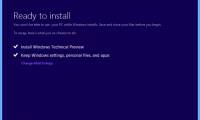
How to install Windows 10 Technical Preview
windows 10 technical preview is released through the new windows insider program that requires user feedback and even provides forum messages to discuss issues with microsoft engineers.
-
How to turn off the preview of Mail content for Windows 10
turning off the preview of mail content on windows 10 will help users to hide their personal information, avoid being read by others or accidentally see the contents of the message.
-
Some good tips for Windows 10 Technical Preview (Part 2)
windows 10 technical preview was officially released to users to help bring a new wind to the technology village this time. this article will summarize some of the new windows 10 technical preview tips contributed by the technology community during the experience.
-
Some good tips for Windows 10 Technical Preview
windows 10 technical preview was officially released to users to help bring a new wind to the technology village this time. besides, because it is a relatively close operating system that is easily accessible to users, this new version of windows brings excitement to the technology world.
-
How to bring Preview feature on macOS to Windows 10
the preview of preview content on macos allows users to view the content of the file before being opened with a compatible application. so how to bring the preview feature to windows 10?
-
The latest additions to Windows 8
as of the time of the official windows 8 release (october 26), users have had the opportunity to experience new features through two consumer preview and release preview versions, most recently the rtm version. 'leak' on many technology forums.
-
Microsoft will release an update for WP8.1 Preview fix error 80.188.309
so far, the update windows phone 8.1 preview is really satisfied by many users, they are glad that windows phone has made a big step forward. however, it is not very optimized because there are still some minor bugs and need a complete firmware version.
-
How to customize Preview Thumbnails on Taskbar Windows 10
preview thumbnails on windows is the thumbnail of the application, the program is open under the windows 10 taskbar. and users can fully adjust the time it takes to display the thumbnail.
-
How to display the File Pane Preview Pane on Windows 10
it's easy to preview files without opening them in windows 10 thanks to the preview pane feature in file explorer. you can see thumbnails of most text-based images, videos, audio files and some documents.
-
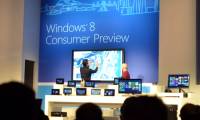
Windows 8 Consumer Preview before 'coming out'
windows 8 consumer preview - a trial version for users will be introduced tomorrow february 29, 2012 at mobile world congress 2012. in the meantime, we look back at what we know until this.
-
Windows Insider Program users can now download the first Windows 11 preview 11
as promised, microsoft has released the first preview for users participating in the windows insider program.
-
Installing Windows 10 Technical Preview on a virtual machine is available in Windows
in fact, this approach is quite simple and you will not need to install any other virtualization tools because windows has done everything for you. if interested, here is how. this tutorial will show you how to install windows 10 technical preview on the virtual vhd partition to create a bootable
-
IE 11 for Windows 7 has a new version
nearly two months after the release of the developer preview, microsoft today has just released a new version of ie 11 for windows 7 users, release preview.
-
How to update Windows 11 officially from Insider Preview
if you previously used windows 11 insider preview version to be one of the early experiencers of windows 11. of course, because it was a previous version, there were a lot of inadequacies. you can now update the official windows 11 from the insider preview for a smoother, more stable experience.
-
How to bring Quick Look Mac OS preview to Windows 10
quick look is a feature that helps users to preview the contents of files on mac os very easily just by pressing space key without having to open specialized applications.
-
Windows 8 Consumer Preview achieved one million downloads
after 1 day of release, the overview version of windows 8 operating system is windows 8 consumer preview has been downloaded to 1 million times.
-
Windows 10 Insider Preview build 18290 (19H1) with many improvements, invited to download ISO files and experience
microsoft recently released windows 10 insider preview build 18290 to the fast ring channel with many improvements to provide a better experience for users.
 Home
Home Tech info
 Technology
 Science
 Life
Life Application
 Electric
 Program
 Mobile
 System