Article on the subject of "windows 10 version 1803"
-

Fix some errors before and after upgrading Windows 10 April 2018 Update
during and after the upgrade to the windows 10 april 2018 update, users complained about some of the problems that clog up the upgrade process or reduce computer performance. here are the common errors on windows 10 april 2018 update and how to fix them for reference readers.
-
The new update fixes many bugs on Windows 10 April 2018 Update but causes a more serious error
although kb4103721 fixes a lot of errors, many hardware models run windows 10 april 2018 update (version 1803) after the cumulative update has a black screen error, a much more serious error than the error. cause hang up when opening google chrome or cortana.
-
Windows 10 1803 is still the king of Microsoft castle
statistics from adduplex in october show that april 2018 update (or windows 10 version 1803) is the most used windows 10 os today.
-
Things to know and prepare before upgrading to Windows 10 Redstone 4 (version 1803)
useful tips to help you avoid possible problems and install the windows 10 redstone 4 update update in march or april this year. let's tipsmake.com consult what you need to know and prepare before upgrading to windows 10 redstone 4 (version 1803) in this article!
-
Microsoft continues to expand support for Windows 10 1803 and some earlier versions
microsoft has officially announced that it will continue to extend the support lifecycle of windows 10 version 1803 (april 2018 update) by six months.
-
Windows 10 Redstone 4: New features and changes are waiting for you?
version 1803, redstone 4, officially named windows 10 spring creators update is the next major release, bringing new features and improvements. although still in development, there have been some preview revealing upcoming changes on windows 10.
-
The new update fixes many bugs on Windows 10 April 2018 Update but causes a more serious error
although kb4103721 fixes a lot of errors, many hardware models run windows 10 april 2018 update (version 1803) after the cumulative update has a black screen error, a much more serious error than the error. cause hang up when opening google chrome or cortana.
-
How to activate S-Mode on Windows 10 ISO file
although home users cannot easily convert windows computers to windows 10 devices in s-mode. you can change a windows image file (iso) as long as you are using windows 10 version 1803 or later or windows 10 home or pro to turn it into a windows 10 s. enabled version.
-
How to fix C: windowssystem32configsystemprofiledesktop Is Unavailable on Windows 10
the windows 10 1803 update has an error in that it cannot find the directory located at c: windowssystem32configsystemprofiledesktop.
-
How to download Windows 10 April update 2018 Update 1803
and with a big windows update, it usually takes several months to reach all users. however, with a few small tricks you can still get windows 10 april 2018 update sooner.
-
How to re-enable Registry backup on Windows 10
in may 2020, microsoft announced that windows 10 will no longer automatically back up the registry starting with version 1803. you can still back up the registry manually, but in many cases, the automatic backup feature very helpful.
-
Windows 10 computer must remove USB or external memory card to upgrade to Windows 10 May 2019 Update
windows 10 computers running windows 10 april 2018 update (or 1803) or october 2018 update (or 1809) if an external usb device or sd card is connected, it will be blocked from upgrading to the latest version of windows 10 may 2019 update.
-
Instructions for delaying updating Windows 10 Spring Creators Update in 365 days
in the next few weeks, spring creators update (version 1803) will be released. if windows 10 users do not want to update windows 10 spring creators update on their device to observe first, then the following guide can be made.
-
Fix some errors before and after upgrading Windows 10 April 2018 Update
during and after the upgrade to the windows 10 april 2018 update, users complained about some of the problems that clog up the upgrade process or reduce computer performance. here are the common errors on windows 10 april 2018 update and how to fix them for reference readers.
-
Microsoft Edge Chromium update begins with Windows Update
microsoft is starting to roll out updates to the chromium version of microsoft edge through windows update. this update will be available to windows 10 users on builds 1803, 1809, 1903, and 1909.
-
How to install Windows 10 April 2018 Update
so, the latest windows 10 april 2018 update 1803 has been released, and have you already downloaded the windows 10 april 2018 update installer? for those who don't want to update and prefer to install a completely new version of windows 10, the following guide will show you how to install the
-
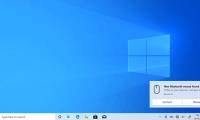
How to turn on the Swift Pair feature in Windows 10
on windows 10, swift pair is a feature that allows you to quickly connect bluetooth peripherals to a computer. swift pair is available as of version 1803, april 2018 update and is updated with the 20h1 update.
-
Microsoft is preparing to automate the Windows 10 update process with AI
microsoft said the feature updates will be automatically downloaded and applied to devices running windows 10 versions 1803 and earlier using the artificial intelligence-based introduction process.
-
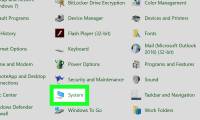
How to Check Your Windows Version
if you're doing some troubleshooting for your computer, you may need to know what version and build of windows you are running. this can help others narrow down your problems based on what version you are using. finding your windows...
-
How to enable Near Share on Windows 10
windows 10 has a new feature for easy file transfer to any computer. it is called near share, and here are steps to enable this feature in version 1803.
-
How to check Windows 11 version
checking the windows 11 version helps you know which version your computer is using and whether it needs to be updated or not. the following article from software tips will guide you on how to check the windows 11 version quickly, simply and accurately.
-
Overcoming Windows 7, Windows 10 is rated as the best Windows version in terms of security
according to a new study of webroot about malware in 2017, windows 10 is the best windows version in terms of security. this research firm's report shows a significant difference between malware on windows 7 and windows 10.
 Home
Home Tech info
 Technology
 Science
 Life
Life Application
 Electric
 Program
 Mobile
 System