Article on the subject of "ntfs file system"
-

Enable / disable ReFS (Resilient File System) on Windows 10
refs was first introduced on windows 8.1 and windows server 2012, and was designed to maximize available data and reliability even if the related storage device had a hardware failure.
-
Here's how to use Resilient File System (ReFS) on Windows 10
although ntfs provides reliability, and advanced features that you can't find on other file systems. however, in some cases, users have to deal with some ntfs problems that cannot be handled. so microsoft created and developed a new file system called refs (resilient file system).
-
Here's how to use Resilient File System (ReFS) on Windows 10
although ntfs provides reliability, and advanced features that you can't find on other file systems. however, in some cases, users have to deal with some ntfs problems that cannot be handled. so microsoft created and developed a new file system called refs (resilient file system).
-
How to fix corrupted Windows NTFS file system with Ubuntu
when it comes to repairing a corrupted windows installation, ubuntu has its uses as well.
-
Disable NTFS file compression to speed up Windows computers
ntfs file compression feature is available on windows operating system. windows users can use this feature to compress files to save space on ntfs hard drives. however, in some cases, this feature reduces the system performance as well as consumes many sources on the system. so to speed up
-
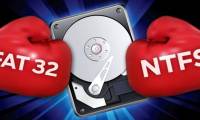
What is NTFS? What is FAT32? Compare NTFS and FAT32
ntfs is a much more advanced file system than fat32. it has all the features of the modern file system that fat32 does not have.
-
How to enable or disable NTFS file encryption in Windows
this article will show you how to enable or disable ntfs file encryption for all users in windows 7, windows 8 and windows 10.
-
Microsoft forces OneDrive users to use NTFS to synchronize
microsoft suddenly changed without notice - forcing onedrive users to only use ntfs (new technology file system) uploads that made countless onedrive users frustrated. let's find out more details about this issue!
-
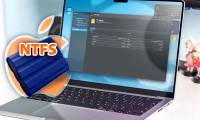
3 methods to use NTFS drives on Mac
by default, macos can read and copy files from ntfs drives but cannot write to them, and to allow full access you will need to use a workaround.
-
The convert in Windows command
the convert command converts file allocation table (fat) and fat32 to the ntfs file system, keeping existing files and folders intact. the drives that have been converted to ntfs file systems cannot be converted to fat or fat32 anymore.
-
What is Journaling File System?
although the file systems are fundamentally different, one feature that exists in all of these file systems is journaling. let's find out more about journaling file system through the following article.
-
What is FAT32, NTFS, exFAT format?
ntfs, fat32, exfat are file systems on windows, but specifically what ntfs is, what is fat32, what is exfat, are they similar and different? please read along with this article.
-
Mozilla fixes Windows 10's NTFS crash in Firefox
the issue of ntfs activation damage from firefox has been fixed in the latest update. most people can fix the problem by using windows' chkdsk command or windows 10 startup repair
-
Why does USB drive, memory card ... use FAT32 format instead of NFTS?
fat32 does not support file permissions. with ntfs, you can assign permissions to access, edit or delete files to increase system security.
-
How to convert a FAT32 hard drive to NTFS on Windows does not lose data
fat32 and ntfs are two familiar formats of a partition, hard drive, or any storage device connected to a windows computer. and ntfs format is chosen for more use because of some of its modern features.
-
Tips for reformatting USB to run on Windows, Linux, Mac and many other operating systems
file system is a magic tool that allows an operating system to read data on any hard drive or drive. however, not all operating systems support these file systems. let's learn about fat32 and exfat and when to use these two file systems.
-
Enable / disable ReFS (Resilient File System) on Windows 10
refs was first introduced on windows 8.1 and windows server 2012, and was designed to maximize available data and reliability even if the related storage device had a hardware failure.
-
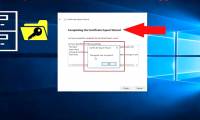
How to back up the EFS file encryption key and certificate in Windows 10
encrypting file system (efs) is an encryption tool built into windows that is used to encrypt files and folders on ntfs drives, to protect them from unwanted access.
-
What is the difference between exFAT, FAT32 and NTFS?
analyze and learn about fat32 and ntfs formats. fat32 and ntfs format conversion guide with no data loss and how to view your current hard drive format
-
How to switch from FAT32 to NTFS without losing data with the CMD command in Windows 7,8,10
how to switch from fat32 to ntfs without losing data with the cmd command in windows 7,8,10. gradually replacing the old fat32 format, ntfs has many outstanding advantages such as better security, allowing copying large files, suitable for partitioning the system.
-
How to format a hard drive into NTFS in Linux
if you are a user moving from linux to windows and vice versa or are collaborating with windows users and need to access the same file, it is best to have a common partition in ntfs format, so that both operating systems are accessible.
-
Microsoft silently rolled out a patch that fixes strange drive errors on Windows 10
earlier this past january, there were many reports from a series of windows 10 users around the world that this operating system contained a strange error, in which the system displayed a message that the drive was damaged and the person users should reboot the system if you want to continue
 Home
Home Tech info
 Technology
 Science
 Life
Life Application
 Electric
 Program
 Mobile
 System