Table of Contents
Choose an Android TV or Google TV if it supports the services you watch and you want Google Cast or voice search built in. If your current TV still has a good picture and a free HDMI port, an external Google TV device can add those features without replacing the screen.
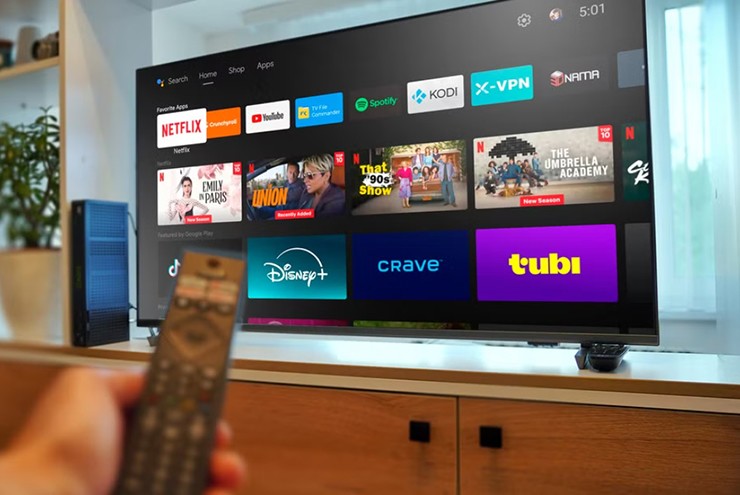
Android TV and Google TV use the same underlying platform
Google TV is an interface built on Android TV OS. It emphasizes recommendations across services, while Android TV devices can have a different home screen. See Google's explanation of both experiences. Samsung's Tizen is a different TV platform. Apple's tvOS runs on the separate Apple TV device.
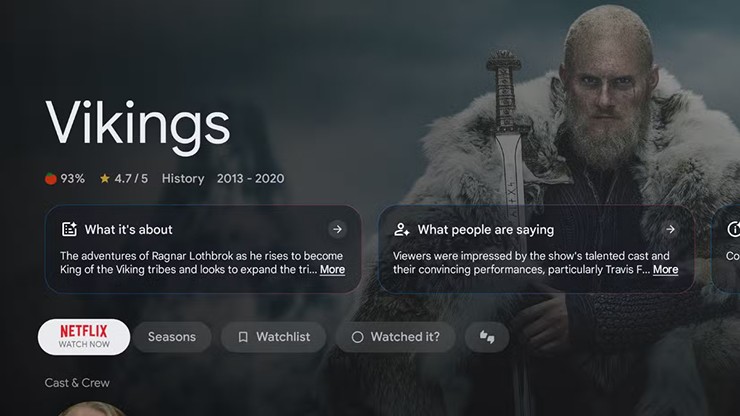
Check the apps and controls you actually need
- Look up the streaming services and local channels you use for your country and exact TV model. A phone app appearing in Google Play does not guarantee there is a TV version.
- On a demo device, open Apps or the Play Store and search for one of those services. Once you have the essentials, browse the Android TV app guide for other uses.
- Check whether the remote has voice search and try opening a show. Search coverage and voice features depend on region, app, and device.
- If you cast from a phone, verify that the TV supports the method your app uses. The phone-to-TV casting guide explains the available approaches.

Compare the TV hardware as well
Check picture quality in your room, HDMI inputs, remote responsiveness, and the warranty before you buy. Software updates and preinstalled apps vary by manufacturer. If the operating system is the only problem with an existing set, compare the cost of an HDMI streamer with the cost of a new TV.
Related Articles
 4 Reasons Why You Shouldn't Buy a Smart TV
 Why is Android TV the best Smart TV platform on the market?
 6 reasons to use smart sanitary equipment
 6 Reasons to Skip Your Smart TV and Buy a Streaming Stick Instead
 Top 5 Android TV Box models worth buying today
 4 features not to be missed when buying a cheap 4K Smart TV
Reader Comments 0
Sign in with email or Google to join the discussion.