Table of Contents
The following guide provides a clear overview of Opera Mail, with the most relevant background, details, and practical takeaways.
The browser developer from Norway is Opera recently launched Opera Mail email management application as a standalone application for PC devices.
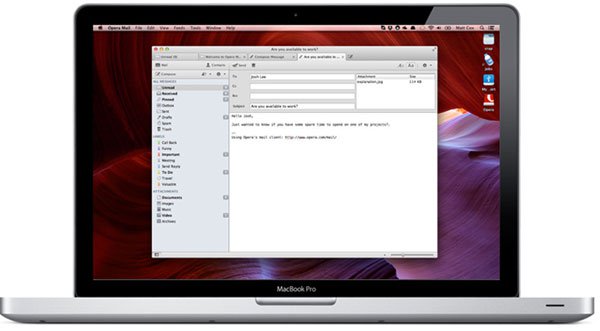
Opera said the advantage of Opera Mail application is that it is quite gentle, focusing on a single task to help users manage email more easily.
Some Notable Features on Opera Mail Are:
- Card interface, lets you view multiple emails at once, as well as switch between emails quickly.
- Thread: The view makes it easy to "follow" the messages you care about. You can choose Ignore Thread to unsubscribe the topic if you feel you are no longer related to that content.
- Filtering and labeling: Opera Mail uses automatic filters and labels. You can set all mail to be automatically labeled or automatically filtered according to the rules set by you.
Windows users can now download and experience Opera Mail here.
FAQ
What does Opera Introduces Opera Mail Email Management Application explain?
The following guide provides a clear overview of Opera Mail, with the most relevant background, details, and practical takeaways.
Who is most affected by Opera Mail?
The browser developer from Norway is Opera recently launched Opera Mail email management application as a standalone application for PC devices.
What are the key takeaways from this topic?
Opera said the advantage of Opera Mail application is that it is quite gentle, focusing on a single task to help users manage email more easily.
Related Articles
 How to Manage Email and Mailboxes in the Mail Application on iPhone9 minutes read
 Opera Introduces an Application That Helps Save 3G Costs on Android4 minutes read
 How to Manage Gmail Email with Twobird5 minutes read
 Instructions for Adding Email Accounts to the Mail Application on4 minutes read
 How to Use Darwin Mail to Manage Gmail Professionally3 minutes read
 5 Best Mail Browsing Applications for Phones: Mail Browser9 minutes read
Reader Comments 0
Sign in with email or Google to join the discussion.