Table of Contents
This guide provides a clear, practical overview of "Microsoft Details Hardware Requirements After Upgrading Unsupported". It organizes the most useful details, explains important considerations, and highlights the steps or choices that matter most.
So what is a Copilot+ PC? These are devices that meet the minimum AI performance threshold of 40 TOPS NPU (40 trillion operations per second) to take full advantage of Windows 11's new AI-powered features. While not required, Windows 11 24H2 and most of its new features are packed with Copilot and AI (even the small changes are AI-focused). Microsoft has updated the eligible CPU guide on its official support page to help users clearly distinguish which devices are part of the Copilot+ AI lineup and which are not.
Important notes when upgrading hardware
If you replace an unsupported CPU or buy a new PC, check your Windows 11 installation requirements again:
- The PC Health Check app can be used to check if a new device meets the upgrade requirements – the system will identify and 'green light' if the hardware is eligible.
- However, updating compatibility information can take up to 24 hours, as the system relies on intelligent evaluation models – taking into account device age, hardware stability, compatibility data, and many other factors.
If Windows hasn't automatically refreshed your eligibility information, or you want to upgrade sooner, Microsoft also provides a manual way to re-enable the Microsoft Compatibility Appraiser – the tool that evaluates your ability to receive upgrades – through:
- Task Scheduler (Windows built-in task scheduler)
- Command Prompt
See full instructions at: Microsoft support page
FAQ
What should you know about important notes when upgrading hardware?
If you replace an unsupported CPU or buy a new PC, check your Windows 11 installation requirements again:
What does this guide cover?
This guide explains Microsoft details hardware requirements after upgrading unsupported, including the main steps, important details, and practical considerations.
Who is this guide for?
It is designed for readers who want a clear, practical overview and a reliable process they can follow without unnecessary complexity.
Related Articles
 Windows 11: Complete Guide: How to Get Rid of the ''system Requirements5 minutes read
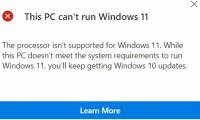 Microsoft Continues to Raise Hardware Requirements Windows4 minutes read
 How to Upgrade to Windows 11 22H2 on Unsupported Hardware8 minutes read
 Free Tool to Help You Install Windows 11 Without TPM3 minutes read
 Microsoft Announces Official Windows 11 Gaming PC Configurations for 20267 minutes read
 Minimum Hardware Requirements for Installing Freebsd4 minutes read
Reader Comments 0
Sign in with email or Google to join the discussion.