Table of Contents
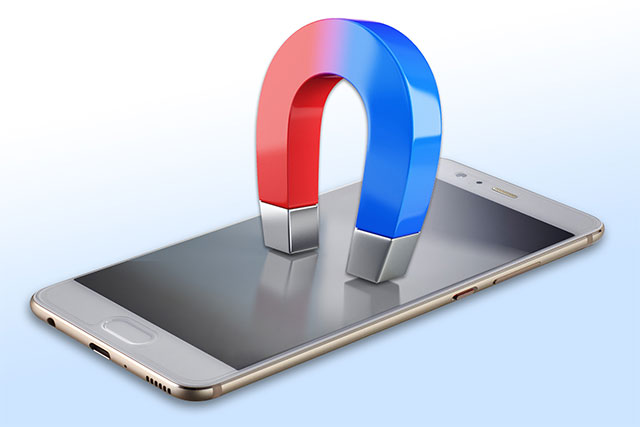
Ordinary household magnets are unlikely to erase a modern phone or a computer with a solid-state drive. A strong magnet can still interfere with a phone’s compass or camera. Traditional hard drives store data magnetically and should be kept away from powerful magnets.
What magnets can do to computer storage

An SSD stores data as electrical states in flash memory. A mechanical hard drive uses magnetic patterns on rotating platters. A typical fridge magnet on the outside of a case is unlikely to affect those patterns. Deliberately exposing a drive to a strong magnet is unnecessary and can risk damage. If you are unsure what your computer uses, check whether your Windows PC has an SSD or HDD.
How magnets can interfere with a phone
A compass app uses a magnetic sensor, so a nearby attachment can make the displayed direction wrong. Some cameras use magnetic sensors in systems that focus or stabilize the lens. Apple documents how some magnetic accessories can interfere with these systems. Compatibility depends on where the magnets sit and on the phone model.
What to check if the problem started with an accessory
Remove the mount, case or lens attachment and move away from other large metal or magnetic objects. Then retest the compass or camera. Compare with the accessory attached again only if it is compatible with your phone. If the problem persists without the accessory, check the manufacturer’s troubleshooting instructions for the sensor or camera.
Related Articles
 If giving two neo-magnet magnets with a pulling capacity of 300 kg rushing at each other at 320 km / h, what would the result be?
 4 magnet experiments are more interesting than magic tricks that amaze you
 Does the magnet erase the hard drive data?
 How to Dry Your Phone Without Using Rice
 8 things to avoid to not damage your Raspberry Pi
 Top 10 most special people in the world
Reader Comments 0
Sign in with email or Google to join the discussion.