Table of Contents
This roundup examines 3 indispensable applications for iPhone 4 and explains what makes each option useful. Compare the main features, limitations, and ideal use cases before choosing.
For iPhone users, when taking the time to 'walk around' the App Store, you will see a variety of applications and utilities for this Apple product. But everyone knows if the program is really necessary and suitable for their needs is another story. In the article below, we will introduce to you the top 3 Cydia applications needed for any iPhone 4 currently.
How 3 Indispensable Applications for iPhone 4 Works
1. Installous:
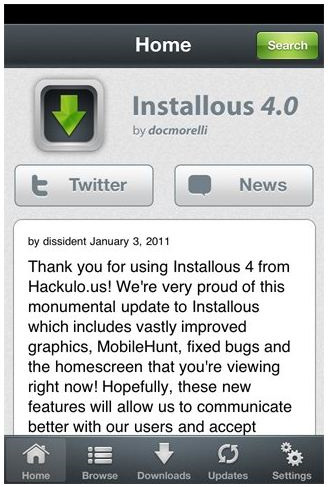
This tool allows you to view old and new Cydia applications with the system's built-in search function. Simply select the appropriate applications from the list, check and wait for the installation process to finish.
2. Wi-Fi Sync:
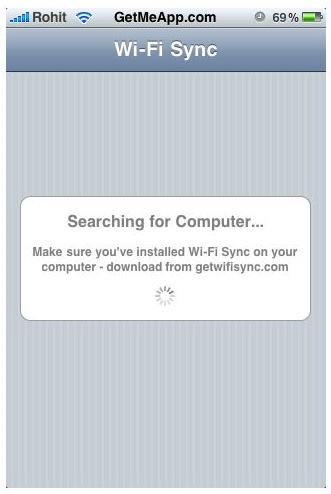
With Wi-Fi Sync, users will feel much more convenient in the process of synchronizing data on contact accounts, text files. and many other things via Wi-Fi.
3. M Cleaner:

For today's phone users, no one can avoid spam messages and calls. But with M Cleaner, users can be assured because this application can sort and organize incoming calls according to black list and white list. After you give any phone number to the black list, it will never be bothered again.
Note that the installation process of these applications is quite similar, just note Hackulo. us Is Cydia's repository. Open Cydia> Manage> Edit> Add And type Cydia. hackulo. us In the Http Box. After clicking Add Source , the system will display the bulletin board, you click OK and the system will automatically download Installous through this new repository. Besides, another point to note is that it should be done on an iPhone that was Jailbroke. Good luck!
FAQ
How were the 3 indispensable applications for iPhone 4 options selected?
The options are compared by usefulness, ease of use, core features, and their fit for the situations described in the article.
Which option is best for beginners?
Choose the option with the simplest setup, clear documentation, and the features you actually need. A more advanced option is not always the better starting point.
What should I check before choosing?
Check compatibility, current availability, pricing or licensing, privacy requirements, and whether the product still receives updates and support.
Related Articles
 How to Turn on Positioning on iPhone3 minutes read
 Top 10 Indispensable Apps That Help You Stay Focused10 minutes read
 How to Fix Errors Cannot Delete Apps on iPhone and iPad5 minutes read
 How to Download Applications Larger Than 200 MB with 3G / 4G on iPhone3 minutes read
 How to Add Applications to the Windows 11 Taskbar3 minutes read
 Instructions for Viewing the List of Downloaded Applications on4 minutes read
Reader Comments 0
Sign in with email or Google to join the discussion.