Table of Contents
The strongest free VPN choice depends on whether you need unlimited data, more location control, or only a short test. Proton VPN is the clearest option for unlimited use; Windscribe and PrivadoVPN provide larger location choice with monthly data limits; TunnelBear is easy to test but limited to 2 GB per month. Cloudflare WARP is useful for protecting a connection but is not a country-selection VPN.

Free VPNs compared
| Service | Free allowance | Best fit | Main limitation |
|---|---|---|---|
| Proton VPN | Unlimited data | Regular browsing without a monthly cap | Free server selection and premium features are limited |
| Windscribe | 2 GB/month, or 10 GB with a confirmed email and promotional email setting | Users who want a broader free location choice | Monthly data cap |
| PrivadoVPN | 10 GB of full-speed data every 30 days | Occasional browsing or streaming tests | Limited locations and features; provider says speed is restricted after the allowance |
| TunnelBear | 2 GB/month | Testing whether a VPN works on a device or network | Too little data for routine streaming or large downloads |
| Cloudflare WARP | Free connection tunnel | Protecting traffic to Cloudflare without choosing a country | Not designed to provide a selectable foreign location |
These allowances are based on the providers' published terms and can change. Check the plan screen before creating an account or installing an app.
1. Proton VPN Free: best for unlimited data
Proton VPN says its free plan has no bandwidth or data limit and provides free servers in ten countries. It automatically manages or limits some server choices and reserves more locations and features for paid plans. That makes it useful for everyday browsing when a monthly cap would be inconvenient, but not for users who must select any country at will.
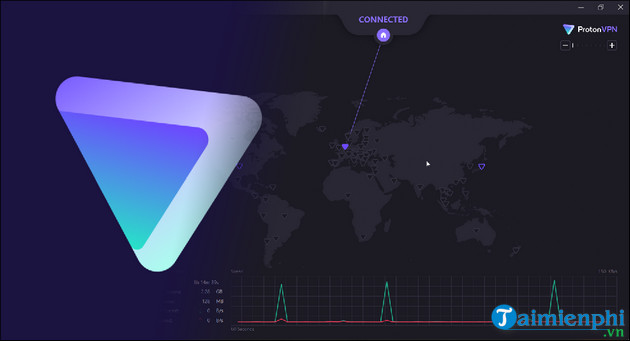
Review the official Proton VPN plan comparison. TipsMake also explains how to install and use Proton VPN on Windows.
2. Windscribe Free: best for flexible device use
Windscribe provides 2 GB per month without a confirmed email or 10 GB per month after confirming an email and meeting its current promotional-email condition. The provider allows free use on multiple personal devices and offers a subset of locations. It is a practical choice for occasional browsing, but the allowance disappears quickly during video calls or streaming.
See Windscribe's current free-plan limits.
3. PrivadoVPN Free: best for a 10 GB full-speed allowance
PrivadoVPN advertises 10 GB of full-speed data every 30 days and a limited selection of servers. Its support documentation says the connection can continue at a restricted speed after the monthly allowance, although plan behavior should be checked in the current app. This tier suits occasional use better than always-on protection.
Check PrivadoVPN's free-versus-paid description.
4. TunnelBear Free: best for a short test
TunnelBear's free accounts receive 2 GB per month. The small allowance is enough to learn the interface, test a network, or handle brief browsing, but it is not suitable for routine video, large downloads, or permanent background use.
Confirm the current amount in TunnelBear's free-account documentation.
5. Cloudflare WARP: best when location choice is unnecessary
Cloudflare WARP creates an encrypted route from the device to Cloudflare's network. It can protect traffic on the local path, but it is not a traditional consumer VPN with a country picker and should not be chosen for a specific apparent location. Read what Cloudflare WARP does before installing it.
Why NordVPN and Radmin VPN are not in this free-VPN list
NordVPN is primarily a paid subscription service. Its Android app may offer an eligible trial, and purchases may have a conditional refund period, but that is not the same as a permanent free tier.
Radmin VPN creates virtual local networks for remote access, gaming, and support. It is useful software, but it is not a consumer privacy VPN that routes ordinary internet browsing through a public exit server. Comparing it directly with Proton VPN or Windscribe would mislead readers.
Why older Touch VPN and Kiwi VPN entries were removed
The original article listed Touch VPN and Kiwi VPN without comparing current data limits, platform behavior, ownership, independent audits, or privacy terms. They are omitted from the recommendations until those points can be verified consistently. The following legacy images are retained so returning readers can identify the old entries; they are not endorsements.

How to choose a safe free VPN
- Read the privacy policy: identify what account, connection, device, and activity data is collected and retained.
- Understand the limit: check data, speed, locations, devices, ads, and trial billing.
- Use official stores: download from the provider's website, Google Play, or Apple's App Store.
- Prefer maintained apps: check recent security updates and clear support documentation.
- Avoid impossible promises: no VPN guarantees anonymity, faster internet, or access to every streaming service.
Free VPNs are most suitable for light or occasional use. If the tunnel must stay on all day, the service must connect several devices, or a particular country and support channel are essential, a paid plan may be more practical. Start with TipsMake's explanation of when a VPN is actually useful and compare paid VPN services before deciding.
Related Articles
 Top 2021 Best Free Vpns for Computers, Phones12 minutes read
 Can Free Vpns Be Trusted?: Can Free VPN Be Trusted6 minutes read
 Top 5 Best Free VPNs for Windows7 minutes read
 minutes read
 Don't Believe the Hype: Free VPNs Can Be Just Fine!8 minutes read
 Fake IP for Android: 17 Best VPN Apps for Android Phones31 minutes read
Reader Comments 0
Sign in with email or Google to join the discussion.