Table of Contents
Zenless Zone Zero redemption codes can provide Polychrome, Dennies, upgrade materials, and other account rewards. Codes change frequently and some expire within a day, so use the official redemption page as the final status check.
Zenless Zone Zero codes to try
The following codes were still reported as active around the Version 3.1 release. HoYoverse can disable a code without notice, and regional codes may not work on every server.
| Code | Reported reward | Notes |
|---|---|---|
ZZZ31REMIELLE | 60 Polychrome and 6,666 Dennies | Version 3.1 promotional code; redeem promptly. |
ZZZ2YEAR | 50 Polychrome | Second-anniversary promotional code. |
ZZZSEASON3 | 50 Polychrome | No public expiry was listed when last checked. |
ROSCAELIFER0617 | 30 Polychrome | No public expiry was listed when last checked. |
ZZZ30BANGBOO | 60 Polychrome and 6,666 Dennies | No public expiry was listed when last checked. |
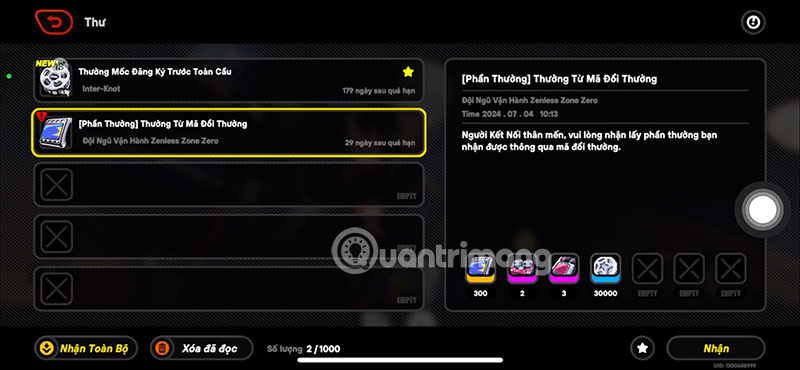
ZENLESSGIFT | 50 Polychrome, 2 Official Investigator Logs, 3 W-Engine Power Supplies, and 1 Bangboo Algorithm Module | Long-running code; usable once per account. |
The Version 3.1 livestream code ZZZY2ANNIV expired on July 19, 2026. Older entries such as ZZZSTEAM and ZZZSUSHIRO also had July 2026 deadlines and should not be presented as active.
Redeem a code in the game
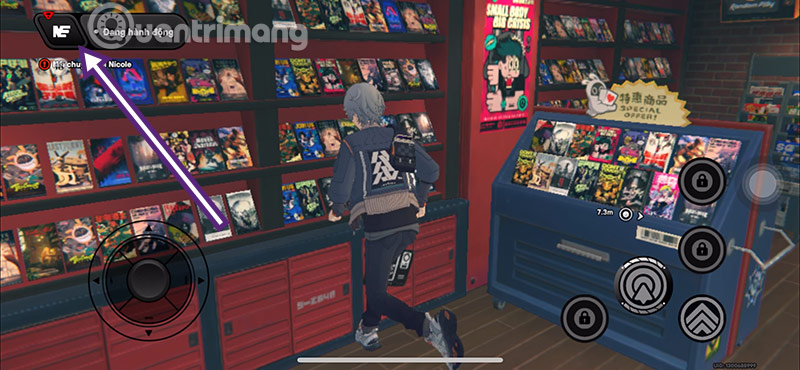
- Launch Zenless Zone Zero and enter the correct server.
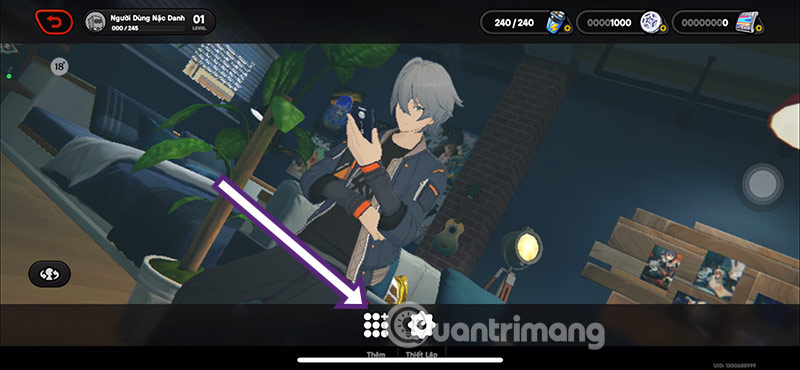
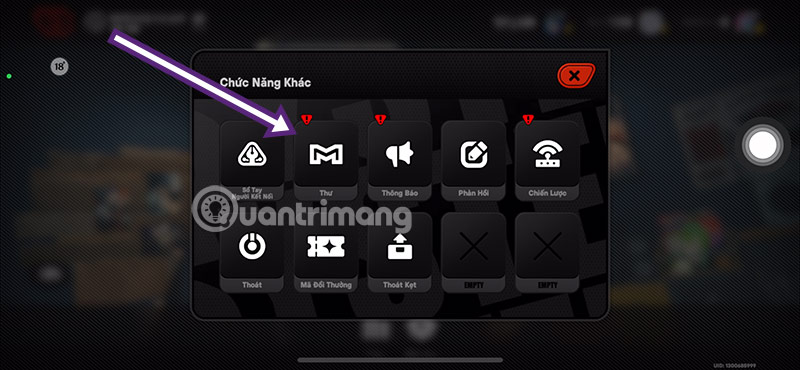
- Open the main menu, then select More.
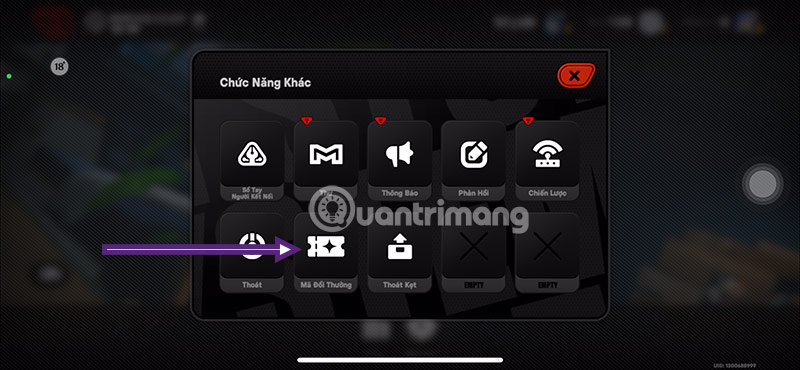
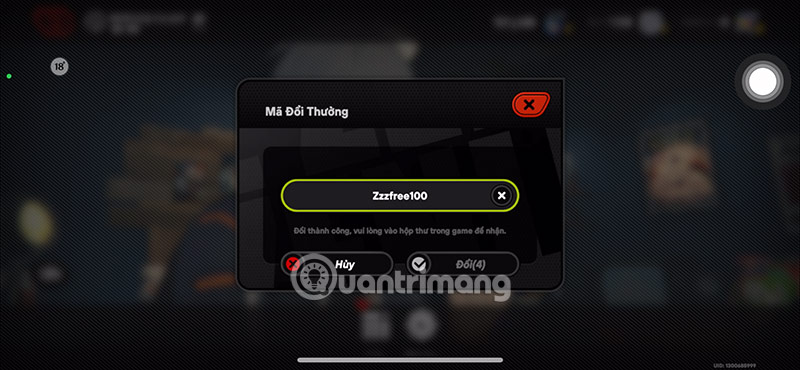
- Select Redemption Code.
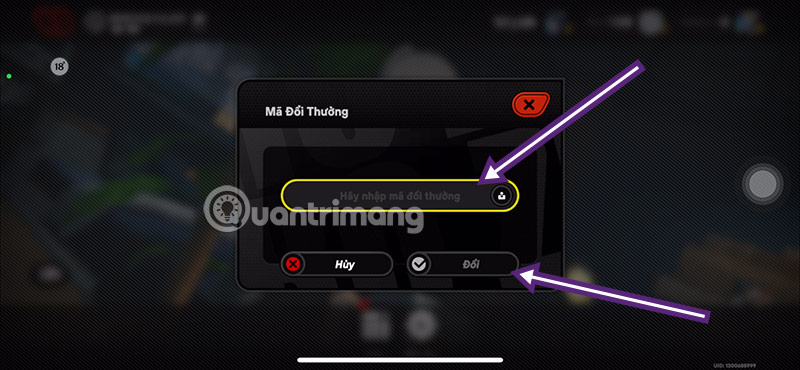
- Enter the code exactly and choose Redeem.
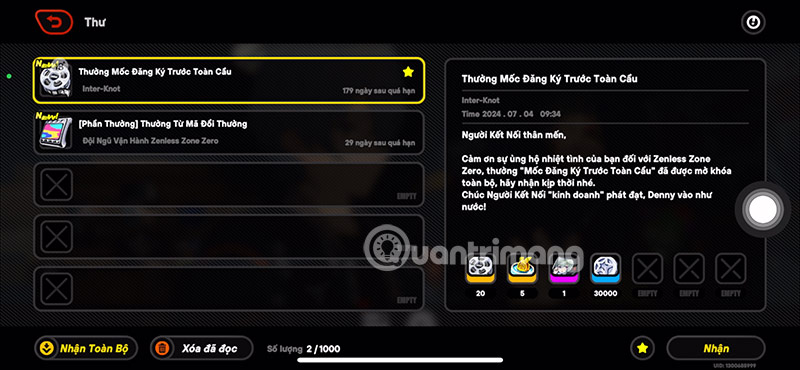
- Open Mail and claim the reward before the message expires.
Most codes require Inter-Knot Level 5. If the redemption option is unavailable, continue the introductory missions and check again after reaching the required level.
Redeem on the HoYoverse website
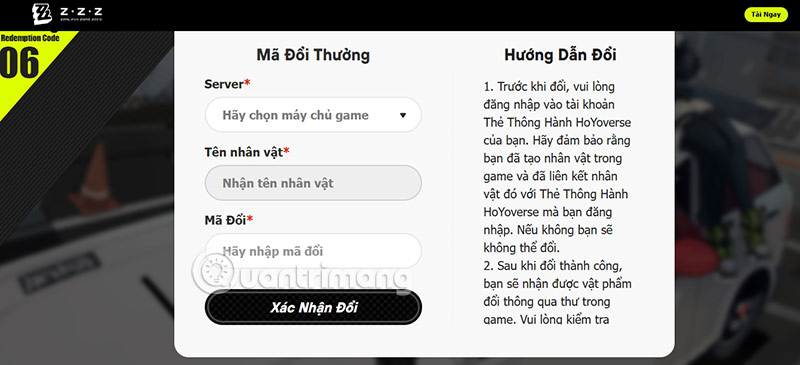
- Open the official Zenless Zone Zero redemption page.
- Sign in with the HoYoverse account linked to your game.
- Select the correct server and confirm the displayed character.
- Enter the code and select Confirm Redemption.
- Return to the game and claim the reward from Mail.
Why a ZZZ code may fail
- Expired: livestream codes often have very short redemption windows.
- Wrong server: some promotions are limited to Asia or another region.
- Already used: each code normally works once per account.
- Progress requirement: the account may not have reached Inter-Knot Level 5.
- Typing error: copy the code without spaces and preserve every letter and number.
- Wrong account: confirm that the website shows the intended server and character before redeeming.
Codes are commonly announced during Special Program livestreams and official Zenless Zone Zero social or HoYoLAB posts. Community lists are useful for discovery, but the game's own redemption response is authoritative. Do not trust pages that still label an expired livestream code as active.
Related Articles
 Download Zenless Zone Zero for iOS, Android, PC: Main Insights7 minutes read
 Zenless Zone Zero Tier List: Features, Uses, and Practical Tips7 minutes read
 How to Build Ben Zenless Zone Zero: Step-by-Step Guide10 minutes read
 How to Fix Fix Zenless Zone Zero Black Background Error, Fix ZZZ5 minutes read
 How to Build Vivian Zenless Zone Zero12 minutes read
 Download Zenless Zone Zero Epic Games Store5 minutes read
Reader Comments 0
Sign in with email or Google to join the discussion.