Table of Contents
JDownloader is a free download manager that collects links, organizes files into packages, and manages a download queue. It is an alternative to IDM for people who want to handle multiple downloads, but it cannot guarantee faster transfers or access to every video website.
What JDownloader can do
- Collect supported links through LinkGrabber and let you choose which files to download.
- Manage download queues and set a bandwidth limit.
- Offer separate video, audio, subtitle, or thumbnail entries when the website and its plugin support them.
- Extract supported archives automatically when the required files and passwords are available.
Website support can change. A private video is not automatically downloadable just because you have its URL, and a link that works in your browser may still fail in JDownloader. Download only material you are authorized to save.
Download and install JDownloader
Start at the official JDownloader website and choose the installer for your operating system. Read each installation screen and decline optional software you do not want. Avoid treating every Next button as approval for the same program.
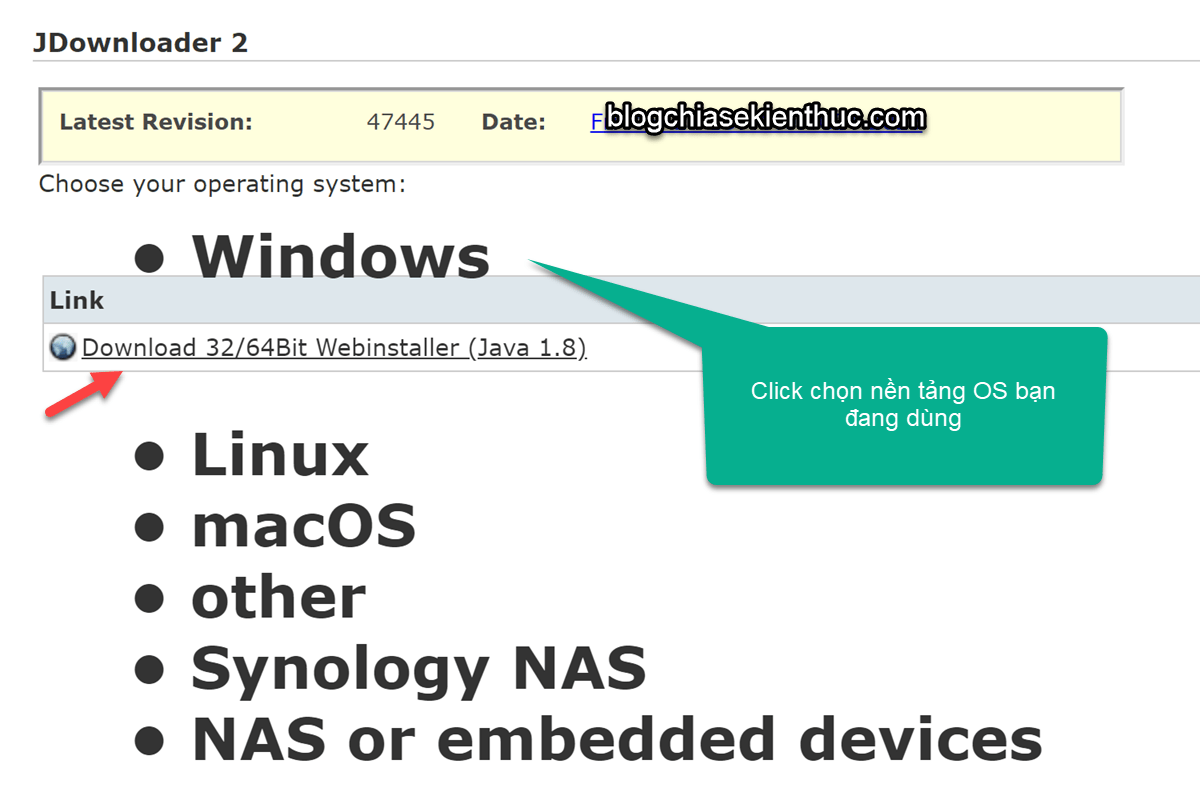
After installation, open the application and allow its updates to finish before testing a download. Choose a destination folder with enough free space, especially if downloaded archives will also be extracted.
Add links and start a download
- Copy the URL of the file or supported media page.
- Open LinkGrabber and paste the URL, or use the Add Links dialog to specify a package name and destination. With clipboard monitoring enabled, supported copied URLs can be collected automatically.
- Wait for the link check to finish. Expand a package to inspect its entries.
- Keep the files and formats you need. Some media pages expose multiple resolutions or separate audio, subtitle, and thumbnail files; availability varies.
- Move the selected entries to the download list and start them. Check the destination folder and progress rather than assuming every collected link has begun downloading.
The official LinkGrabber guide explains the available input methods and automatic-start settings. Leave automatic downloading off if you prefer to review each package first.
Control bandwidth and troubleshoot failures
If downloads interfere with other activity, set a speed limit or reduce the number running at once. More simultaneous transfers do not necessarily mean a faster overall download: the file host, your connection, and account restrictions can be the limiting factors.
- Link shown as offline: open the original address in a browser to see whether the file still exists and whether access requires a login. Update JDownloader and try adding the link again.
- Only some files appear: inspect the package and supported formats. The plugin may not expose every version available on the website.
- A previously working website fails: the site may have changed. Check official support rather than repeatedly retrying the same link.
- Archive extraction fails: check that all parts finished downloading, that the destination has space, and that any required password is correct.
For persistent link errors, consult JDownloader’s offline-link troubleshooting guide. Do not post private download URLs or account details in a public support thread.
Is it a suitable replacement for IDM?
JDownloader is worth considering if your priority is collecting and managing batches of supported links. Compare the workflow with your usual downloads before switching: browser integration, website support, and preferred controls may differ.
For alternatives, see free download managers for Windows and the overview of Free Download Manager. No download manager can remove the bandwidth or access restrictions imposed by a file host.
Related Articles
 How to activate Download Booster on Galaxy S8, S8 Plus
 Download Driver Booster Free 8.2.0.314
 Donate key Driver Booster 6 Pro 6 months, activate before October 31, 2018
 Sound Booster - Increase PC volume above maximum
 (Giveaway) Free license for Driver Booster 6, updates drivers for computers
 Download Driver Booster V 7.6.0
Reader Comments 0
Sign in with email or Google to join the discussion.