Table of Contents
What is Sound Booster?
This guide provides a clear, practical overview of "Sound Booster - Increase PC Volume Above Maximum". It organizes the most useful details, explains important considerations, and highlights the steps or choices that matter most.

You can use Sound Booster to increase the volume of your web browser and chat software (like Zoom or Skype). You can also use Sound Booster as an alternative to increase the volume in your favorite media player (like Windows Media Player or VLC) or hear other players better in multiplayer games.
Features of Sound Booster
Letasoft Sound Booster can be used as an additional amplifier when the volume of the program you are listening to is too low for comfortable listening and you feel that your PC speakers could produce a louder sound. This could be the case when the audio or video is recorded at a volume below normal, or, for example, when the microphone of the person you are talking to on Skype is not working properly. There could be many other reasons why the sound is too low and there is nothing you can do other than buy external speakers.

Increase the volume above maximum
The sound of any application running in the system can be amplified up to 500%. Letasoft Sound Booster can increase the volume of programs such as web browsers, online communication software (Skype, MSN, Live), all kinds of multimedia players and games. Simply put, the volume of almost any program that can play sound in a Windows PC can be increased to a more pleasant level with Sound Booster
Very easy to use
You can control the current volume with the slider that appears from the system tray. Additionally, you can assign system-wide hotkeys to increase and decrease, and use them when you need to adjust the volume.
Auto start
Sound Booster can be launched automatically every time Windows starts, so you don't have to do it manually. This can be useful if your PC's speakers are so low that their volume level is insufficient in most cases.
No sound distortion
Letasoft Sound Booster constantly monitors the current volume level and prevents samples from being shortened, thus reducing any major sound distortions.
Two different methods of sound enhancement
Sound Booster uses two methods to increase volume: Code injection and APO effects. Both methods have their own benefits and limitations. To cover most playback situations, both methods are enabled by default. Additionally, you can enable SuperBoost which can add some extra boost (but note that this can also cause minor distortion in the sound). Still, if reaching maximum volume is your goal, this is a tool worth trying.
FAQ
What is Sound Booster?
This guide provides a clear, practical overview of "Sound Booster - Increase PC Volume Above Maximum". It organizes the most useful details, explains important considerations, and highlights the steps or choices that matter most.
What should you know about features of Sound Booster?
Letasoft Sound Booster can be used as an additional amplifier when the volume of the program you are listening to is too low for comfortable listening and you feel that your PC speakers could produce a louder sound. This could be the case when the audio or video is recorded at a volume below normal, or, for example, when the.
What should you know about increase the volume above maximum?
The sound of any application running in the system can be amplified up to 500%. Letasoft Sound Booster can increase the volume of programs such as web browsers, online communication software (Skype, MSN, Live), all kinds of multimedia players and games. Simply put, the volume of almost any program that can play sound in a.
What should you know about very easy to use?
You can control the current volume with the slider that appears from the system tray. Additionally, you can assign system-wide hotkeys to increase and decrease, and use them when you need to adjust the volume.
Related Articles
 How to Use Sound Booster to Increase Computer and Laptop6 minutes read
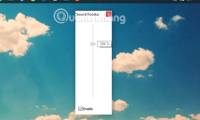 How to Increase Computer Volume 500% Without Noise with Sound Booster: Complete9 minutes read
 Instructions for Increasing Computer Volume Beyond 100%3 minutes read
 How to Increase the Sound of Mp3 Files on Mp3 Volume Booster3 minutes read
 How to Increase Speaker Volume with Sound Booster Most Effectively4 minutes read
 Maximize the Computer Volume with Sound Booster4 minutes read
Reader Comments 0
Sign in with email or Google to join the discussion.